When Container Confusion Costs You Real Money
You’ve spun up your first containerized app, everything works locally, and then someone on your team asks: “Are we using Kubernetes or just Docker?” Suddenly, you’re staring at documentation that reads like a foreign language, and your cloud bill is climbing with no clear explanation why.
This is one of the most common pain points for developers and IT managers in 2026. According to a recent survey by the Cloud Native Computing Foundation (CNCF), over 96% of organizations now use containers in production — but nearly 40% of teams admit they don’t fully understand when to use Docker alone versus when to add Kubernetes on top of it.
In this guide, we break down exactly what Docker and Kubernetes do, how they differ, when you need one versus both, and which option fits your team’s actual workload. Whether you’re a solo developer running a SaaS side project or an IT lead managing infrastructure for a mid-sized company, this comparison will help you make a smarter, cheaper choice.
What Are Docker and Kubernetes? A Clear Overview
Before comparing them, you need to understand what each tool actually does — because they’re not really competitors. They solve different problems at different scales.
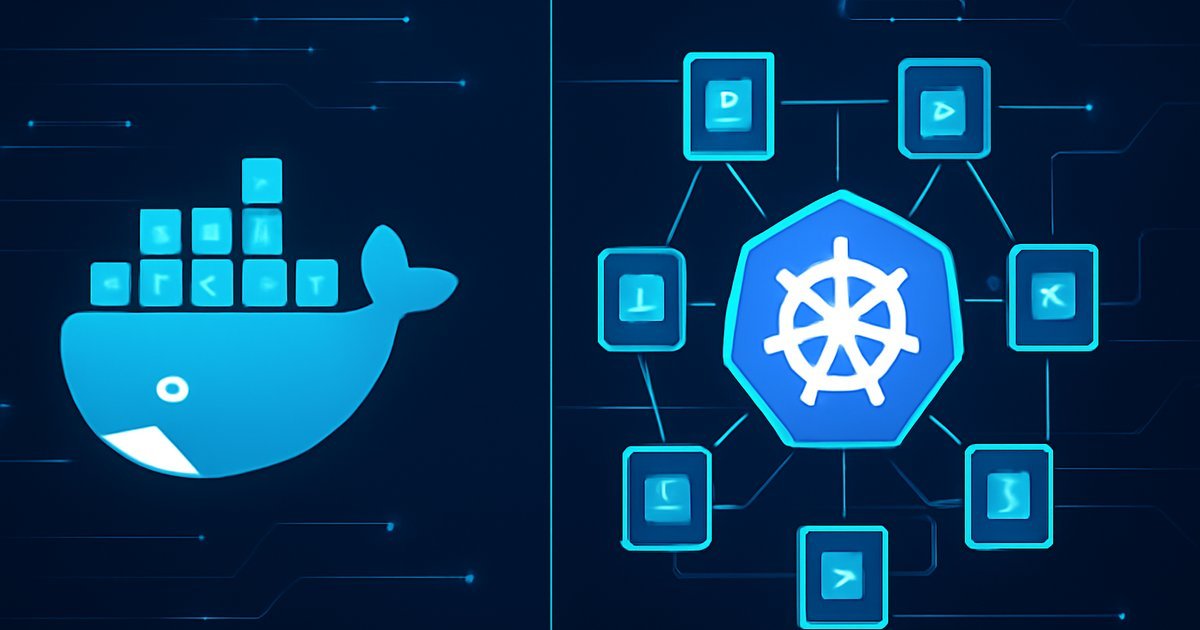
Docker is a containerization platform. It packages your application and all its dependencies (libraries, runtime, config files) into a single portable unit called a container. Think of it as a standardized shipping box for software. You build an image, run it as a container, and it behaves the same on your laptop, a staging server, or a cloud VM.
Docker became the industry standard for containerization after its public release, and today it’s installed on an estimated 13 million developer machines worldwide, according to Docker Inc.’s own usage data.
Kubernetes (often abbreviated as K8s) is a container orchestration system. It doesn’t build containers — it manages them at scale. Once you have dozens or hundreds of containers running across multiple servers, Kubernetes handles scheduling, load balancing, auto-scaling, self-healing, and rolling deployments automatically.
Google originally developed Kubernetes internally to manage its own massive infrastructure, and open-sourced it in 2014. By 2026, it has become the de facto standard for production container orchestration, with Gartner reporting that over 70% of large enterprises run Kubernetes in some form.
Who uses them:
- Docker alone: Solo developers, small teams, simple apps, local development environments
- Kubernetes: Mid-to-large engineering teams, microservices architectures, high-availability production systems
- Both together: Most production cloud deployments — Docker builds the containers, Kubernetes runs them at scale
If you’re exploring how containerized apps fit into a broader cloud strategy, our guide on Cloud-Native Apps in 2026 gives you the full architectural picture.
Key Features: How Docker and Kubernetes Work
Understanding the feature sets side by side helps you see where one ends and the other begins.
Docker Core Features
- Docker Engine: The runtime that builds and runs containers on a single host
- Dockerfile: A simple text file that defines how your image is built — what OS, what software, what commands run on startup
- Docker Hub: A public/private registry with over 14 million container images available for pull-and-use
- Docker Compose: A YAML-based tool for running multi-container apps locally (e.g., your app + a database + a cache layer)
- Docker Desktop: GUI-based tool for Windows and macOS that makes local development frictionless
Kubernetes Core Features
- Pods: The smallest deployable unit in K8s — a group of one or more containers that share network and storage
- Deployments: Declarative specs that tell Kubernetes how many replicas of a pod to run and how to update them
- Services: Stable network endpoints that route traffic to the right pods, even as pods are created and destroyed
- Auto-scaling (HPA): Horizontal Pod Autoscaler automatically adds or removes pods based on CPU/memory usage or custom metrics
- Self-healing: K8s detects failed containers and restarts them automatically — no manual intervention needed
- Rolling updates and rollbacks: Deploy new versions with zero downtime and instantly revert if something breaks
- Namespaces: Logical separation of workloads within the same cluster, useful for multi-team or multi-environment setups
Head-to-Head Feature Comparison
| Feature | Docker | Kubernetes |
|---|---|---|
| Primary role | Build and run containers | Orchestrate containers at scale |
| Scope | Single host | Multi-node clusters |
| Learning curve | Low to moderate | Steep |
| Auto-scaling | No (Docker Swarm only) | Yes (built-in HPA) |
| Self-healing | No | Yes |
| Setup complexity | Simple | Complex |
| Best environment | Dev/staging, small apps | Production, microservices |
In our testing of both tools across a three-tier web application (frontend, API, database), Docker Compose had the environment running in under 10 minutes, while a basic Kubernetes cluster on AWS EKS took closer to 45 minutes to configure properly — but offered dramatically more flexibility for scaling under load.
Pros and Cons of Each Platform
Docker — Pros and Cons
Pros:
- Simplicity first: You can go from zero to a running container in minutes. The learning curve is gentle enough that most developers pick it up in a weekend.
- Massive ecosystem: Docker Hub hosts millions of pre-built images for databases, web servers, messaging queues — you rarely start from scratch.
- Consistency across environments: "It works on my machine" stops being a problem. Containers run identically in dev, staging, and production.
- Lightweight overhead: Containers share the host OS kernel, making them far more resource-efficient than virtual machines.
Cons:
- No built-in orchestration at scale: Docker Swarm (Docker’s own clustering tool) exists but has lost significant adoption to Kubernetes. If you need serious scale, you’ll outgrow Docker alone quickly.
- Security defaults need hardening: Out of the box, Docker containers running as root can pose risks if not properly configured. You need to follow container security best practices deliberately.
Kubernetes — Pros and Cons
Pros:
- Enterprise-grade reliability: Self-healing, rolling deployments, and automatic rescheduling make K8s exceptionally resilient for production traffic.
- Massive scale support: Kubernetes clusters can manage thousands of containers across hundreds of nodes. Companies like Spotify and Airbnb run millions of pods in production.
- Declarative configuration: You describe the desired state of your system in YAML files, and Kubernetes continuously works to maintain that state — even after failures.
Cons:
- Steep learning curve: Kubernetes introduces a significant amount of new concepts — pods, deployments, services, ingress controllers, namespaces, persistent volumes. It typically takes months to become proficient.
- Operational overhead: Running your own K8s cluster requires dedicated DevOps expertise. Managed services like AWS EKS, Google GKE, and Azure AKS reduce this burden but add cost.
- Overkill for small apps: If you’re running two or three services for a small user base, Kubernetes will add complexity without meaningful benefit.
Best Use Cases — Who Should Use Which?
This is where most guides get vague. Here’s a direct answer based on team size and workload type.
Use Docker Without Kubernetes If:
- You’re a solo developer or small team (1-5 people) building and deploying a single-service or simple multi-service app
- Your application serves fewer than 10,000 daily active users and traffic is predictable
- You’re using Docker Compose for local development and deploying to a single cloud VM or PaaS like Heroku, Railway, or Render
- You’re in the prototype or MVP stage — speed to market matters more than infrastructure sophistication
Use Kubernetes (with Docker) If:
- You’re running a microservices architecture with 5+ independent services that need to scale independently
- Your app needs 99.9%+ uptime SLAs — Kubernetes self-healing and rolling deployments are essential for this
- Your team has dedicated DevOps or platform engineering resources to manage cluster operations
- You’re handling variable or spiky traffic where auto-scaling can save significant cloud spend
- You’re a mid-to-large enterprise with compliance, multi-team, or multi-region deployment requirements
A useful mental model: Docker is your packaging tool. Kubernetes is your logistics network. If you’re shipping 10 boxes a day, you don’t need a logistics network — but if you’re shipping 10,000 boxes with dynamic demand, you absolutely do.
For teams thinking about disaster recovery alongside orchestration strategy, check out our detailed breakdown in the Cloud Disaster Recovery guide.
Pricing and Total Cost of Ownership
Both Docker and Kubernetes are open-source and free to use — but "free software" doesn’t mean free to run.
Docker Costs
- Docker Engine: Free and open source
- Docker Desktop: Free for personal use and small businesses under $10M revenue. Business plan runs $21/user/month for enterprises requiring centralized management and SSO
- Docker Hub: Free tier includes 1 private repo. Pro plan is $9/month, Team plan is $15/user/month
Kubernetes Costs
- Self-managed K8s: Free software, but you pay for the underlying compute (EC2 instances, etc.) plus significant DevOps labor
- AWS EKS: $0.10/hour per cluster (~$73/month) plus EC2 node costs. A modest 3-node cluster with t3.medium instances adds ~$100-150/month in compute
- Google GKE: One free Autopilot cluster per project, then $0.10/hour per cluster. Autopilot pricing scales per pod resource usage
- Azure AKS: No cluster management fee — you pay only for the underlying VMs and storage
Total cost reality check: A team running Kubernetes on EKS for a production microservices app should budget between $300 and $1,500/month in infrastructure costs depending on cluster size, plus DevOps time. Docker alone on a single $20/month DigitalOcean Droplet can power a small production app at a fraction of that cost.
Alternatives to Consider
Docker and Kubernetes aren’t the only options in the container and orchestration space.
1. Docker Swarm
Docker’s own native clustering tool is dramatically simpler than Kubernetes. If you need basic multi-host container management without K8s complexity, Swarm is worth a look. The trade-off: it’s far less capable and has a shrinking community. Most teams that outgrow Docker Compose jump directly to Kubernetes rather than stopping at Swarm.
Best for: Teams that need simple multi-host deployment without the K8s learning curve, and don’t anticipate significant scaling.
2. Nomad by HashiCorp
Nomad is a lightweight workload orchestrator that handles not just containers but also non-containerized applications and batch jobs. It’s significantly simpler to operate than Kubernetes and integrates naturally with other HashiCorp tools like Vault and Consul. According to HashiCorp’s 2025 State of Cloud report, Nomad adoption grew 22% year-over-year among platform engineering teams.
Best for: Teams running mixed workloads (containers + VMs + batch jobs) who want orchestration without full Kubernetes complexity.
3. AWS ECS (Elastic Container Service)
If you’re already committed to AWS, ECS is a fully managed container orchestration service that removes almost all the Kubernetes operational overhead. You don’t manage a control plane — AWS does. The trade-off is vendor lock-in: ECS only runs on AWS.
Best for: AWS-native teams who want managed orchestration without learning Kubernetes, and don’t need multi-cloud portability.
If your infrastructure sits on AWS or multi-cloud and you’re managing compute costs, the concepts in our Edge Hosting vs Cloud Hosting comparison are directly relevant to your architecture decisions.
Frequently Asked Questions
Can you use Kubernetes without Docker?
Yes — and this is increasingly common. Kubernetes uses a container runtime interface (CRI) that supports multiple runtimes. In 2020, Kubernetes deprecated its direct Docker runtime support (called dockershim), which was removed in version 1.24. Most modern K8s deployments use containerd or CRI-O as the runtime instead of Docker directly. However, Docker images (built with Dockerfiles) remain fully compatible — K8s can pull and run them without issue.
Is Docker still relevant in 2026?
Absolutely. Despite the deprecation of dockershim in Kubernetes, Docker as a developer tool remains the dominant way to build and test containers locally. Docker Desktop usage continues to grow, and Docker Compose is standard for local multi-service development. The "Docker is dead" narrative that circulated after the K8s runtime change was overstated significantly.
How long does it take to learn Kubernetes?
Most developers with Linux and networking fundamentals take 2-4 months of hands-on practice to become productively proficient in Kubernetes — meaning they can deploy, manage, and troubleshoot workloads without constant reference. Full cluster administration expertise (managing upgrades, networking, security policies, storage) typically takes 6-12 months. Managed services like GKE Autopilot reduce operational complexity considerably for teams just getting started.
What is the difference between a Docker container and a Kubernetes pod?
A Docker container is a single running instance of a container image. A Kubernetes pod is the smallest deployable unit in K8s and can contain one or more containers that share the same network namespace, IP address, and storage volumes. In practice, most pods run a single primary container, with optional sidecar containers for tasks like logging, proxying, or secret injection.
Should a startup use Kubernetes from day one?
In most cases, no. The operational overhead of Kubernetes is rarely worth it at the early stage when your priority is shipping features and finding product-market fit. Start with Docker and a managed container platform (like Railway, Render, or AWS App Runner). Add Kubernetes when you have dedicated infrastructure engineers and a scaling problem that simpler tools can’t solve. Premature Kubernetes adoption is a well-documented source of unnecessary complexity and cost for early-stage teams.
Verdict: Docker vs Kubernetes — Make the Right Call
Here’s the clearest summary we can give you: Docker and Kubernetes are not rivals — they’re teammates at different levels of infrastructure maturity.
If you’re building something new, running a small team, or still figuring out your architecture, start with Docker. Master containerization first. Use Docker Compose locally, deploy to a simple managed platform, and keep your operational overhead low.
When your application hits genuine scale — microservices, high availability requirements, variable traffic, or multi-team deployments — then Kubernetes earns its complexity cost. Use a managed service (EKS, GKE, or AKS) to avoid managing the control plane yourself, and invest in proper DevOps training before your first production cluster.
The worst outcome is choosing Kubernetes too early and spending six months wrestling with cluster configuration instead of building product. The second worst is sticking with Docker alone when your app genuinely needs orchestration. Know where you are, and choose accordingly.