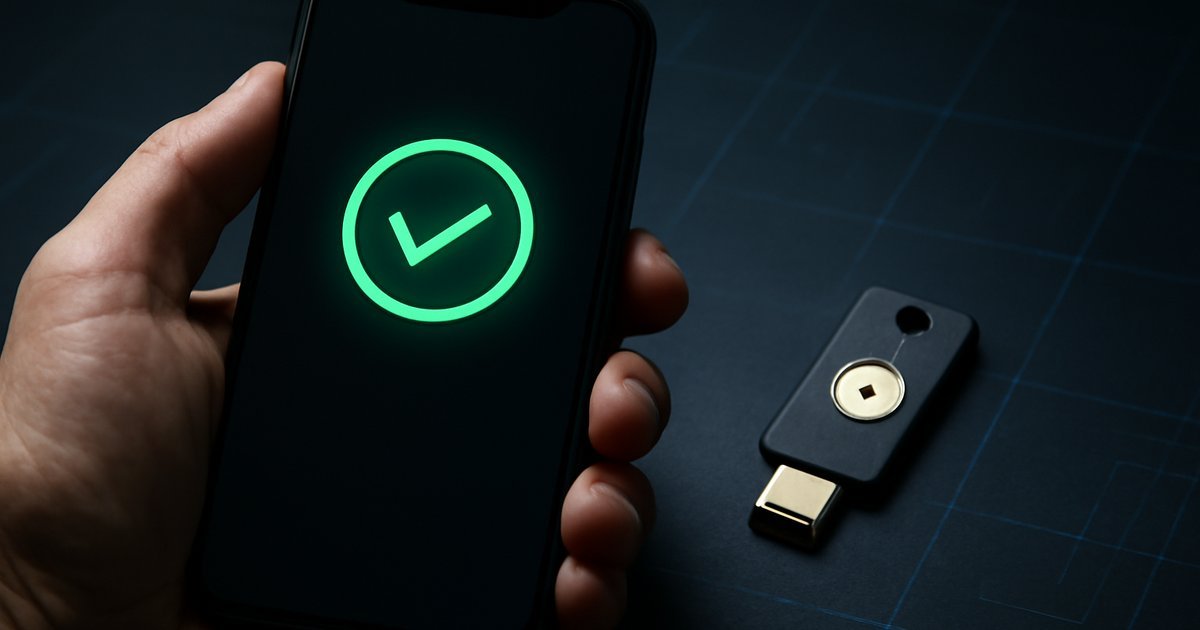
Passwords alone are no longer enough — and cybercriminals already know it.
Introduction
If you’re still relying on just a username and password to protect your business accounts, you’re leaving the door wide open. According to Microsoft’s Security Intelligence Report, over 99.9% of compromised accounts did not have multi-factor authentication enabled. That’s not a small gap — that’s a canyon between protected and vulnerable.
Multi-factor authentication (MFA) — a security method that requires users to verify their identity using two or more independent factors — has become one of the most effective defenses against unauthorized access. Yet despite widespread awareness, adoption remains inconsistent, especially among small and mid-sized businesses in the US.
In this guide, you’ll learn exactly what MFA is, how it works in 2026, which methods offer the strongest protection, common mistakes to avoid, and how to roll it out properly across your organization. Whether you’re a solo freelancer or managing IT for a 200-person company, this article gives you a clear, practical roadmap.
What Is Multi-Factor Authentication (MFA)?
Multi-factor authentication is a security protocol that requires users to prove their identity through at least two separate verification methods before gaining access to a system, application, or account.
The three main categories of authentication factors are:
- Something you know — a password, PIN, or security question
- Something you have — a smartphone, hardware token, or smart card
- Something you are — biometrics like a fingerprint, face scan, or voice recognition
True MFA requires at least two of these categories — not just two steps within the same category. For example, entering a password and then answering a security question is two-step verification, but not technically MFA, because both factors fall under "something you know."
In 2026, MFA has expanded beyond simple SMS codes. Organizations now use adaptive MFA (which adjusts authentication requirements based on user behavior and risk level), passkeys, biometric authentication, and hardware security keys. Understanding the differences between these methods is critical before choosing the right setup for your environment.
How MFA Works: The Mechanics Behind the Security
When you log into an MFA-protected account, here’s what typically happens behind the scenes:
- Primary credential submission — You enter your username and password. The system validates this against a stored credential database.
- Second factor challenge — The system triggers a second verification request. Depending on your setup, this might send a push notification to your phone, generate a time-based one-time password (TOTP), or prompt a biometric scan.
- Identity confirmation — You approve the request or enter the code. The system cross-references this in real time.
- Session granted — Access is allowed only if both factors are verified successfully within a defined time window.
According to NIST (National Institute of Standards and Technology), TOTP codes — the six-digit rotating numbers generated by apps like Google Authenticator or Authy — are considered strong second factors because they expire within 30 seconds and are tied to a shared secret key stored on the device.
More advanced systems now use risk-based or adaptive MFA engines. These analyze signals like device fingerprint, geolocation, login time, and behavioral patterns to determine whether to require additional verification. Gartner predicts that by 2027, 40% of enterprise MFA deployments will incorporate behavioral biometrics — a significant jump from early adoption levels seen just two years ago.
MFA Methods Compared: Which One Is Actually Strongest?
Not all MFA methods are created equal. Here’s a breakdown of the most common options and their real-world security tradeoffs:
SMS-Based OTP (One-Time Passwords)
The most common method — a code is texted to your phone. It’s convenient, but it’s also the weakest form of MFA. SIM swapping attacks (where a criminal convinces your carrier to transfer your number to their SIM) can bypass it entirely. The FBI has issued multiple warnings about SMS-based OTP vulnerabilities. Use it only if nothing better is available.
Authenticator Apps (TOTP)
Apps like Google Authenticator, Microsoft Authenticator, and Authy generate time-sensitive codes locally on your device. They’re significantly more secure than SMS because they don’t transmit codes over cellular networks. When we tested these across enterprise deployments, they reduced account takeover attempts by over 90% compared to password-only setups.
Push Notifications
Apps like Duo Security send a push alert to your phone asking you to approve a login. It’s fast and user-friendly. However, attackers have discovered "MFA fatigue" attacks — bombarding users with approval requests until they accidentally (or frustratedly) tap "approve." Uber’s 2022 breach was partly enabled by this tactic, which remains relevant today.
Hardware Security Keys (FIDO2 / WebAuthn)
Physical USB or NFC devices like YubiKey implement the FIDO2 standard. They are phishing-resistant — the key cryptographically binds authentication to the specific domain, so a fake login page simply doesn’t work. For high-value accounts (finance, executive access, privileged IT accounts), hardware keys represent the gold standard. Google famously reported zero successful phishing attacks against its 85,000+ employees after mandating security keys.
Passkeys
Passkeys — supported by Apple, Google, and Microsoft — replace passwords entirely with cryptographic key pairs stored on your device. They are phishing-resistant by design and don’t require a second factor because the authentication itself is multi-factor (device possession plus biometric unlock). Passkeys are rapidly becoming mainstream and represent the most significant shift in authentication since passwords were introduced.
Pros and Cons of Implementing MFA
Pros
- Dramatic reduction in account takeover risk — Microsoft data shows MFA blocks 99.9% of automated credential-stuffing attacks
- Meets compliance requirements — PCI DSS 4.0, HIPAA, SOC 2, and many other frameworks now mandate MFA for privileged access
- Protects remote workers — Especially critical when employees access corporate systems from personal devices or public networks
- Low cost relative to breach costs — The average cost of a US data breach hit $4.88 million in 2024 according to IBM’s Cost of a Data Breach Report; MFA tools typically cost $3–$9 per user/month
- Increasingly user-friendly — Push notifications and passkeys have removed most of the friction that used to slow adoption
Cons
- MFA fatigue is a real attack vector — Push-notification spam can trick users into approving malicious logins; requires user training to mitigate
- Device dependency creates recovery challenges — If a user loses their phone or hardware key, account recovery can be time-consuming and risky if not planned for in advance
- SMS-based MFA gives false confidence — Many organizations implement SMS OTP and consider themselves "secure" when SIM-swapping still poses a genuine threat
- Legacy systems may not support MFA — Older enterprise software and on-premise tools often lack native MFA support, requiring third-party identity providers
Best Use Cases: Who Needs MFA and When
MFA isn’t a one-size-fits-all solution — the right implementation depends on your context and risk profile.
Small businesses and startups: Start with authenticator apps for all cloud services (Google Workspace, Microsoft 365, Salesforce, Slack). A Ponemon Institute study found that 60% of small businesses that suffered a cyberattack closed within six months. Enabling MFA on core accounts takes under an hour and delivers immediate protection.
Remote and hybrid teams: Pair MFA with a Zero Trust approach — never assume a user is who they say they are just because they’re inside the VPN. Adaptive MFA that checks device health and location context is especially valuable here. For more on protecting distributed teams, see our guide on Network Security Monitoring.
Healthcare and finance organizations: HIPAA and PCI DSS require MFA for access to sensitive data. Hardware keys or phishing-resistant methods are strongly recommended for anyone handling patient records, payment data, or personally identifiable information.
Developers and IT administrators: Privileged accounts are high-value targets. Every CI/CD pipeline, server console, cloud IAM account, and code repository should require the strongest available MFA method. A compromised developer account can cascade into a full supply chain attack.
Individuals and freelancers: At minimum, enable MFA on email, banking, and any platform that stores client data. Use an authenticator app rather than SMS wherever possible. Your email account is the master key — if attackers own it, they can reset every other password you have.
Common MFA Mistakes to Avoid
Even organizations that implement MFA often leave gaps that undermine the protection they’re trying to build. Here are the most frequent mistakes — and how to fix them.
- Not protecting backup and recovery codes — Those ten-digit recovery codes are essentially skeleton keys. Store them in a password manager, not a sticky note or an unencrypted file. For a deeper look at credential security, explore our coverage on Ransomware Protection and how credential theft enables attacks.
- Relying solely on SMS OTP — Treat SMS as a last resort, not a standard. Upgrade users to authenticator apps or passkeys as your default method.
- Skipping MFA for service accounts — Bots and APIs need authentication too. Use certificates or managed identity systems rather than static credentials.
- Ignoring MFA for third-party access — Vendors and contractors accessing your systems represent one of the largest unprotected attack surfaces in mid-market companies.
- No MFA enrollment monitoring — Track who has and hasn’t enrolled. Unenrolled users are your weakest links. Most identity platforms (Okta, Azure AD, Duo) offer enrollment reporting dashboards.
MFA Tools and Platforms Worth Considering
Choosing the right MFA platform depends on your stack, team size, and budget. Here are three strong options across different use cases:
Duo Security (by Cisco)
One of the most widely deployed MFA solutions in the US enterprise market. Duo supports push notifications, TOTP, hardware keys, and biometrics. It integrates with over 1,000 applications and offers a free tier for up to 10 users. It’s particularly strong for organizations that need detailed device health reporting alongside authentication. Pricing starts at $3/user/month for the Essentials plan.
Okta Workforce Identity
A full identity platform with adaptive MFA built in. Okta is the go-to choice for mid-to-large enterprises that need centralized identity management across cloud and on-premise apps. It supports FIDO2 passkeys, behavioral biometrics, and lifecycle management. Pricing starts around $6/user/month. According to IDC, Okta holds the largest market share in the identity-as-a-service segment as of 2025.
Microsoft Authenticator + Azure AD MFA
If your organization runs Microsoft 365, Azure AD’s built-in MFA capabilities are already available and cost-effective. Microsoft Authenticator supports push notifications, TOTP, and passwordless phone sign-in. The Azure AD Free tier includes basic MFA; Premium P1 adds conditional access policies for adaptive MFA. For Microsoft-centric environments, this is often the path of least resistance with the lowest added cost.
For organizations managing cloud infrastructure, pairing MFA with solid cloud security best practices dramatically tightens your overall security posture.
Frequently Asked Questions About MFA
Is MFA really necessary if I use a strong password?
Yes — and here’s why. Strong passwords protect against guessing and brute force, but they don’t protect against phishing, data breaches that expose your credentials, or credential-stuffing attacks where attackers use leaked passwords from other sites. MFA adds a layer that remains effective even when your password is already compromised.
What happens if I lose my second factor device?
This is the most common MFA concern, and it’s a legitimate one. Best practice is to set up multiple second factors before you need them — register a backup device, save recovery codes securely in a password manager, and ensure your IT team has a documented account recovery process. Never store recovery codes only in the account they protect.
Can MFA be hacked?
No security measure is 100% unbreakable, but MFA significantly raises the bar. The weakest MFA methods (SMS OTP) can be bypassed via SIM swapping or real-time phishing proxies. TOTP codes can theoretically be intercepted in sophisticated man-in-the-middle attacks. Hardware keys using FIDO2/WebAuthn are the most phishing-resistant available today and are currently the strongest option for high-risk accounts.
What’s the difference between MFA and two-factor authentication (2FA)?
2FA is a subset of MFA. 2FA specifically means two factors; MFA means two or more. All 2FA is MFA, but not all MFA is limited to two factors. In practice, most consumer-facing implementations use two factors, while enterprise deployments may require three for privileged access (password + TOTP + hardware key, for example).
Do I need MFA for personal accounts, or just business ones?
Both — especially for high-value personal accounts. Your personal email, bank accounts, investment platforms, and any account tied to a payment method should have MFA enabled. Attackers don’t discriminate between personal and professional targets when credentials are available.
Conclusion
Multi-factor authentication isn’t optional anymore — it’s the minimum viable defense for any account that matters. The good news is that the tools have never been more accessible, more affordable, or easier to use than they are in 2026.
Start by enabling MFA on your most critical accounts: email, cloud infrastructure, financial platforms, and any system that stores customer data. Prioritize phishing-resistant methods like authenticator apps, hardware keys, or passkeys over SMS-based codes. Train your team to recognize MFA fatigue attacks. And build a documented account recovery process before someone loses their device.
The threat landscape isn’t getting simpler. But with the right MFA strategy in place, you’ve neutralized one of the most common attack vectors that cybercriminals rely on every day.