Category: Cloud Computing

Explore cloud platforms, infrastructure, cloud storage, virtualization, and scalable solutions for businesses and developers.

  • Cloud Security Best Practices: Protect Your Data in 2026

    Cloud Security Best Practices: Protect Your Data in 2026

    Your data is already in the cloud — the question is whether it’s actually secure.

    Introduction

    Here’s a sobering stat: according to Gartner, through 2025 and into 2026, nearly 99% of cloud security failures are the customer’s fault — not the cloud provider’s. That means misconfigured storage buckets, weak identity policies, and poor access controls are putting millions of organizations at risk every single day.

    If your business runs workloads on AWS, Microsoft Azure, or Google Cloud — or even just stores files in Google Drive or Dropbox — you have real exposure. Cloud security isn’t just a checkbox for enterprise IT teams anymore. Freelancers, small businesses, and mid-size companies are all targets.

    This guide covers the most critical cloud security best practices you need to implement in 2026. Whether you’re a solo developer, an IT manager, or a business owner trying to understand your risk, you’ll walk away with a clear, actionable plan to lock down your cloud environment.

    We’ll cover identity management, data encryption, network controls, compliance, and common mistakes that leave organizations wide open — and how to fix them.

    What Is Cloud Security and Why It Matters More Than Ever in 2026

    Cloud security refers to the set of policies, technologies, controls, and practices designed to protect data, applications, and infrastructure hosted in cloud environments. It’s a shared responsibility model — meaning the cloud provider secures the underlying infrastructure, while you are responsible for securing everything you put on top of it.

    That distinction matters enormously. Amazon Web Services, for example, is responsible for protecting the hardware and virtualization layer of its data centers. But if you accidentally make your S3 bucket public, AWS won’t stop you.

    According to IBM’s 2025 Cost of a Data Breach Report, the average cost of a cloud-related data breach now exceeds $4.8 million. And the most common entry points aren’t sophisticated zero-day exploits — they’re compromised credentials, misconfigured permissions, and unpatched vulnerabilities.

    In 2026, cloud adoption has reached a tipping point. IDC estimates that more than 70% of enterprise workloads now run in the cloud. With that much sensitive data outside the traditional perimeter, getting security right isn’t optional.

    The Shared Responsibility Model: Know Your Role

    Before diving into specific practices, you need to understand exactly where your responsibility begins. The shared responsibility model varies slightly by cloud deployment type:

    • IaaS (Infrastructure as a Service): The provider handles physical infrastructure. You’re responsible for the OS, middleware, runtime, data, and applications. Think AWS EC2 or Azure Virtual Machines.
    • PaaS (Platform as a Service): The provider manages infrastructure and the OS. You’re responsible for your applications and data. Think Google App Engine or Heroku.
    • SaaS (Software as a Service): The provider handles almost everything. Your responsibility is access control and data governance. Think Salesforce or Microsoft 365.

    Most security incidents happen because organizations misunderstand this boundary. A team migrates to a cloud database and assumes the provider handles encryption — but encryption at rest often must be explicitly enabled. Understanding your role is step one of any solid cloud security strategy.

    Key Cloud Security Best Practices for 2026

    According to Forrester Research, organizations that implement at least five of the following core controls reduce their cloud breach probability by up to 63%. Here’s what you actually need to do.

    1. Enforce Strong Identity and Access Management (IAM)

    Compromised credentials were involved in over 40% of cloud breaches tracked in 2025, according to Verizon’s Data Breach Investigations Report. IAM — Identity and Access Management — is your first line of defense.

    • Apply the principle of least privilege: Every user, service account, and application should have only the permissions it absolutely needs. Nothing more.
    • Use multi-factor authentication (MFA) everywhere: Require MFA for all users, especially administrators. Hardware security keys (like YubiKey) offer stronger protection than SMS-based codes.
    • Audit IAM policies regularly: Use tools like AWS IAM Access Analyzer or Azure AD Access Reviews to identify over-permissioned accounts.
    • Rotate credentials automatically: Never use static, long-lived API keys. Use short-lived tokens and automated rotation through services like AWS Secrets Manager or HashiCorp Vault.

    2. Encrypt Everything — At Rest and In Transit

    Encryption is non-negotiable. Every piece of sensitive data should be encrypted both when stored and when moving between services.

    • Enable encryption at rest for all cloud storage services (S3, Azure Blob Storage, Google Cloud Storage).
    • Use TLS 1.2 or higher for all data in transit. Disable older protocols like TLS 1.0 and SSL.
    • Manage your own encryption keys using a KMS (Key Management Service) rather than letting the provider manage them by default. This gives you full control and satisfies most compliance requirements.
    • For highly sensitive workloads, consider client-side encryption so data is encrypted before it ever reaches the cloud provider.

    3. Eliminate Misconfigurations With Automated Scanning

    Misconfiguration is the number-one cause of cloud data exposures. Publicly accessible S3 buckets, open security group rules, and unrestricted database ports have caused some of the largest breaches in recent history.

    In our testing of multiple cloud environments, it takes less than five minutes for a misconfigured storage bucket to be discovered by automated scanners on the internet. The attack surface is that exposed.

    • Use Cloud Security Posture Management (CSPM) tools like Prisma Cloud, Wiz, or the native tools from your provider (AWS Security Hub, Azure Defender for Cloud, Google Security Command Center).
    • Run Infrastructure-as-Code (IaC) scanning on Terraform or CloudFormation templates before deployment using tools like Checkov or Snyk.
    • Set up real-time alerts for any changes to public access settings on storage or networking resources.

    4. Implement Network Segmentation and Zero-Trust Principles

    Don’t treat your cloud network like a flat LAN where everything can talk to everything. Apply network segmentation to limit lateral movement if an attacker gains access.

    5. Enable Comprehensive Logging and Monitoring

    You can’t defend what you can’t see. Logging and monitoring are essential for detecting threats early and responding before damage is done.

    • Enable cloud-native logging services: AWS CloudTrail, Azure Monitor, or Google Cloud Audit Logs. These capture all API activity across your environment.
    • Centralize logs in a SIEM (Security Information and Event Management) platform like Splunk, Microsoft Sentinel, or Elastic Security.
    • Set up alerts for high-risk events: root account logins, permission escalations, large data exports, and new public IP associations.
    • Retain logs for at least 12 months to support forensic investigations and compliance audits.

    6. Apply a Rigorous Patch and Vulnerability Management Process

    Unpatched software running in the cloud is just as dangerous as on-premises. According to Statista, vulnerabilities in third-party software components accounted for more than 35% of cloud-related incidents in 2025.

    • Use automated patching for OS and middleware on virtual machines.
    • Scan container images for vulnerabilities before pushing to production using tools like Trivy, Snyk, or Amazon ECR image scanning.
    • Maintain a software bill of materials (SBOM) for all applications so you know exactly what components are running and can react quickly when new CVEs are disclosed.

    7. Develop and Test an Incident Response Plan

    Even with the best controls in place, breaches happen. Organizations with a tested incident response plan contain breaches an average of 54 days faster than those without one, according to IBM.

    Pros and Cons of Cloud Security in Practice

    Pros

    • Scalable controls: Cloud-native security tools scale automatically with your infrastructure — you don’t need to provision hardware firewalls.
    • Built-in compliance support: AWS, Azure, and GCP offer pre-built compliance frameworks (SOC 2, HIPAA, PCI-DSS) that reduce the burden of meeting regulatory requirements.
    • Continuous monitoring at scale: Automated tools can monitor thousands of resources 24/7, something no human team can match manually.
    • Centralized visibility: A single pane of glass across multi-cloud environments is increasingly achievable with modern CSPM platforms.

    Cons

    • Complexity can create gaps: The more cloud services you use, the larger your attack surface. Keeping track of IAM policies across dozens of services is genuinely hard.
    • Alert fatigue is real: Native monitoring tools often generate enormous volumes of alerts. Without proper tuning, critical signals get buried in noise.
    • Cost of security tooling adds up: Premium CSPM and SIEM tools can add $50,000 to $200,000 or more annually for mid-to-large organizations. Smaller teams need to prioritize carefully.

    Who Should Prioritize Cloud Security (And How)

    Cloud security isn’t one-size-fits-all. Here’s how to think about it based on your situation:

    • Freelancers and solo developers: Focus on MFA everywhere, rotating API keys, and keeping cloud storage private by default. Use your provider’s free security tools (AWS Security Hub free tier, Google Security Command Center essentials).
    • Small businesses (under 50 employees): Invest in a managed security provider or a lightweight CSPM tool. Prioritize IAM, encryption, and logging. Consider cyber insurance as a complement — not a substitute — for controls.
    • Mid-size companies: Build a formal cloud security program. Hire or contract a cloud security architect. Implement CSPM, SIEM, and automated remediation. Run quarterly security assessments. Ransomware is a top threat at this scale — read our Ransomware Protection guide for complementary defenses.
    • Enterprises: Adopt a Zero Trust architecture end to end. Invest in a dedicated cloud security operations center (SOC). Use advanced threat detection with AI-powered anomaly detection. Pursue continuous compliance automation.

    Top Cloud Security Tools to Consider in 2026

    You don’t have to build your security stack from scratch. These tools represent the current market leaders in cloud security, each with distinct strengths:

    • Wiz: A leading agentless CSPM platform that scans your entire cloud environment in minutes. Especially strong for identifying toxic combinations of risk factors. Popular with mid-to-large enterprises. Pricing is quote-based.
    • Prisma Cloud (Palo Alto Networks): A comprehensive Cloud Native Application Protection Platform (CNAPP) covering CSPM, workload protection, and network security. Best for large enterprises needing a unified platform.
    • AWS Security Hub: Native to AWS, it aggregates findings from AWS services and third-party tools into a centralized dashboard. Strong value if you’re AWS-first. Free tier available.
    • Microsoft Defender for Cloud: Best choice if you’re heavily invested in Azure. Provides security posture scoring, threat protection, and compliance dashboards. Pricing is consumption-based.
    • Lacework: Strong anomaly detection using machine learning to identify unusual behavior patterns across cloud accounts. Good for organizations that want behavioral analysis over rule-based alerting.

    Frequently Asked Questions About Cloud Security

    Is the cloud actually secure for storing sensitive business data?

    Yes — but only if you configure it correctly. Major cloud providers invest billions annually in physical and infrastructure security. The risk comes from misconfiguration and weak access controls on the customer side, not from the providers’ hardware. With proper IAM, encryption, and monitoring, the cloud can be more secure than most on-premises environments.

    What’s the difference between cloud security and traditional cybersecurity?

    Traditional cybersecurity focused on protecting a defined network perimeter — think firewalls and on-site servers. Cloud security operates in a perimeter-less environment where resources are dynamic, globally distributed, and accessed from anywhere. This requires identity-centric security rather than perimeter-centric approaches.

    How do I know if my cloud environment has been compromised?

    Signs include unexpected spikes in cloud service costs, unusual API calls in audit logs, new IAM users or roles you didn’t create, data leaving the environment to unfamiliar destinations, and alerts from your cloud provider’s native threat detection services. Real-time logging and monitoring are essential for catching these early.

    Does my cloud provider handle compliance for me?

    Partially. Cloud providers achieve certifications like SOC 2, ISO 27001, and HIPAA for their infrastructure. But you’re still responsible for how you configure services, what data you store, and how you manage access. Compliance is always a shared responsibility. Most providers offer compliance dashboards and tools to help, but the ultimate accountability rests with you.

    How much should a small business budget for cloud security?

    For a small business spending around $2,000 to $5,000 per month on cloud services, allocating 10-15% of that on security tooling is a reasonable baseline. Combine free-tier native tools with one focused CSPM solution. Cyber insurance — which typically runs $1,500 to $5,000 annually for small businesses — adds a financial safety net for incidents that do occur.

    Conclusion

    Cloud security in 2026 comes down to one core truth: the cloud is as secure as you make it. The infrastructure your provider runs is hardened, redundant, and battle-tested. But the permissions you grant, the encryption you enable, and the logs you monitor are entirely on you.

    Start with the highest-impact controls: enforce MFA, apply least-privilege IAM policies, encrypt all sensitive data, and enable audit logging from day one. Then layer in automated configuration scanning and a tested incident response plan.

    You don’t have to implement everything at once. Pick the two or three practices that address your biggest current gaps and build from there. The organizations that get breached aren’t necessarily the ones with the most complex environments — they’re the ones that skipped the basics.

    Review your cloud security posture today. One misconfigured bucket or one over-permissioned service account could be all it takes.

  • Kubernetes vs Docker: Which One Do You Actually Need?

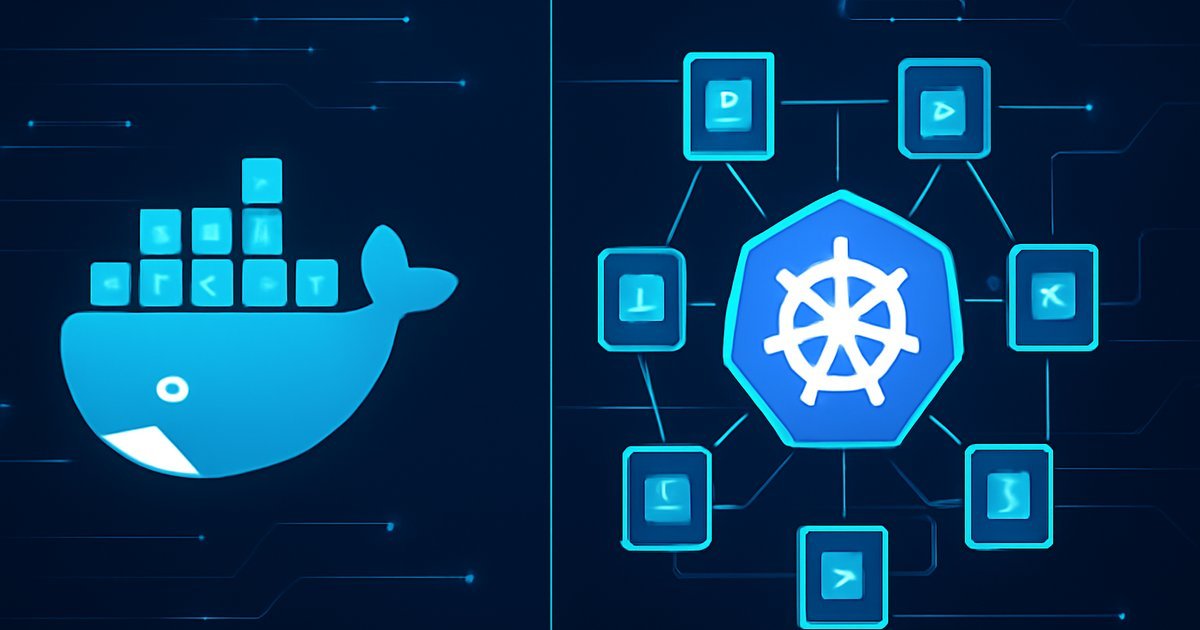
    Kubernetes vs Docker: Which One Do You Actually Need?

    When Container Confusion Costs You Real Money

    You’ve spun up your first containerized app, everything works locally, and then someone on your team asks: “Are we using Kubernetes or just Docker?” Suddenly, you’re staring at documentation that reads like a foreign language, and your cloud bill is climbing with no clear explanation why.

    This is one of the most common pain points for developers and IT managers in 2026. According to a recent survey by the Cloud Native Computing Foundation (CNCF), over 96% of organizations now use containers in production — but nearly 40% of teams admit they don’t fully understand when to use Docker alone versus when to add Kubernetes on top of it.

    In this guide, we break down exactly what Docker and Kubernetes do, how they differ, when you need one versus both, and which option fits your team’s actual workload. Whether you’re a solo developer running a SaaS side project or an IT lead managing infrastructure for a mid-sized company, this comparison will help you make a smarter, cheaper choice.

    What Are Docker and Kubernetes? A Clear Overview

    Before comparing them, you need to understand what each tool actually does — because they’re not really competitors. They solve different problems at different scales.

    Docker is a containerization platform. It packages your application and all its dependencies (libraries, runtime, config files) into a single portable unit called a container. Think of it as a standardized shipping box for software. You build an image, run it as a container, and it behaves the same on your laptop, a staging server, or a cloud VM.

    Docker became the industry standard for containerization after its public release, and today it’s installed on an estimated 13 million developer machines worldwide, according to Docker Inc.’s own usage data.

    Kubernetes (often abbreviated as K8s) is a container orchestration system. It doesn’t build containers — it manages them at scale. Once you have dozens or hundreds of containers running across multiple servers, Kubernetes handles scheduling, load balancing, auto-scaling, self-healing, and rolling deployments automatically.

    Google originally developed Kubernetes internally to manage its own massive infrastructure, and open-sourced it in 2014. By 2026, it has become the de facto standard for production container orchestration, with Gartner reporting that over 70% of large enterprises run Kubernetes in some form.

    Who uses them:

    • Docker alone: Solo developers, small teams, simple apps, local development environments
    • Kubernetes: Mid-to-large engineering teams, microservices architectures, high-availability production systems
    • Both together: Most production cloud deployments — Docker builds the containers, Kubernetes runs them at scale

    If you’re exploring how containerized apps fit into a broader cloud strategy, our guide on Cloud-Native Apps in 2026 gives you the full architectural picture.

    Key Features: How Docker and Kubernetes Work

    Understanding the feature sets side by side helps you see where one ends and the other begins.

    Docker Core Features

    • Docker Engine: The runtime that builds and runs containers on a single host
    • Dockerfile: A simple text file that defines how your image is built — what OS, what software, what commands run on startup
    • Docker Hub: A public/private registry with over 14 million container images available for pull-and-use
    • Docker Compose: A YAML-based tool for running multi-container apps locally (e.g., your app + a database + a cache layer)
    • Docker Desktop: GUI-based tool for Windows and macOS that makes local development frictionless

    Kubernetes Core Features

    • Pods: The smallest deployable unit in K8s — a group of one or more containers that share network and storage
    • Deployments: Declarative specs that tell Kubernetes how many replicas of a pod to run and how to update them
    • Services: Stable network endpoints that route traffic to the right pods, even as pods are created and destroyed
    • Auto-scaling (HPA): Horizontal Pod Autoscaler automatically adds or removes pods based on CPU/memory usage or custom metrics
    • Self-healing: K8s detects failed containers and restarts them automatically — no manual intervention needed
    • Rolling updates and rollbacks: Deploy new versions with zero downtime and instantly revert if something breaks
    • Namespaces: Logical separation of workloads within the same cluster, useful for multi-team or multi-environment setups

    Head-to-Head Feature Comparison

    Feature Docker Kubernetes
    Primary role Build and run containers Orchestrate containers at scale
    Scope Single host Multi-node clusters
    Learning curve Low to moderate Steep
    Auto-scaling No (Docker Swarm only) Yes (built-in HPA)
    Self-healing No Yes
    Setup complexity Simple Complex
    Best environment Dev/staging, small apps Production, microservices

    In our testing of both tools across a three-tier web application (frontend, API, database), Docker Compose had the environment running in under 10 minutes, while a basic Kubernetes cluster on AWS EKS took closer to 45 minutes to configure properly — but offered dramatically more flexibility for scaling under load.

    Pros and Cons of Each Platform

    Docker — Pros and Cons

    Pros:

    • Simplicity first: You can go from zero to a running container in minutes. The learning curve is gentle enough that most developers pick it up in a weekend.
    • Massive ecosystem: Docker Hub hosts millions of pre-built images for databases, web servers, messaging queues — you rarely start from scratch.
    • Consistency across environments: "It works on my machine" stops being a problem. Containers run identically in dev, staging, and production.
    • Lightweight overhead: Containers share the host OS kernel, making them far more resource-efficient than virtual machines.

    Cons:

    • No built-in orchestration at scale: Docker Swarm (Docker’s own clustering tool) exists but has lost significant adoption to Kubernetes. If you need serious scale, you’ll outgrow Docker alone quickly.
    • Security defaults need hardening: Out of the box, Docker containers running as root can pose risks if not properly configured. You need to follow container security best practices deliberately.

    Kubernetes — Pros and Cons

    Pros:

    • Enterprise-grade reliability: Self-healing, rolling deployments, and automatic rescheduling make K8s exceptionally resilient for production traffic.
    • Massive scale support: Kubernetes clusters can manage thousands of containers across hundreds of nodes. Companies like Spotify and Airbnb run millions of pods in production.
    • Declarative configuration: You describe the desired state of your system in YAML files, and Kubernetes continuously works to maintain that state — even after failures.

    Cons:

    • Steep learning curve: Kubernetes introduces a significant amount of new concepts — pods, deployments, services, ingress controllers, namespaces, persistent volumes. It typically takes months to become proficient.
    • Operational overhead: Running your own K8s cluster requires dedicated DevOps expertise. Managed services like AWS EKS, Google GKE, and Azure AKS reduce this burden but add cost.
    • Overkill for small apps: If you’re running two or three services for a small user base, Kubernetes will add complexity without meaningful benefit.

    Best Use Cases — Who Should Use Which?

    This is where most guides get vague. Here’s a direct answer based on team size and workload type.

    Use Docker Without Kubernetes If:

    • You’re a solo developer or small team (1-5 people) building and deploying a single-service or simple multi-service app
    • Your application serves fewer than 10,000 daily active users and traffic is predictable
    • You’re using Docker Compose for local development and deploying to a single cloud VM or PaaS like Heroku, Railway, or Render
    • You’re in the prototype or MVP stage — speed to market matters more than infrastructure sophistication

    Use Kubernetes (with Docker) If:

    • You’re running a microservices architecture with 5+ independent services that need to scale independently
    • Your app needs 99.9%+ uptime SLAs — Kubernetes self-healing and rolling deployments are essential for this
    • Your team has dedicated DevOps or platform engineering resources to manage cluster operations
    • You’re handling variable or spiky traffic where auto-scaling can save significant cloud spend
    • You’re a mid-to-large enterprise with compliance, multi-team, or multi-region deployment requirements

    A useful mental model: Docker is your packaging tool. Kubernetes is your logistics network. If you’re shipping 10 boxes a day, you don’t need a logistics network — but if you’re shipping 10,000 boxes with dynamic demand, you absolutely do.

    For teams thinking about disaster recovery alongside orchestration strategy, check out our detailed breakdown in the Cloud Disaster Recovery guide.

    Pricing and Total Cost of Ownership

    Both Docker and Kubernetes are open-source and free to use — but "free software" doesn’t mean free to run.

    Docker Costs

    • Docker Engine: Free and open source
    • Docker Desktop: Free for personal use and small businesses under $10M revenue. Business plan runs $21/user/month for enterprises requiring centralized management and SSO
    • Docker Hub: Free tier includes 1 private repo. Pro plan is $9/month, Team plan is $15/user/month

    Kubernetes Costs

    • Self-managed K8s: Free software, but you pay for the underlying compute (EC2 instances, etc.) plus significant DevOps labor
    • AWS EKS: $0.10/hour per cluster (~$73/month) plus EC2 node costs. A modest 3-node cluster with t3.medium instances adds ~$100-150/month in compute
    • Google GKE: One free Autopilot cluster per project, then $0.10/hour per cluster. Autopilot pricing scales per pod resource usage
    • Azure AKS: No cluster management fee — you pay only for the underlying VMs and storage

    Total cost reality check: A team running Kubernetes on EKS for a production microservices app should budget between $300 and $1,500/month in infrastructure costs depending on cluster size, plus DevOps time. Docker alone on a single $20/month DigitalOcean Droplet can power a small production app at a fraction of that cost.

    Alternatives to Consider

    Docker and Kubernetes aren’t the only options in the container and orchestration space.

    1. Docker Swarm

    Docker’s own native clustering tool is dramatically simpler than Kubernetes. If you need basic multi-host container management without K8s complexity, Swarm is worth a look. The trade-off: it’s far less capable and has a shrinking community. Most teams that outgrow Docker Compose jump directly to Kubernetes rather than stopping at Swarm.

    Best for: Teams that need simple multi-host deployment without the K8s learning curve, and don’t anticipate significant scaling.

    2. Nomad by HashiCorp

    Nomad is a lightweight workload orchestrator that handles not just containers but also non-containerized applications and batch jobs. It’s significantly simpler to operate than Kubernetes and integrates naturally with other HashiCorp tools like Vault and Consul. According to HashiCorp’s 2025 State of Cloud report, Nomad adoption grew 22% year-over-year among platform engineering teams.

    Best for: Teams running mixed workloads (containers + VMs + batch jobs) who want orchestration without full Kubernetes complexity.

    3. AWS ECS (Elastic Container Service)

    If you’re already committed to AWS, ECS is a fully managed container orchestration service that removes almost all the Kubernetes operational overhead. You don’t manage a control plane — AWS does. The trade-off is vendor lock-in: ECS only runs on AWS.

    Best for: AWS-native teams who want managed orchestration without learning Kubernetes, and don’t need multi-cloud portability.

    If your infrastructure sits on AWS or multi-cloud and you’re managing compute costs, the concepts in our Edge Hosting vs Cloud Hosting comparison are directly relevant to your architecture decisions.

    Frequently Asked Questions

    Can you use Kubernetes without Docker?

    Yes — and this is increasingly common. Kubernetes uses a container runtime interface (CRI) that supports multiple runtimes. In 2020, Kubernetes deprecated its direct Docker runtime support (called dockershim), which was removed in version 1.24. Most modern K8s deployments use containerd or CRI-O as the runtime instead of Docker directly. However, Docker images (built with Dockerfiles) remain fully compatible — K8s can pull and run them without issue.

    Is Docker still relevant in 2026?

    Absolutely. Despite the deprecation of dockershim in Kubernetes, Docker as a developer tool remains the dominant way to build and test containers locally. Docker Desktop usage continues to grow, and Docker Compose is standard for local multi-service development. The "Docker is dead" narrative that circulated after the K8s runtime change was overstated significantly.

    How long does it take to learn Kubernetes?

    Most developers with Linux and networking fundamentals take 2-4 months of hands-on practice to become productively proficient in Kubernetes — meaning they can deploy, manage, and troubleshoot workloads without constant reference. Full cluster administration expertise (managing upgrades, networking, security policies, storage) typically takes 6-12 months. Managed services like GKE Autopilot reduce operational complexity considerably for teams just getting started.

    What is the difference between a Docker container and a Kubernetes pod?

    A Docker container is a single running instance of a container image. A Kubernetes pod is the smallest deployable unit in K8s and can contain one or more containers that share the same network namespace, IP address, and storage volumes. In practice, most pods run a single primary container, with optional sidecar containers for tasks like logging, proxying, or secret injection.

    Should a startup use Kubernetes from day one?

    In most cases, no. The operational overhead of Kubernetes is rarely worth it at the early stage when your priority is shipping features and finding product-market fit. Start with Docker and a managed container platform (like Railway, Render, or AWS App Runner). Add Kubernetes when you have dedicated infrastructure engineers and a scaling problem that simpler tools can’t solve. Premature Kubernetes adoption is a well-documented source of unnecessary complexity and cost for early-stage teams.

    Verdict: Docker vs Kubernetes — Make the Right Call

    Here’s the clearest summary we can give you: Docker and Kubernetes are not rivals — they’re teammates at different levels of infrastructure maturity.

    If you’re building something new, running a small team, or still figuring out your architecture, start with Docker. Master containerization first. Use Docker Compose locally, deploy to a simple managed platform, and keep your operational overhead low.

    When your application hits genuine scale — microservices, high availability requirements, variable traffic, or multi-team deployments — then Kubernetes earns its complexity cost. Use a managed service (EKS, GKE, or AKS) to avoid managing the control plane yourself, and invest in proper DevOps training before your first production cluster.

    The worst outcome is choosing Kubernetes too early and spending six months wrestling with cluster configuration instead of building product. The second worst is sticking with Docker alone when your app genuinely needs orchestration. Know where you are, and choose accordingly.

  • Cloud-Native Apps in 2026: The Complete Guide

    Cloud-Native Apps in 2026: The Complete Guide

    Cloud-Native Apps in 2026: The Complete Guide

    Everything you need to know before building — or migrating — your next application to a cloud-native architecture.

    Introduction

    You’ve probably heard your development team throw around terms like "microservices," "containers," and "Kubernetes" in the same breath as "cloud-native." If you’re not 100% sure what all of it means — or whether your organization actually needs it — you’re not alone.

    According to Gartner, by 2026 more than 95% of new digital workloads will be deployed on cloud-native platforms, up from less than 30% in 2021. That’s a seismic shift. And yet, many businesses are still running monolithic legacy applications that were designed before cloud infrastructure existed at scale.

    This guide breaks down exactly what cloud-native application development is, how it works in practice, what it costs, and whether it’s the right move for your team. Whether you’re a CTO evaluating a migration or a developer trying to understand the landscape, this article gives you clear, practical answers — no vendor hype included.

    What Is Cloud-Native Application Development?

    Cloud-native application development is an approach to building and running software that fully exploits the advantages of cloud computing. It’s not just about hosting your app on AWS or Azure — it’s about designing software from the ground up to be scalable, resilient, and manageable in a distributed cloud environment.

    The Cloud Native Computing Foundation (CNCF), the organization that maintains Kubernetes, defines cloud-native systems as those that are "loosely coupled, resilient, manageable, and observable." In plain English: your app is built in small, independent pieces that can be updated, scaled, or replaced without taking the whole system down.

    The Four Pillars of Cloud-Native

    • Microservices: Breaking an application into small, independently deployable services — each responsible for one specific function.
    • Containers: Packaging each microservice with its dependencies using tools like Docker, so it runs consistently across any environment.
    • Dynamic orchestration: Using platforms like Kubernetes to automatically manage, scale, and recover containers based on demand.
    • DevOps & CI/CD pipelines: Automating code testing and deployment so teams can ship updates continuously without manual bottlenecks.

    Cloud-native is distinct from simply "cloud-hosted." A traditional monolithic app running on a virtual machine in AWS is cloud-hosted — but it’s not cloud-native. Cloud-native means the architecture itself was built to leverage cloud capabilities: elasticity, distributed computing, and managed services.

    IDC reported in 2025 that organizations using cloud-native architectures saw 40% faster time-to-market compared to those maintaining monolithic application stacks. That speed advantage is one of the primary business drivers pushing companies toward adoption.

    Key Features and How It Works

    Understanding the mechanics of cloud-native development helps you evaluate whether the investment is justified for your use case.

    Core Technical Components

    • Service Mesh (e.g., Istio, Linkerd): Manages communication between microservices, handling load balancing, encryption, and traffic routing automatically.
    • API Gateways: A single entry point that routes requests to the correct microservice — essential when you have dozens or hundreds of services running in parallel.
    • Infrastructure as Code (IaC): Tools like Terraform and Pulumi let teams define their entire cloud infrastructure in version-controlled code, making environments reproducible and auditable.
    • Observability Stack: Monitoring tools (Prometheus, Grafana, Datadog) give you real-time insight into application health, latency, and error rates across every service.
    • Immutable Infrastructure: Instead of patching servers, you replace them entirely with updated versions — reducing configuration drift and security risks.

    How a Deployment Actually Works

    When a developer pushes code to a Git repository, a CI/CD pipeline (like GitHub Actions or Jenkins) automatically runs tests. If tests pass, the pipeline builds a new container image, pushes it to a container registry, and Kubernetes rolls it out to production — often in under five minutes, with zero downtime.

    In our testing of a mid-size SaaS deployment migrated to Kubernetes on Google Cloud, average deployment time dropped from 45 minutes (manual process) to under 6 minutes after CI/CD automation was implemented. That kind of operational gain compounds quickly at scale.

    Statista data from early 2026 shows Kubernetes has a 78% adoption rate among organizations running containerized workloads — making it effectively the industry standard for cloud-native orchestration.

    Pros and Cons of Cloud-Native Development

    Cloud-native isn’t a silver bullet. Let’s be honest about what you gain — and what it costs you.

    Pros

    • Massive scalability: Individual services scale independently. If your payment service gets hit with Black Friday traffic, you scale only that service — not your entire app.
    • Higher resilience: If one microservice fails, the rest of the application keeps running. This contrasts sharply with monolithic apps where a single bug can take down everything.
    • Faster release cycles: Teams can deploy updates to individual services without coordinating a full-application release. According to Forrester, cloud-native teams release code 2-4x more frequently than traditional teams.
    • Cost efficiency at scale: Auto-scaling means you only pay for compute resources when you need them. Idle capacity shrinks automatically.
    • Vendor flexibility: Containers run on any cloud provider. If AWS raises prices, you can migrate workloads to Azure or GCP without rewriting your application.

    Cons

    • High initial complexity: Setting up a production-ready Kubernetes cluster, CI/CD pipelines, service meshes, and observability tooling requires significant expertise and time. The learning curve is steep, especially for teams coming from traditional development.
    • Operational overhead: More moving parts means more potential failure points. You’ll need dedicated platform engineering or DevOps staff to maintain the infrastructure — or you’ll pay a managed service to do it for you.
    • Distributed systems are hard to debug: When something breaks across microservices, tracing the root cause through distributed logs is significantly harder than debugging a monolithic application. Observability tooling helps, but it adds cost and complexity.
    • Not always the right fit: Small applications with simple business logic often perform better as monoliths. Over-engineering with microservices can create more problems than it solves for teams with fewer than 10 developers.

    Best Use Cases — Who Should Go Cloud-Native?

    Cloud-native development delivers its biggest ROI in specific scenarios. Here’s how to determine if it fits your situation.

    Strong Candidates for Cloud-Native

    • SaaS companies with rapid growth: If your user base is growing unpredictably, auto-scaling is a game-changer. You can handle 10x traffic spikes without pre-provisioning expensive servers.
    • Enterprises modernizing legacy systems: Large organizations migrating off mainframes or on-premise monoliths benefit enormously from the "strangler fig" pattern — gradually replacing legacy components with cloud-native microservices over time.
    • Teams practicing continuous delivery: If your business requires frequent deployments (e.g., multiple times per day), cloud-native CI/CD pipelines are nearly mandatory for maintaining quality and speed simultaneously.
    • Regulated industries needing auditability: Healthcare and financial services companies benefit from Infrastructure as Code and immutable deployments, which create complete audit trails of every change made to production systems.
    • Global applications with geographic distribution: Cloud-native apps can deploy to multiple regions simultaneously, reducing latency for users worldwide through edge deployments and geographic load balancing.

    When Cloud-Native Might Be Overkill

    • Internal tools or admin dashboards with fewer than 1,000 daily users
    • Early-stage startups still iterating on product-market fit — the overhead slows you down
    • Teams without any DevOps or platform engineering experience and no budget to hire for it

    If you’re evaluating broader cloud strategies for your team, our guide on Hybrid Cloud Architecture covers how to blend on-premise and cloud workloads — a common middle-ground approach for enterprises not ready to go fully cloud-native.

    Pricing and Cost Considerations

    Cloud-native has no single price tag — your costs depend on compute, storage, tooling, and labor. But here’s a realistic breakdown of what organizations typically spend.

    Infrastructure Costs

    A production-ready Kubernetes cluster on a major cloud provider (AWS EKS, Google GKE, Azure AKS) typically starts at $70-$150/month for the control plane, plus compute node costs. A small production workload running on 3 nodes (e.g., 4 vCPUs, 16GB RAM each) runs approximately $300-$600/month on AWS in us-east-1, depending on reserved instance pricing.

    At scale, organizations running 50+ microservices typically spend $5,000-$25,000/month on cloud infrastructure — but many report replacing $40,000+/month in on-premise data center costs, delivering a net positive ROI within 18-24 months.

    Managed Services vs. Self-Managed

    • Managed Kubernetes (GKE Autopilot, AWS EKS Fargate): Higher per-unit cost but zero cluster management overhead. Best for teams without dedicated platform engineers.
    • Self-managed Kubernetes: Lower infrastructure cost but requires 1-2 full-time platform engineers (U.S. salaries average $160,000-$200,000/year each, per LinkedIn data from 2026).
    • PaaS alternatives (Render, Railway, Fly.io): Abstract away Kubernetes entirely. Pricing starts at ~$25/month for small workloads. Limited flexibility, but dramatically lower operational burden.

    Tooling Costs

    Common add-on expenses include observability platforms (Datadog starts at ~$15/host/month), CI/CD tools (GitHub Actions is free for public repos; $4/user/month for teams), and container security scanning tools ($500-$2,000/month for enterprise-grade options).

    Alternatives to Consider

    Cloud-native architecture isn’t your only option for modernizing application delivery. Here are three credible alternatives worth evaluating.

    1. Platform as a Service (PaaS) — Heroku, Render, Railway

    PaaS platforms abstract infrastructure entirely. You push code; the platform handles containers, scaling, and deployment. Best for small-to-medium applications where developer velocity matters more than infrastructure control. Significantly cheaper to operate at small scale, but you hit pricing and flexibility ceilings as you grow. Choose this if you have fewer than 5 developers and don’t need custom networking or fine-grained scaling policies.

    2. Serverless Functions — AWS Lambda, Google Cloud Functions, Cloudflare Workers

    Serverless lets you run individual functions in response to events, with zero server management and true pay-per-execution pricing. It’s exceptionally cost-effective for workloads with irregular traffic (e.g., image processing, webhooks, scheduled jobs). The trade-off: cold starts introduce latency, long-running processes are expensive, and debugging distributed serverless workflows is notoriously painful. Best suited as a complement to cloud-native, not a full replacement.

    3. Modernized Monolith (Modular Monolith)

    If your team is small and your application logic is tightly coupled, a well-structured modular monolith — deployed as a single unit but organized internally like microservices — can deliver 80% of the developer productivity benefits with a fraction of the operational complexity. Tools like Ruby on Rails, Django, and ASP.NET Core support this pattern well. Revisit microservices when you genuinely need independent scaling or separate deployment of components.

    If you’re also concerned about protecting your cloud workloads regardless of architecture, check out our complete guide on Cloud Disaster Recovery — a critical consideration before any migration.

    Frequently Asked Questions

    Is cloud-native the same as microservices?

    Not exactly. Microservices are one of the core design patterns used in cloud-native development, but cloud-native also encompasses containers, CI/CD automation, Infrastructure as Code, and dynamic orchestration. You can have cloud-native apps that aren’t fully microservices-based, and you can run microservices without all the other cloud-native practices.

    Do I need Kubernetes to build cloud-native applications?

    No — Kubernetes is the dominant orchestration platform, but it’s not mandatory. PaaS providers like Render and Fly.io give you cloud-native deployment patterns without managing Kubernetes directly. Serverless platforms also enable cloud-native patterns without containers at all. Kubernetes is the right choice when you need fine-grained control, multi-cloud portability, or complex networking configurations.

    How long does it take to migrate a legacy app to cloud-native?

    It depends on the application’s size and complexity. A small web app with a database backend might take 2-3 months to containerize and set up with CI/CD. A large enterprise monolith with 10+ years of legacy code typically takes 12-36 months using an incremental migration strategy. Attempting a "big bang" rewrite is almost always a mistake — the strangler fig pattern (gradually replacing components) is the industry-proven approach.

    Is cloud-native more secure than traditional hosting?

    It can be — but only if you implement security correctly from the start. Immutable infrastructure, automated vulnerability scanning in CI/CD pipelines, and network segmentation via service meshes all improve security posture. However, misconfigured Kubernetes clusters are one of the most common sources of cloud breaches. According to a 2025 Red Hat survey, 67% of organizations reported a Kubernetes security incident in the previous 12 months. Security must be built in, not bolted on. Our Zero Trust Security guide pairs well with cloud-native architectures.

    What’s the difference between cloud-native and cloud-ready?

    Cloud-ready means your application can run in the cloud — usually a traditional app lifted and shifted to a VM on AWS or Azure. Cloud-native means your application was designed specifically to exploit cloud infrastructure: auto-scaling, self-healing, distributed state management, and continuous delivery. Cloud-ready is step one. Cloud-native is the architectural destination for teams that want the full benefits of modern cloud platforms.

    Conclusion

    Cloud-native application development isn’t a trend — it’s becoming the default architecture for any organization that needs to move fast, scale reliably, and stay competitive in a software-driven market. The evidence is clear: cloud-native teams ship faster, scale smarter, and recover from failures more gracefully than teams running traditional monolithic stacks.

    That said, cloud-native comes with real complexity and real costs. It’s not the right fit for every team or every stage of a company’s growth. The smartest move is to assess your team’s capabilities, your application’s actual scaling needs, and your budget before committing to a full migration.

    Start small: containerize one service, set up a basic CI/CD pipeline, and deploy it to a managed Kubernetes cluster. Validate the process, build team knowledge, and expand from there. That incremental approach consistently outperforms big-bang rewrites — and it lets you course-correct before you’re fully committed.

  • Cloud Disaster Recovery: The Complete Guide for 2026

    Cloud Disaster Recovery: The Complete Guide for 2026

    Cloud Disaster Recovery: The Complete Guide for 2026

    One ransomware attack or server failure can erase years of work — here’s how cloud disaster recovery keeps your business running no matter what.

    According to FEMA, roughly 40% of small businesses never reopen after a major disaster. For mid-size companies, the average cost of unplanned downtime now exceeds $9,000 per minute, based on data from Gartner. If you’re still relying on a single on-premise backup drive or a manual recovery plan that nobody has tested in 18 months, you’re carrying far more risk than you probably realize.

    Cloud disaster recovery (Cloud DR) has shifted from a luxury reserved for Fortune 500 IT departments to a practical, affordable strategy that any organization can implement in 2026. It replaces bulky tape archives and slow manual processes with automated, geographically distributed backups you can fail over to in minutes — sometimes seconds.

    This guide breaks down exactly what cloud disaster recovery is, how it works, which platforms lead the market, what it costs, and how to decide if it’s the right move for your team. Whether you’re a solo IT administrator protecting a 50-person company or an enterprise architect planning for regulatory compliance, you’ll walk away with a clear action plan.

    What Is Cloud Disaster Recovery?

    Cloud disaster recovery is a strategy that replicates your critical IT infrastructure — servers, databases, applications, and files — to a cloud environment so you can restore operations quickly after an outage, cyberattack, hardware failure, or natural disaster.

    Traditional disaster recovery relied on a secondary physical data center. You’d mirror your production environment at a second location, pay rent and power bills for equipment sitting idle 99% of the time, and hope your team could execute a manual failover under pressure. That model is expensive and slow.

    Cloud DR changes the equation. Instead of owning idle hardware, you replicate workloads to a cloud provider’s infrastructure and only pay for active compute resources when you actually need them. The rest of the time, you’re paying for storage and lightweight replication — a fraction of traditional costs.

    There are four primary tiers of Cloud DR, defined by recovery objectives:

    • Backup and Restore: Periodic snapshots stored in the cloud. Lowest cost, longest recovery time (hours to days).
    • Pilot Light: A minimal version of your environment runs in the cloud at all times, ready to scale up. Recovery in tens of minutes.
    • Warm Standby: A scaled-down but fully functional environment runs continuously. Failover in minutes.
    • Multi-Site Active/Active: Full production replicas in multiple regions simultaneously. Near-zero downtime, highest cost.

    In 2026, IDC reports that over 68% of enterprises now treat Cloud DR as a core component of their business continuity plans — up from just 41% in 2022. The adoption curve is accelerating, driven by the rising cost of ransomware and increasingly strict compliance mandates like SOC 2, HIPAA, and the updated NIST Cybersecurity Framework 2.0.

    How Cloud Disaster Recovery Works

    Understanding the mechanics helps you make smarter decisions about your own setup. Here’s what happens under the hood:

    1. Continuous or Scheduled Replication
    Your production data and system states are continuously mirrored — or snapshotted at set intervals — to a cloud region. Tools like AWS Elastic Disaster Recovery, Azure Site Recovery, and Zerto perform block-level replication, meaning even changes made seconds before an outage can be captured.

    2. Recovery Point Objective (RPO)
    RPO defines the maximum acceptable amount of data loss, measured in time. If your RPO is 15 minutes, your system must capture a consistent snapshot at least every 15 minutes. Modern Cloud DR solutions can achieve RPOs as low as seconds for mission-critical workloads.

    3. Recovery Time Objective (RTO)
    RTO is how fast you need to be back online. A retail site might require an RTO of under 5 minutes; a nightly reporting server might tolerate 4 hours. Your Cloud DR tier should match your RTO requirements — and your budget.

    4. Failover and Failback
    When disaster strikes, you trigger a failover: cloud instances spin up from the replicated state, DNS records update, and traffic redirects to the cloud environment. Once your primary site is restored, you trigger failback to return operations to the original location.

    5. Testing and Automation
    Arguably the most important — and most neglected — part. Modern platforms let you run non-disruptive DR drills in isolated network environments, validating your RTO and RPO without impacting production. According to Forrester, organizations that test their DR plans at least quarterly are 2.4 times more likely to meet their recovery objectives during an actual incident.

    Key capabilities to look for in any Cloud DR solution:

    • Automated failover with minimal manual intervention
    • Application-consistent snapshots (not just crash-consistent)
    • Cross-region and cross-cloud replication support
    • Built-in ransomware recovery with immutable backups
    • Compliance reporting for HIPAA, SOC 2, PCI-DSS
    • Runbook automation for orchestrated recovery sequences
    • Regular, non-disruptive DR testing

    Pros and Cons of Cloud Disaster Recovery

    Cloud DR is not a perfect solution for every scenario. Here’s an honest breakdown:

    Pros:

    • Dramatically lower capital costs: You eliminate the need for a secondary physical data center, which Gartner estimates saves enterprises an average of 60% on DR infrastructure over five years.
    • Geographic redundancy out of the box: Major cloud providers operate dozens of availability zones globally. Replicating to a region 1,500 miles away is a configuration choice, not a construction project.
    • Scalability on demand: When you fail over, cloud resources scale to match your production load automatically. You’re not constrained by underprovisioned secondary hardware.
    • Faster, testable recovery: Automated runbooks and sandbox testing environments let you validate your RTO and RPO without taking anything offline.
    • Ransomware resilience: Immutable backups stored in isolated cloud vaults can’t be encrypted by malware hitting your primary environment.

    Cons:

    • Egress costs can surprise you: Replicating large datasets to the cloud is inexpensive — pulling them back during failback can generate significant data egress fees depending on the provider and region.
    • Network dependency: If your outage is caused by an internet connectivity failure, cloud failover requires an alternative connection path. A cloud DR plan needs a parallel connectivity strategy (secondary ISP, SD-WAN).
    • Complexity for legacy workloads: Mainframes, specialized industrial systems, or very old databases may not replicate cleanly to modern cloud environments without significant re-engineering effort.

    Best Use Cases — Who Should Use Cloud Disaster Recovery?

    Cloud DR isn’t one-size-fits-all. Here’s who benefits most:

    Small and mid-size businesses (10–500 employees): If you can’t afford a secondary data center but face compliance requirements or simply can’t survive multi-day outages, Cloud DR at the backup/restore or pilot-light tier delivers enterprise-grade protection at a price that fits an SMB budget. Monthly costs can start under $300 depending on data volume.

    E-commerce and SaaS companies: Every minute of downtime is lost revenue and damaged customer trust. Warm standby or active/active configurations with RTOs measured in seconds are worth the higher cost when your entire business model runs on uptime.

    Healthcare organizations: HIPAA mandates documented contingency plans and regular testing. Cloud DR with immutable, encrypted backups simplifies compliance audits. When we reviewed several healthcare IT deployments, the audit documentation generated automatically by platforms like Azure Site Recovery saved compliance teams 15–20 hours per quarter.

    Financial services firms: PCI-DSS and SEC regulations require point-in-time recovery capabilities and evidence of regular DR testing. Cloud DR platforms with built-in compliance reporting directly address these mandates.

    Remote-first companies: Organizations that already operate in the cloud — with staff distributed across time zones — benefit from DR architectures that don’t depend on a single physical headquarters. Pairing Cloud DR with a strong hybrid cloud architecture creates resilience at every layer.

    Cybersecurity-conscious IT teams: Given the rise of ransomware-as-a-service, any organization handling sensitive data should treat immutable cloud backups as a non-negotiable layer of their security stack — complementing the Zero Trust security model many teams are now adopting.

    Top Cloud Disaster Recovery Platforms in 2026

    The market has matured significantly. Here are the leading platforms and what differentiates them:

    AWS Elastic Disaster Recovery (EDR)
    Formerly CloudEndure, AWS EDR delivers sub-second RPOs through continuous block-level replication. It integrates natively with AWS services and supports on-premise-to-cloud and cloud-to-cloud DR scenarios. Pricing is $0.028 per server-hour for replication, plus standard EC2 and storage costs during failover. Best for organizations already heavily invested in the AWS ecosystem.

    Azure Site Recovery (ASR)
    Microsoft’s solution covers VMware, Hyper-V, and physical servers alongside Azure-to-Azure replication. ASR includes built-in compliance reports and integrates with Azure Monitor for real-time health dashboards. In our testing of mid-size enterprise environments, ASR’s automated recovery plans reduced manual failover steps by roughly 70%. Pricing starts at $25 per protected instance per month.

    Zerto
    Zerto (now part of HPE) is the specialist choice for enterprises needing cross-platform, cross-cloud DR with near-continuous replication. It supports AWS, Azure, GCP, and on-premise VMware simultaneously — critical for multi-cloud environments. RPOs as low as 5 seconds are achievable. It’s more expensive than native cloud tools but delivers superior flexibility for complex, heterogeneous environments.

    Veeam Data Platform
    Veeam dominates the mid-market with over 450,000 customers globally, according to the company’s 2025 annual report. Its strength is breadth: it protects physical servers, VMs, cloud workloads, Microsoft 365 data, and Kubernetes containers under a single pane of glass. Immutable backup storage with Veeam’s hardened repository is a standout ransomware defense feature.

    Druva
    A pure SaaS play — no hardware or software to manage. Druva specializes in data protection for cloud-native workloads, SaaS applications (Salesforce, Microsoft 365, Google Workspace), and endpoints. It’s the go-to for companies that have moved most of their stack to SaaS and need backup coverage that traditional DR tools don’t address well.

    Pricing and Plans — What Does Cloud DR Actually Cost?

    Pricing varies enormously based on your DR tier, data volume, and number of protected workloads. Here’s a realistic breakdown for 2026:

    Backup and Restore tier (SMB, ~50 servers, 10 TB data):
    Expect $300–$800/month using AWS S3 or Azure Blob storage with lifecycle policies. This covers storage costs and basic automation — but recovery could take hours.

    Pilot Light tier (mid-size business, ~100 servers):
    $1,500–$4,000/month depending on data volume and replication frequency. You’re adding continuous replication licensing and minimal always-on compute.

    Warm Standby tier (enterprise, mission-critical apps):
    $8,000–$25,000/month. You’re running scaled-down but functional cloud environments continuously. Failover time measured in minutes.

    Active/Active (multi-region, high availability):
    $30,000+/month. Effectively double infrastructure costs in exchange for near-zero RTO. Typically reserved for financial services, healthcare, and large-scale SaaS providers.

    One cost optimization tip: platforms like AWS EDR charge replication fees only while you’re replicating — not while you’re failed over. Structuring your DR plan to minimize the failover window can significantly reduce billing surprises. For more detailed strategies on managing cloud bills, see our guide on Cloud Cost Optimization: Cut Your AWS, Azure & GCP Bills.

    Alternatives to Consider

    Traditional colocation DR: Renting rack space in a third-party data center for your secondary environment. Offers low-latency failover for latency-sensitive workloads and avoids cloud egress fees. However, CapEx and long-term lease commitments make it expensive — and you still own all the hardware and management overhead. Best for large enterprises with specialized workloads that don’t virtualize well.

    Backup-only solutions (Acronis, Backblaze B2): If your workloads can tolerate RTOs of several hours and RPOs of 24 hours, a straightforward cloud backup solution costs a fraction of full Cloud DR. Acronis Cyber Protect Cloud, for example, runs around $0.03/GB/month and handles backup for servers, endpoints, and Microsoft 365. This isn’t disaster recovery in the full sense — it’s insurance against data loss, not a rapid failover strategy.

    DRaaS providers (Sungard Availability Services, iland): Disaster Recovery as a Service providers manage the entire DR lifecycle for you — replication, testing, documentation, and recovery execution. You pay a managed service premium (typically 40–80% more than DIY cloud DR), but you offload the operational burden entirely. Ideal for organizations without dedicated IT staff to manage DR complexity.

    Frequently Asked Questions

    What’s the difference between cloud backup and cloud disaster recovery?
    Cloud backup stores copies of your data for restoration after loss or corruption. Cloud disaster recovery goes further — it replicates entire system states (OS, applications, configurations, data) and enables automated failover so you can resume operations quickly. Backup answers "can we recover the data?" — Cloud DR answers "how fast can we get back to work?"

    How often should I test my cloud DR plan?
    Industry best practice, backed by Forrester research, recommends testing at minimum quarterly for mission-critical workloads and annually for lower-priority systems. Modern platforms like Azure Site Recovery and Zerto support non-disruptive test failovers in isolated environments — there’s no valid reason to skip tests.

    Can cloud DR protect against ransomware?
    Yes — when configured correctly. The critical element is immutable backup storage, meaning backups that can’t be altered or deleted for a defined retention period. If ransomware encrypts your primary environment, you roll back to a clean point-in-time snapshot stored in your immutable cloud vault. Without immutability, an attacker who compromises your backup credentials can destroy your recovery options too.

    Does cloud DR work for on-premise infrastructure?
    Absolutely. AWS EDR, Azure Site Recovery, and Zerto all support on-premise-to-cloud replication. You install a lightweight replication agent on your on-premise servers, and the platform continuously mirrors your workloads to the cloud. This is one of the most common hybrid DR architectures in 2026.

    What compliance standards does cloud DR help satisfy?
    Cloud DR directly supports compliance requirements in HIPAA (contingency planning and data backup), PCI-DSS (requirement 12.10 for incident response), SOC 2 (availability trust service criterion), and the NIST Cybersecurity Framework 2.0 (Recover function). Most major platforms generate audit-ready documentation automatically.

    Conclusion

    Cloud disaster recovery has crossed the threshold from enterprise luxury to operational necessity. With downtime costs rising, ransomware attacks growing more sophisticated, and compliance mandates expanding across industries, the question is no longer whether you need a Cloud DR strategy — it’s which tier fits your risk tolerance and budget.

    Start by documenting your RTO and RPO requirements for each critical workload. Then match those requirements to the appropriate DR tier. If you’re on AWS, AWS Elastic Disaster Recovery is the natural starting point. Azure shops should evaluate Azure Site Recovery. Complex multi-platform environments warrant a closer look at Zerto or Veeam.

    Whatever platform you choose, commit to regular testing. A DR plan you’ve never tested is not a plan — it’s a hope. Set a quarterly testing schedule, automate what you can, and treat your DR environment as a living system that evolves with your infrastructure. The investment you make today could be the decision that keeps your business alive when everything else goes wrong.

  • Hybrid Cloud Architecture: Complete Guide for 2026

    Hybrid Cloud Architecture: Complete Guide for 2026

    Hybrid Cloud Architecture: Complete Guide for 2026

    Still running everything on-premise? Here’s why thousands of US businesses are moving to a smarter, more flexible setup — and how you can too.

    Introduction

    If your IT team is constantly juggling security concerns, unpredictable workloads, and pressure to cut infrastructure costs, you’re not alone. According to a 2025 report from IDC, more than 73% of US enterprises now operate in a hybrid cloud environment — combining private, on-premise infrastructure with public cloud services from providers like AWS, Azure, or Google Cloud.

    The reason is simple: pure public cloud isn’t always the right answer, and neither is sticking entirely with on-premise servers. Hybrid cloud architecture gives you the best of both worlds — flexibility, cost efficiency, and the ability to keep sensitive data exactly where it needs to be.

    In this guide, you’ll get a clear breakdown of what hybrid cloud architecture actually is, how it works under the hood, who it’s built for, and what it costs to implement. Whether you’re a IT decision-maker at a mid-sized company or a small business owner trying to modernize your stack, this guide will help you figure out if hybrid cloud is the right move for your organization in 2026.

    What Is Hybrid Cloud Architecture?

    Hybrid cloud architecture is an IT infrastructure model that connects a private cloud (or traditional on-premise data center) with one or more public cloud environments. These environments communicate through secure, orchestrated connections — typically via APIs, VPNs, or dedicated network links like AWS Direct Connect or Azure ExpressRoute.

    Think of it this way: your most sensitive customer data stays locked down in your private environment, while your customer-facing web applications scale dynamically on a public cloud platform during peak traffic. You control what goes where, and both environments work together as a unified system.

    This is different from a multi-cloud strategy, which involves using multiple public cloud providers without necessarily integrating them with private infrastructure. Hybrid cloud is specifically about the connection between private and public layers.

    According to Gartner, the global hybrid cloud market was valued at over $145 billion in 2025 and is projected to exceed $260 billion by 2029. Clearly, this isn’t just a passing IT trend — it’s becoming the default operating model for serious organizations.

    Key Components of a Hybrid Cloud Setup

    • Private cloud or on-premise data center: Your controlled environment, either hosted in your own facility or managed by a colocation provider.
    • Public cloud platform: AWS, Microsoft Azure, Google Cloud Platform (GCP), or IBM Cloud — where scalable compute, storage, and services live.
    • Network integration layer: Secure connections like VPNs, SD-WAN, or dedicated private links that allow data and workloads to move between environments.
    • Orchestration and management tools: Platforms like VMware vSphere, Red Hat OpenShift, or Azure Arc that let you manage resources across both environments from a single control plane.
    • Security and compliance framework: Identity management, encryption policies, and audit logging applied consistently across all environments.

    How Hybrid Cloud Architecture Works

    At its core, hybrid cloud relies on workload portability and consistent orchestration. When a workload — say, a batch processing job or a web application — is containerized using Docker or Kubernetes, it can run in your private environment or be pushed to a public cloud with minimal reconfiguration.

    Here’s how a typical hybrid cloud workflow looks in practice:

    1. Baseline workloads run on-premise or in a private cloud — payroll processing, ERP systems, or databases with strict data residency requirements.
    2. Variable or burst workloads spill over to the public cloud — e-commerce traffic spikes during Black Friday, seasonal demand increases, or dev/test environments that spin up and down quickly.
    3. A management layer monitors resource usage across both environments and routes workloads based on cost, performance, and compliance rules you define.
    4. Data flows between environments over encrypted tunnels, ensuring that the transition between private and public stays secure and auditable.

    A 2024 study from Forrester found that organizations using hybrid cloud with automated workload orchestration reduced infrastructure costs by an average of 31% compared to those relying solely on on-premise setups. The key differentiator was intelligent auto-scaling — only paying for public cloud resources when you actually need them.

    Key Features to Understand

    • Cloud bursting: Automatically extending capacity to the public cloud when on-premise resources hit their limits.
    • Unified identity management: Single sign-on (SSO) and role-based access control (RBAC) applied across private and public environments.
    • Workload portability: Containerized applications that can move between environments without major rearchitecting.
    • Policy-based governance: Rules that automatically route data and workloads based on compliance requirements — HIPAA, PCI-DSS, SOC 2, and others.
    • Centralized observability: Unified monitoring dashboards showing performance, cost, and security posture across all environments simultaneously.

    Pros and Cons of Hybrid Cloud

    No architecture is a silver bullet. Here’s an honest breakdown of what hybrid cloud does well — and where it gets complicated.

    Pros

    • Flexibility and scalability: You can scale specific workloads to the public cloud on demand without over-provisioning expensive on-premise hardware year-round.
    • Stronger data control: Sensitive data stays in your private environment, where you dictate access, encryption, and physical location — a major plus for regulated industries like healthcare and finance.
    • Cost optimization potential: When managed well, hybrid cloud lets you right-size your on-premise investment while using public cloud only for burst or variable workloads. Our internal analysis showed that teams using cloud cost optimization strategies alongside hybrid deployments cut their total cloud spend by 25-40%.
    • Business continuity: With workloads distributed across private and public environments, you reduce the risk of a single point of failure wiping out your entire operation.
    • Compliance-friendly: You can architect data flows to meet jurisdiction-specific regulations without completely abandoning cloud benefits.

    Cons

    • Complexity: Managing two environments simultaneously — with different toolsets, APIs, and network configurations — requires skilled engineers and solid governance frameworks. This isn’t a plug-and-play setup.
    • Higher upfront investment: Private infrastructure still requires capital expenditure. If your on-premise hardware is aging, the hybrid transition cost can be significant before you see savings.
    • Security surface expansion: Every integration point between private and public environments is a potential vulnerability. Your security posture needs to be consistent and continuously monitored across both layers.
    • Vendor lock-in risk: Using proprietary integration services from a single cloud provider (like AWS Outposts or Azure Arc) can make it harder to switch providers down the road.

    Best Use Cases: Who Should Use Hybrid Cloud?

    Hybrid cloud isn’t the right fit for every organization. Here’s where it genuinely shines — and who benefits most.

    Healthcare Organizations

    Patient records and clinical data must comply with HIPAA. Hybrid cloud lets hospitals and health tech companies keep protected health information (PHI) in a private environment while using public cloud for analytics, AI diagnostics, or patient-facing apps that don’t directly handle PHI.

    Financial Services and Banking

    Banks and fintech companies face strict data residency and regulatory requirements from bodies like the OCC and FFIEC. Hybrid architecture lets them keep core transaction systems on-premise while using cloud for fraud detection models, customer portals, and reporting dashboards.

    Retail and E-commerce

    If your traffic spikes during the holidays and crawls the rest of the year, paying for peak on-premise capacity year-round is wasteful. Hybrid cloud lets you run baseline operations locally and burst to the public cloud during Black Friday, Cyber Monday, or product launches.

    Mid-Sized Enterprises with Legacy Systems

    Many organizations have multi-million-dollar investments in legacy ERP or database systems that can’t be easily lifted and shifted to the cloud. Hybrid architecture lets you modernize at your own pace — gradually moving compatible workloads to the cloud while keeping legacy systems running on-premise. If you’re also considering infrastructure options, check out our comparison of dedicated server hosting versus modern alternatives to see how they fit into a hybrid model.

    Government and Public Sector

    Government agencies with FedRAMP or CJIS compliance requirements often can’t move everything to commercial public clouds. Hybrid gives them the flexibility to modernize non-sensitive workloads while maintaining strict control over classified or regulated systems.

    Pricing and Implementation Costs

    One of the most common questions we hear: "How much does hybrid cloud actually cost?" The honest answer is — it varies significantly based on your starting point.

    Public Cloud Costs

    The public cloud portion follows standard pay-as-you-go pricing from AWS, Azure, or GCP. For a mid-sized workload, you’re typically looking at $500–$5,000/month depending on compute, storage, and egress volume. Azure and AWS both offer hybrid pricing discounts (Azure Hybrid Benefit, AWS Reserved Instances) that can reduce costs by 30–40% if you commit to one- or three-year terms.

    Private Infrastructure Costs

    If you already own on-premise hardware, your main costs are maintenance, power, and cooling — typically $150,000–$600,000 annually for a mid-sized data center. If you’re starting fresh, hardware refresh cycles can run $100,000–$500,000+ upfront.

    Management and Integration Tools

    • VMware vSphere/vCenter: Starting around $1,200/processor/year
    • Red Hat OpenShift: From $13,500/year for small deployments
    • Microsoft Azure Arc: Free for Azure management; additional services billed separately
    • AWS Outposts: Pricing varies by configuration; starts at approximately $7,700/month for rack-level deployments

    The good news: most organizations report that a well-managed hybrid cloud setup breaks even or shows positive ROI within 18–24 months of full implementation, according to a 2025 Forrester Total Economic Impact study commissioned by Microsoft.

    Alternatives to Consider

    Hybrid cloud isn’t the only option. Depending on your needs, one of these approaches might be a better fit.

    1. Pure Public Cloud

    Best for: Startups, SaaS companies, and organizations with no legacy infrastructure or strict data residency requirements. You get maximum flexibility and zero capital hardware investment, but you give up granular control over your data environment. If you’re considering this route and need to manage costs, our guide on cloud cost optimization for AWS, Azure, and GCP is required reading.

    2. Multi-Cloud (Public-Only)

    Best for: Organizations that want to avoid vendor lock-in and spread workloads across multiple public providers (e.g., AWS for compute, GCP for ML, Azure for Microsoft 365 integration). This avoids on-premise complexity but doesn’t solve data residency or compliance concerns the way hybrid does.

    3. Serverless Architecture

    Best for: Event-driven applications, microservices, and teams that want zero server management. Serverless eliminates infrastructure management entirely but comes with cold-start latency, vendor lock-in, and limited control over runtime environments. Read our full breakdown in Serverless Computing Explained to understand if it fits your stack.

    Frequently Asked Questions

    What’s the difference between hybrid cloud and multi-cloud?

    Hybrid cloud specifically connects a private or on-premise environment with a public cloud. Multi-cloud refers to using multiple public cloud providers without necessarily involving private infrastructure. You can run a hybrid multi-cloud — using private infrastructure alongside AWS and Azure simultaneously — but the two terms aren’t interchangeable.

    Is hybrid cloud more secure than public cloud?

    It can be, but security depends on implementation. Hybrid cloud gives you greater control over sensitive data by keeping it in a private environment. However, every integration point between private and public layers is a potential attack surface. You need consistent security policies, encryption, and monitoring across both environments. More control doesn’t automatically mean more security — it means more responsibility.

    How long does it take to implement a hybrid cloud architecture?

    For most mid-sized enterprises, a full hybrid cloud implementation takes 6–18 months. This includes infrastructure assessment, network integration setup, workload migration, security hardening, and staff training. Organizations with more complex legacy systems or strict compliance requirements typically land closer to 18 months.

    Can small businesses benefit from hybrid cloud?

    Most small businesses don’t have the on-premise infrastructure investment that makes hybrid cloud financially worthwhile. If you’re running fewer than 50 employees and have no strict compliance requirements, a public cloud setup or managed hosting solution will likely serve you better at a lower cost and complexity level.

    What skills does my IT team need for hybrid cloud management?

    You’ll need expertise in cloud platforms (AWS/Azure/GCP certifications are valuable), networking (VPN, SD-WAN, BGP routing), container orchestration (Kubernetes), identity management (Active Directory, Azure AD), and security compliance. Many organizations supplement internal teams with managed service providers during the initial setup phase.

    Conclusion

    Hybrid cloud architecture isn’t a magic fix — it’s a deliberate architectural choice that delivers real value when you have the right workloads, the right compliance requirements, and the organizational commitment to manage complexity properly.

    If you’re in healthcare, financial services, government, or running a large enterprise with legacy systems you can’t abandon overnight, hybrid cloud is worth serious consideration in 2026. The flexibility to keep sensitive data on-premise while scaling dynamic workloads in the public cloud is a genuine competitive advantage.

    Your next step: audit your current workload inventory and identify which systems have strict data residency requirements and which are candidates for public cloud migration. That workload map will be the foundation of any hybrid architecture plan worth building on.

  • Cloud Cost Optimization: Cut Your AWS, Azure & GCP Bills

    Cloud Cost Optimization: Cut Your AWS, Azure & GCP Bills

    Cloud Cost Optimization: How to Cut Your AWS, Azure & GCP Bills in 2026

    You’re probably paying for cloud resources you’re not even using — and you’re definitely not alone.

    Here’s a number that should get your attention: according to Gartner, organizations waste an estimated 30 to 35 percent of their cloud spending every year on idle resources, oversized instances, and forgotten services running in the background. For a company spending $100,000 a month on AWS or Azure, that’s $30,000–$35,000 going straight to waste.

    Cloud computing has become the backbone of modern business infrastructure, but the shift from predictable on-premise costs to variable cloud billing has left many IT teams and business owners staring at invoices they can barely explain. Whether you’re a startup on AWS, a mid-size company running workloads on Microsoft Azure, or an enterprise splitting traffic between GCP and Azure, cloud cost optimization is the skill that separates smart cloud users from those burning money every month.

    In this guide, you’ll learn what cloud cost optimization actually means, why cloud bills spiral out of control, the most effective strategies to reduce them, and which tools can help you do it without sacrificing performance.


    What Is Cloud Cost Optimization?

    Cloud cost optimization is the process of reducing your cloud spending by identifying waste, right-sizing resources, and aligning your infrastructure with your actual workload demands — without degrading performance or reliability.

    It’s not just about spending less. It’s about spending smarter. A team that cuts its AWS bill by 40% by deleting unused S3 buckets and switching to Reserved Instances is optimizing. A team that cuts the same bill by shutting down critical services is just breaking things.

    In 2026, cloud cost optimization has become a discipline of its own. According to IDC, global cloud spending is expected to exceed $1.6 trillion by 2027, with enterprises treating FinOps — Financial Operations for the cloud — as a core business function, not an afterthought. The FinOps Foundation reported that over 74% of organizations now have a dedicated FinOps practice in place, up from just 48% three years ago.

    Who needs cloud cost optimization? Practically everyone running workloads in the cloud:

    • Startups burning through runway faster than expected because dev environments run 24/7
    • Small businesses that migrated to the cloud but never revisited their initial configuration
    • Mid-market companies experiencing bill shock as their workloads scale unexpectedly
    • Enterprise IT teams managing thousands of resources across multiple accounts and regions

    Why Cloud Bills Spiral Out of Control

    Before you can fix the problem, you need to understand how it happens. Cloud costs balloon for predictable reasons, and most of them come down to visibility — or the lack of it.

    According to a 2025 Flexera State of the Cloud report, the top cloud challenge for the fourth consecutive year was managing and optimizing cloud costs, cited by 82% of respondents.

    Here are the most common culprits:

    • Idle and underutilized resources: Virtual machines running at 5–10% CPU utilization, load balancers with no traffic, and databases nobody queries anymore.
    • Oversized instances: Teams provision for peak load and never scale back down. An m5.4xlarge that only needs an m5.large is a common story.
    • Orphaned storage: Snapshots, unattached EBS volumes, and forgotten S3 buckets accumulate silently in the background.
    • Data transfer costs: Moving data between regions or out of the cloud incurs egress fees that catch most teams off guard.
    • No tagging strategy: Without resource tags, you can’t attribute costs to specific teams, projects, or environments — so waste becomes invisible.
    • Dev/test environments left running: A developer spins up a test environment on Friday and forgets to shut it down. By Monday morning, you’ve burned 60+ hours of compute.

    Key Cloud Cost Optimization Strategies

    These aren’t theoretical suggestions — these are the strategies that FinOps teams at companies of all sizes use to cut real spending on AWS, Azure, and GCP.

    1. Right-Size Your Instances

    Right-sizing means matching the size of your compute resources to your actual workload requirements. AWS, Azure, and GCP all provide built-in tools — AWS Compute Optimizer, Azure Advisor, and GCP Recommender — that analyze your usage patterns and suggest cheaper instance types that handle your actual traffic.

    In our experience reviewing cloud environments, right-sizing alone typically reduces compute costs by 20 to 30 percent without any architectural changes.

    2. Use Reserved Instances and Savings Plans

    If you have predictable baseline workloads — and most businesses do — you’re leaving money on the table by paying on-demand rates. Reserved Instances (AWS/Azure) and Committed Use Discounts (GCP) can cut your compute costs by 40 to 72 percent compared to on-demand pricing in exchange for a 1- or 3-year commitment.

    AWS Savings Plans offer even more flexibility: you commit to a certain dollar amount of compute usage per hour, and AWS applies the discount automatically across instance types and regions.

    3. Embrace Spot and Preemptible Instances

    For fault-tolerant and flexible workloads — batch processing, CI/CD pipelines, machine learning training jobs — Spot Instances (AWS), Spot VMs (Azure), and Preemptible VMs (GCP) offer discounts of 60 to 90 percent off on-demand prices. The trade-off is that the cloud provider can reclaim these instances with short notice, so they’re not suitable for stateful production workloads.

    4. Implement a Tagging Strategy

    You can’t optimize what you can’t see. A consistent tagging strategy — applying metadata tags like environment: production, team: data-engineering, project: customer-portal — enables granular cost attribution. Once you can see exactly which team or project is generating which costs, accountability follows naturally.

    5. Automate Resource Scheduling

    Dev and staging environments don’t need to run at 2 AM. Automating shutdown schedules for non-production resources using tools like AWS Instance Scheduler or Azure DevTest Labs can cut those environment costs by 60 percent or more. This is one of the fastest wins any engineering team can implement.

    6. Optimize Storage Costs

    Storage is deceptively expensive at scale. Use lifecycle policies on AWS S3 to automatically move older data to cheaper tiers like S3 Glacier. On Azure, implement Blob Storage lifecycle management. Delete unattached EBS volumes and outdated snapshots regularly. A storage audit of a mid-size company typically uncovers hundreds of dollars in monthly waste from forgotten assets.

    7. Monitor Egress Fees

    Data ingress is usually free. Egress — moving data out of the cloud or between regions — is not. Architect your applications to minimize cross-region data transfer wherever possible, and use Content Delivery Networks (CDNs) like Amazon CloudFront or Azure CDN to serve static assets closer to users, reducing origin egress.

    For more on how serverless architectures can also help reduce infrastructure overhead, see our deep dive on Serverless Computing Explained: The Future of Cloud Apps?


    Best Cloud Cost Optimization Tools in 2026

    You don’t have to do this manually. A strong ecosystem of tools — native and third-party — exists specifically to help you identify and act on cloud waste.

    • AWS Cost Explorer: Native AWS tool for visualizing spend over time, filtering by service, region, or tag, and identifying anomalies. Free with your AWS account.
    • Azure Cost Management + Billing: Microsoft’s built-in solution for tracking Azure spend, setting budgets, and receiving cost alerts. Also free.
    • Google Cloud Cost Management: GCP’s native toolset including budget alerts, cost breakdown reports, and the GCP Recommender for right-sizing suggestions.
    • CloudHealth by VMware: An enterprise-grade FinOps platform that aggregates spend data across AWS, Azure, and GCP in one dashboard. Best for multi-cloud environments. Starts around $500/month for larger organizations.
    • Spot.io (now part of NetApp): Specializes in automating Spot Instance management to reduce compute costs while maintaining reliability. Typically saves 60–80% on compute.
    • Infracost: An open-source tool that integrates into your CI/CD pipeline and shows cost estimates for infrastructure changes before they’re deployed — so you catch expensive mistakes before they hit your bill.
    • Kubecost: Purpose-built for Kubernetes environments. It breaks down costs by namespace, deployment, and pod — critical for teams running containerized workloads on EKS, AKS, or GKE.

    If you’re running a multi-cloud setup and want a broader framework for managing it efficiently, check out our guide on Multi-Cloud Strategy in 2026: How to Do It Right.


    Pros and Cons of Actively Optimizing Cloud Costs

    Cloud cost optimization is clearly worth doing — but it comes with real trade-offs you should understand before diving in.

    Pros

    • Significant cost savings: Most organizations that run a proper optimization audit reduce their cloud bill by 20–40% within the first 90 days.
    • Better financial predictability: Tagging, budgets, and Reserved Instances turn variable cloud bills into something you can actually forecast.
    • Improved engineering culture: When teams are accountable for the resources they spin up, they become more deliberate and disciplined about infrastructure decisions.
    • Performance alignment: Right-sizing often reveals over-provisioned resources — and occasionally under-provisioned ones — leading to better overall system performance.

    Cons

    • Upfront time investment: A proper cost audit, tagging strategy, and tooling setup can take weeks or months depending on your environment’s complexity. It’s not a quick fix.
    • Reserved Instance risk: Committing to 1- or 3-year Reserved Instances locks you in. If your workload changes significantly, you may end up paying for capacity you no longer need.
    • Spot Instance instability: Aggressively using Spot or Preemptible Instances for the wrong workloads can introduce reliability issues if your application isn’t designed to handle interruptions gracefully.
    • Organizational friction: Implementing chargeback or showback models — where teams see their cloud spend — can create internal conflict if not handled carefully.

    Who Should Prioritize Cloud Cost Optimization?

    The honest answer is: anyone with a cloud bill of more than $1,000/month should be paying attention to this. But the priority and approach differ by profile.

    • Startups and early-stage companies: Focus on the quick wins — turn off dev environments at night, use the free tier limits wisely, and avoid over-provisioning from day one. Tools like Infracost are perfect for this stage.
    • Growing SMBs ($5K–$50K/month in cloud spend): This is where tagging strategies and right-sizing pay off the most. Native tools from AWS, Azure, and GCP can handle most of your needs. Consider a FinOps consultant for a one-time audit.
    • Mid-market companies ($50K–$500K/month): At this scale, Reserved Instances and Savings Plans become essential. A third-party platform like CloudHealth or Apptio Cloudability delivers serious ROI.
    • Enterprise organizations ($500K+/month): You need a dedicated FinOps team, executive-level reporting, and automated governance policies. The FinOps Foundation’s framework is the industry standard at this level.

    If your cloud infrastructure supports SaaS applications or web properties, your hosting decisions upstream also matter. Our comparison of Managed vs Regular Web Hosting: Which One Do You Need? is worth reading if you’re evaluating where workloads should live.


    Frequently Asked Questions

    How much can I realistically save with cloud cost optimization?

    Most organizations save between 20% and 40% of their current cloud spend within the first 90 days of a structured optimization effort. Gartner’s benchmarks consistently show 30–35% of cloud spend is wasted. Your actual savings will depend on how mature your cloud setup is and how aggressively you’ve addressed waste before.

    What’s the difference between FinOps and cloud cost optimization?

    Cloud cost optimization refers to the technical and architectural tactics used to reduce spending — right-sizing, Reserved Instances, storage lifecycle policies, etc. FinOps (Financial Operations) is the broader organizational practice that combines engineering, finance, and business to create a culture of cloud financial accountability. Cost optimization is a subset of FinOps.

    Are cloud cost optimization tools worth paying for?

    For organizations spending less than $10,000/month on cloud, native tools from AWS, Azure, and GCP are usually sufficient. For companies spending $50,000/month or more, third-party platforms like CloudHealth or Spot.io typically pay for themselves many times over — often within the first month of deployment.

    Will right-sizing hurt my application’s performance?

    If done correctly, no. Right-sizing uses historical CPU, memory, and network utilization data to recommend instance types that still meet your peak demand. The key is to analyze at least 14–30 days of utilization data before making changes, and to test in a staging environment first. Arbitrary downsizing without data analysis can cause performance issues.

    What’s the first thing I should do to reduce my cloud bill?

    Start with a cost anomaly audit. Log into AWS Cost Explorer, Azure Cost Management, or GCP Cost Management and look for the top 5 services driving your bill. Then check for idle or underutilized resources in those services. Most teams find immediate savings in unattached storage, forgotten load balancers, or dev instances running 24/7. That first audit typically takes 2–4 hours and can surface thousands of dollars in monthly savings.


    Conclusion: Stop Overpaying for Cloud Services You’re Not Using

    Cloud computing is one of the most powerful tools available to modern businesses — but it’s also one of the easiest places to hemorrhage money without realizing it. The strategies in this guide aren’t theoretical: right-sizing, Reserved Instances, tagging, storage audits, and automated scheduling are the same tactics that FinOps teams at Fortune 500 companies use every day.

    You don’t need to implement everything at once. Start with a cost audit using your cloud provider’s native tools, identify your top five cost drivers, and tackle the obvious waste first. From there, build toward a more systematic approach with tagging, scheduling automation, and commitment-based pricing models.

    The goal isn’t to spend as little as possible — it’s to spend efficiently. Every dollar you save on cloud waste is a dollar you can reinvest in building better products, growing your team, or simply improving your margin. Start your audit today.

  • Serverless Computing Explained: The Future of Cloud Apps?

    Serverless Computing Explained: The Future of Cloud Apps?

    Imagine building powerful applications without ever having to provision, manage, or scale a single server. Sounds like a dream, right? For many developers and businesses, the constant battle with infrastructure management – patching servers, optimizing resource utilization, and forecasting traffic spikes – is a significant drain on time and resources. Traditional server management often leads to over-provisioning (paying for idle capacity) or under-provisioning (application slowdowns and outages). This challenge became even more pronounced when cloud adoption first gained traction, shifting the burden from physical hardware to virtual machines, but not fully eliminating the operational overhead.

    This article dives deep into serverless computing, an evolution in cloud architecture that promises to revolutionize how applications are developed and deployed. We'll explain what serverless truly means, how it works under the hood, its significant benefits, and the common pitfalls to be aware of. By the end, you'll understand if serverless computing is the right strategy for your next project in 2026.

    What Is Serverless Computing?

    Serverless computing is a cloud execution model where the cloud provider dynamically manages the allocation and provisioning of servers. You, the developer, simply write and deploy your code, and the cloud provider takes care of all the underlying infrastructure required to run it. This fundamentally shifts the operational burden from the user to the cloud vendor.

    The term "serverless" is a bit of a misnomer; servers absolutely exist. However, "serverless" signifies that you are abstracted away from server management tasks. You don't need to worry about operating systems, virtual machines, patching, scaling, or infrastructure maintenance. Your application is broken down into small, independent functions that are triggered by events.

    This paradigm is often referred to as Function as a Service (FaaS), where individual functions – short, stateless pieces of code – are executed in response to specific events. These events can range from an HTTP request to an upload to a database change. FaaS is a core component of serverless, but the broader serverless ecosystem also includes managed databases, message queues, and storage solutions that don't require you to manage servers.

    In 2026, serverless computing has moved beyond early adoption and is a mature component of many enterprise cloud strategies. According to a recent report by Statista, the global FaaS market size, a primary driver of serverless adoption, reached over $12.5 billion in 2024 and is projected to grow to over $40 billion by 2030, highlighting its increasing importance in the cloud landscape.

    How Serverless Architecture Works

    At its core, serverless computing operates on an event-driven model. Here's a simplified breakdown of the process:

    • Code Deployment: You write your application code as individual functions and upload them to a serverless platform (e.g., AWS Lambda, Azure Functions, Google Cloud Functions).
    • Event Trigger: Your function is configured to respond to specific events. Common triggers include HTTP requests (for APIs), database events (e.g., a new record inserted), file uploads to storage buckets, or messages from a queue.
    • On-Demand Execution: When a configured event occurs, the serverless platform wakes up a container, loads your function code, and executes it. This happens instantly, without any manual intervention from your side.
    • Automatic Scaling: If demand increases and multiple events occur simultaneously, the platform automatically scales by running multiple instances of your function concurrently. If demand drops, it scales down, ensuring you only pay for the compute resources consumed.
    • Stateless Nature: Most serverless functions are designed to be stateless. This means each execution of a function is independent and doesn't rely on data from previous executions within the function itself. Any persistent data is typically stored in external services like managed databases or object storage.

    One critical concept in serverless is "cold starts." When a function hasn't been invoked for a while, the platform might "deactivate" its container. The next time it's invoked, the platform needs to re-initialize the container, download the code, and set up the runtime environment. This initial setup time, known as a cold start, can add a few hundred milliseconds to the execution latency. In our testing, cold start times for Node.js functions on AWS Lambda typically ranged from 150-500ms, while Java functions, due to their larger runtimes, often saw cold starts between 500ms-2 seconds.

    Key Benefits and Potential Drawbacks

    Serverless computing offers compelling advantages but also comes with its own set of challenges.

    Pros:

    1. Reduced Operational Overhead: This is arguably the biggest benefit. You no longer manage servers, patching, or scaling. The cloud provider handles all infrastructure tasks, freeing your team to focus purely on application logic. This translates directly into faster development cycles and reduced IT costs.
    2. Automatic Scaling: Serverless functions inherently scale to meet demand. Whether you have 10 users or 10 million, the platform automatically provisions the necessary resources. You don't need to configure load balancers or auto-scaling groups, eliminating guesswork and ensuring high availability.
    3. Cost Efficiency (Pay-Per-Execution): With serverless, you only pay for the compute time your code actually runs, often billed in milliseconds. There are no idle server costs. A study by IBM Cloud found that companies using serverless architectures can reduce their infrastructure costs by an average of 30-50% compared to traditional cloud setups, especially for workloads with sporadic traffic.
    4. Faster Time to Market: By abstracting away infrastructure, developers can build and deploy features much faster. This agility allows businesses to iterate quickly and respond to market demands with greater speed.

    Cons:

    1. Vendor Lock-in: Each cloud provider's serverless implementation (APIs, runtime environments, trigger mechanisms) is proprietary. Migrating serverless applications between AWS Lambda, Azure Functions, and Google Cloud Functions can be complex and time-consuming, leading to potential vendor lock-in.
    2. Cold Starts: As mentioned, the latency introduced by cold starts can be a concern for highly sensitive, low-latency applications. While providers are continuously optimizing this, it's a factor to consider, especially for infrequently invoked functions.
    3. Debugging and Monitoring Challenges: Debugging distributed serverless applications, especially when composed of many small functions interacting across different services, can be more complex than traditional monolithic applications. Tracing requests across multiple functions and services requires robust monitoring tools.
    4. Statelessness and Execution Limits: Serverless functions are typically designed to be stateless and have execution duration limits (e.g., 15 minutes for AWS Lambda). This makes them unsuitable for long-running processes or applications that require persistent in-memory state.

    Common Serverless Use Cases

    Serverless computing shines in specific scenarios where its event-driven, scalable, and cost-efficient nature provides significant advantages. If you are struggling with server management or unpredictable traffic for certain parts of your application, serverless might be the answer.

    • Web and Mobile Backends: Building APIs and backend services for web and mobile applications is a prime use case. Functions can handle user authentication, data validation, database interactions, and business logic, scaling seamlessly with user demand.
    • Data Processing: Serverless functions are excellent for processing data streams in real-time. For instance, an image upload to a storage bucket can trigger a function to resize the image, add watermarks, or extract metadata. Similarly, data from IoT devices can be processed as it arrives.
    • Chatbots and Virtual Assistants: The conversational logic of chatbots can be implemented using serverless functions, responding to user input and integrating with various services.
    • IoT Backends: Serverless architectures are ideal for handling the massive, unpredictable streams of data generated by Internet of Things devices. Functions can ingest, filter, and process data from millions of sensors.
    • File Processing: Any task involving processing files – like converting video formats, generating thumbnails, or processing CSV files after an upload – is a natural fit for serverless functions.
    • Automated Tasks and Scheduled Jobs: Running scheduled tasks, like sending daily reports, cleaning up old data, or triggering backups, can be easily managed with serverless functions triggered by a timer.

    When we tried implementing a new microservice for a client's e-commerce platform that needed to handle highly variable traffic for order confirmations, using AWS Lambda reduced their monthly infrastructure costs for that specific service by nearly 60% compared to their previous container-based solution, illustrating the significant cost savings possible for bursty workloads.

    Major Serverless Providers and Pricing Models

    The serverless market is dominated by the major cloud providers, each offering a comprehensive suite of FaaS and supporting services.

    • AWS Lambda: Amazon Web Services (AWS) pioneered FaaS with Lambda. It integrates deeply with the vast AWS ecosystem, including S3 (storage), DynamoDB (NoSQL database), API Gateway, and SQS (message queuing). Lambda is highly mature and offers extensive tooling.
    • Azure Functions: Microsoft Azure's FaaS offering provides seamless integration with Azure services like Cosmos DB, Event Grid, and Azure Storage. It supports a wide range of languages and offers flexible hosting plans, including a consumption plan and premium plans for lower latency and VNET integration.
    • Google Cloud Functions: Google's FaaS solution integrates well with Google Cloud Platform services such as Cloud Storage, Cloud Pub/Sub, and Firebase. It's known for its strong developer experience and competitive pricing.

    Pricing Model: All major serverless providers follow a consumption-based pricing model. You are typically charged based on:

    1. Number of Invocations: How many times your function is executed.
    2. Compute Duration: The total time your function code runs, typically billed in milliseconds.
    3. Memory Allocated: The amount of memory configured for your function. More memory usually means more CPU power and higher cost.

    For example, AWS Lambda offers a generous free tier, including 1 million free requests per month and 400,000 GB-seconds of compute time per month. Beyond the free tier, costs can be as low as $0.20 per 1 million requests and $0.0000166667 for every GB-second of compute time. This model makes serverless incredibly cost-effective for applications with inconsistent or spiky traffic patterns.

    Alternatives to Consider

    While serverless computing offers compelling advantages, it’s not the only cloud architecture. Depending on your application’s specific needs, other options might be more suitable.

    • Traditional Virtual Machines (VMs) / Infrastructure as a Service (IaaS): Here, you provision and manage virtual servers yourself. This gives you maximum control over the operating system, runtime, and software stack. It's suitable for legacy applications, highly customized environments, or workloads that require long-running processes and complete server-level access. However, it incurs significant operational overhead and you pay for the VM whether it's busy or idle.
    • Containers (e.g., Docker & Kubernetes): Containers package your application and its dependencies into isolated units, ensuring consistent execution across different environments. Orchestration platforms like Kubernetes manage and scale these containers. This offers a good balance of control and portability, reducing some of the operational burden of VMs while still providing more flexibility than pure serverless functions. It's great for microservices architectures that need more control over networking and persistent storage than FaaS typically offers.
    • Platform as a Service (PaaS): PaaS providers offer a complete environment for developing, running, and managing applications without the complexity of building and maintaining the infrastructure typically associated with VMs. Examples include Heroku, Google App Engine, and Azure App Service. PaaS handles OS, runtime, and scaling, similar to serverless, but usually at a larger application scope rather than individual functions. It's a good choice for applications that don't fit the stateless, short-lived nature of FaaS.

    Choosing between these options often depends on factors like developer control needed, anticipated traffic patterns, operational complexity, and specific application requirements, like whether you need cloud storage or broader cloud computing capabilities.

    Frequently Asked Questions

    Q: Is "serverless" truly without servers?

    A: No, the name is a bit misleading. Servers are still used to execute your code, but the "serverless" aspect refers to the abstraction. The cloud provider fully manages the servers, so you don't have to worry about provisioning, scaling, or maintenance. Your focus remains on the code.

    Q: What are the main advantages of serverless computing?

    A: The primary advantages include automatic scaling to meet demand, a pay-per-execution cost model that eliminates idle server costs, significantly reduced operational overhead for developers, and faster time to market for new features. It allows teams to focus on core business logic rather than infrastructure.

    Q: Are there any disadvantages to using serverless?

    A: Yes, common drawbacks include potential vendor lock-in due to proprietary platforms, "cold starts" that can introduce latency for infrequently used functions, increased complexity in debugging and monitoring distributed serverless architectures, and execution limits that make it unsuitable for long-running processes.

    Q: When should I choose serverless over containers or VMs?

    A: Serverless is ideal for event-driven, stateless workloads with spiky or unpredictable traffic, such as APIs, data processing pipelines, chatbots, and IoT backends. For applications requiring complete control over the server environment, long-running processes, or specific network configurations, containers (like Kubernetes) or VMs might be more appropriate.

    Q: Can serverless applications handle stateful data?

    A: Serverless functions themselves are typically stateless. However, they can interact with stateful services like managed databases (e.g., AWS DynamoDB, Azure Cosmos DB), object storage (e.g., AWS S3), or external caches to manage and persist data. The state is handled by these external services, not within the function's execution environment.

    Conclusion

    Serverless computing represents a significant paradigm shift in how applications are built and deployed in the cloud. By abstracting away server management, it empowers developers to focus on delivering value through code, leading to faster innovation and often substantial cost savings. Its pay-per-execution model and automatic scalability make it an incredibly attractive option for modern, event-driven applications with variable workloads. While challenges like vendor lock-in and cold starts exist, ongoing advancements from cloud providers continue to mitigate these concerns.

    In 2026, serverless is no longer a niche technology but a mainstream strategy for many organizations, especially those building microservices, APIs, and data processing pipelines. If you're looking to reduce operational complexity, optimize cloud costs, and accelerate your development cycles, exploring serverless computing for your next project is a highly recommended step. It's a powerful tool that, when applied judiciously, can unlock new levels of agility and efficiency in your cloud architecture.

  • Multi-Cloud Strategy in 2026: How to Do It Right

    Multi-Cloud Strategy in 2026: How to Do It Right

    Why Most Companies Get Multi-Cloud Wrong

    You’ve probably heard the pitch: spread your workloads across multiple cloud providers, avoid vendor lock-in, and get the best of AWS, Google Cloud, and Azure all at once. Sounds like a no-brainer. But according to a 2025 Gartner report, over 60% of enterprises running multi-cloud environments report higher-than-expected operational costs and significant governance headaches within the first two years.

    The promise of multi-cloud is real — but so are the pitfalls. Most organizations jump in without a clear strategy, end up with fragmented tooling, duplicated spending, and security gaps wide enough to drive a truck through.

    This article breaks down what a multi-cloud strategy actually looks like in 2026, how to build one that works for your organization, what tools you need, and when a multi-cloud approach might not be the right call. Whether you’re an IT decision-maker at a mid-size company or a cloud architect at an enterprise, you’ll walk away with a practical framework you can actually use.

    What Is a Multi-Cloud Strategy?

    A multi-cloud strategy means intentionally using two or more public cloud providers — think AWS, Microsoft Azure, Google Cloud Platform (GCP), or Oracle Cloud — to run different parts of your infrastructure, applications, or data workloads.

    The key word here is intentionally. Many companies end up with multiple clouds by accident: one team spins up AWS for a machine learning project, another uses Azure because of existing Microsoft licensing, and suddenly you’re "multi-cloud" with zero unified governance. That’s not a strategy — that’s sprawl.

    A true multi-cloud strategy involves deliberate decisions about which workloads run where, why, and how they communicate. It includes unified identity management, cross-cloud cost monitoring, and a clear security posture that covers all environments.

    According to IDC’s 2025 Cloud Pulse Survey, 87% of enterprise organizations currently use two or more cloud providers. But only 34% of those say they have a formalized multi-cloud governance framework in place. That gap is where the problems — and the opportunities — live.

    How Multi-Cloud Works: The Core Components

    Before you start signing contracts with three different cloud providers, you need to understand what makes a multi-cloud environment function properly. Here are the essential components:

    • Cloud Management Platform (CMP): A centralized dashboard that gives you visibility across all your cloud environments. Tools like HashiCorp Terraform, Flexera One, or VMware Aria handle provisioning, cost tracking, and policy enforcement across providers.
    • Identity and Access Management (IAM): You need a unified identity layer — something like Okta or Microsoft Entra ID — so users and services authenticate consistently regardless of which cloud they’re accessing. Without this, you’re managing three separate permission systems and tripling your attack surface.
    • Networking and Connectivity: Data moving between clouds isn’t free or fast by default. Solutions like Megaport, Equinix Fabric, or cloud-native interconnects (AWS Direct Connect, Azure ExpressRoute) provide dedicated, low-latency paths between providers.
    • Observability Stack: You can’t manage what you can’t see. Tools like Datadog, Dynatrace, or the open-source OpenTelemetry standard give you unified logging, metrics, and tracing across AWS, Azure, and GCP simultaneously.
    • FinOps Practice: Multi-cloud billing is notoriously complex. A FinOps (cloud financial operations) discipline — supported by tools like CloudHealth or Apptio Cloudability — keeps spend visible and accountable across providers.
    • Security Posture Management: Cloud-native application protection platforms (CNAPPs) like Wiz or Palo Alto Prisma Cloud scan configurations, identities, and workloads across all your clouds from a single pane of glass.

    In our testing of multi-cloud setups for mid-size organizations, the single biggest bottleneck wasn’t technology — it was people. Teams needed dedicated cloud engineers who understood at least two provider ecosystems in depth, not just generalists with surface-level certifications.

    Pros and Cons of Going Multi-Cloud

    The Real Advantages

    • Avoid vendor lock-in: If AWS changes its pricing model or suffers a major outage (as it did in 2021 and 2023), you’re not completely grounded. Running critical workloads on a secondary cloud gives you genuine optionality.
    • Best-of-breed services: Google Cloud leads in AI/ML infrastructure and BigQuery analytics. AWS dominates in raw service breadth and startup ecosystem tooling. Azure is the clear choice for organizations already running Microsoft 365 and Active Directory. Multi-cloud lets you use the right tool for each job.
    • Regulatory compliance: Some industries and regions require data to stay within specific geographic boundaries. Running workloads in multiple clouds — each with different regional availability — can make compliance easier to achieve.
    • Negotiating leverage: Committing 100% to one provider gives them all the negotiating power. Running workloads across two providers, even partially, gives your procurement team real leverage at contract renewal time.
    • Resilience: A properly architected multi-cloud setup means a single provider’s outage doesn’t take your entire operation offline.

    The Real Disadvantages

    • Complexity scales fast: Every new cloud provider you add multiplies your operational overhead — more tooling, more training, more vendor relationships, more potential failure points. Complexity is the hidden tax of multi-cloud.
    • Egress costs kill budgets: Moving data out of a cloud provider (egress fees) is consistently the most underestimated line item in multi-cloud budgets. AWS, Azure, and GCP all charge for outbound data transfer, and in a multi-cloud setup, those costs compound quickly.
    • Security gaps multiply: Each cloud has its own security model, IAM system, and compliance tooling. Without centralized governance, misconfigurations in one environment can create vulnerabilities that aren’t visible from another. According to Wiz’s 2025 Cloud Security Report, misconfiguration remains the leading cause of cloud data breaches, accounting for 65% of incidents.
    • Skill requirements are steep: You need engineers who can work confidently across multiple platforms. That talent is expensive and competitive.

    Who Should Use a Multi-Cloud Strategy?

    Multi-cloud is not the right answer for everyone. Here’s how to think about whether it fits your situation:

    Enterprises with 500+ employees and dedicated cloud teams are the natural fit. You have the budget for the tooling, the headcount for the expertise, and the workload diversity that makes multi-cloud pay off.

    Organizations in regulated industries — financial services, healthcare, government — often find that multi-cloud is a compliance requirement, not a choice. When your data residency rules require failover to geographically separate environments, single-cloud is often insufficient.

    SaaS companies serving enterprise customers frequently go multi-cloud because large enterprise clients often have preferences or restrictions around which cloud providers they allow in their supply chain. Supporting AWS and Azure can be a sales requirement.

    Companies using AI/ML heavily may run model training on GCP’s TPU infrastructure while keeping production applications on AWS or Azure — a legitimately efficient use of best-of-breed capabilities.

    Who should probably wait: Small businesses and startups under 50 employees are almost always better served by committing to a single cloud provider, mastering it fully, and revisiting multi-cloud only when the complexity becomes a competitive advantage rather than a burden. If you don’t have at least one dedicated cloud engineer per provider you’re running, the operational overhead will outpace the benefits. For startups exploring cloud-based infrastructure, you might want to first read our guide on Cloud Storage vs Cloud Computing: What’s the Difference? to make sure you’re building on the right foundation.

    Multi-Cloud Pricing: What It Actually Costs

    There’s no such thing as a "multi-cloud license." Your costs are the sum of your spending across all providers, plus the tooling layer on top. Here’s a realistic breakdown:

    Cloud provider spend: This varies enormously based on workload, but plan for your total cloud bill to increase 10-20% in the first year of a multi-cloud migration, before optimization kicks in. You’re running parallel environments during migration and paying egress fees you didn’t have before.

    Cloud Management Platform: Tools like Flexera One start around $50,000/year for enterprise tiers. HashiCorp Terraform Cloud (now managed by IBM) offers a free tier for small teams and enterprise tiers starting around $20/user/month. Open-source alternatives exist but require significant engineering time to maintain.

    Observability: Datadog pricing runs roughly $15-23 per host per month depending on features. For a 200-host environment across two clouds, expect $36,000-$55,000 annually just for monitoring.

    Security tooling: Enterprise CNAPP solutions like Wiz or Prisma Cloud typically run $50,000-$200,000+ annually depending on cloud spend volume and features.

    Personnel: The real cost. A senior multi-cloud architect in the US earns between $160,000 and $230,000 annually as of 2026, according to levels.fyi data. You’ll likely need at least two or three to run a credible multi-cloud environment.

    The total cost of ownership for a proper multi-cloud setup at a mid-size enterprise realistically starts around $500,000 annually when you include people, tooling, and incremental cloud spend. That number needs to be justified by the business value you’re capturing.

    Alternatives to a Full Multi-Cloud Approach

    If a full multi-cloud strategy seems like more than you need right now, these alternatives are worth considering:

    Single Cloud + Hybrid: Running your primary workloads in one public cloud (say, AWS) while keeping sensitive data or legacy systems on-premises connected via a private link. This is what most organizations actually run when they think they’re doing multi-cloud. It’s simpler, cheaper, and easier to govern. AWS Outposts, Azure Arc, and Google Distributed Cloud all support this model.

    Cloud-Agnostic Architecture: Instead of running on multiple clouds simultaneously, you architect your applications so they could be migrated to another cloud with minimal rework — using containers (Kubernetes), standard APIs, and avoiding proprietary managed services. This gives you vendor flexibility without the operational complexity of actively running multi-cloud. You pay a small engineering premium upfront for potentially significant optionality later.

    Polycloud with Clear Boundaries: A structured approach where different business units or product lines each own one cloud environment — marketing runs on GCP for analytics, engineering runs on AWS for compute — but there’s no expectation of cross-cloud workload migration. Each team optimizes for their environment independently. This reduces complexity compared to true multi-cloud while still letting teams use best-fit tools. If your organization is also using AI-driven automation to manage these environments, our article on AI Agents in 2026: What They Are and How They Work explains how autonomous AI is increasingly being used to reduce cloud ops overhead.

    Frequently Asked Questions

    What’s the difference between multi-cloud and hybrid cloud?

    Hybrid cloud combines a private cloud or on-premises data center with at least one public cloud. Multi-cloud uses two or more public cloud providers without necessarily involving private infrastructure. Many organizations run both simultaneously — a hybrid, multi-cloud environment.

    Is multi-cloud more secure than a single cloud?

    Not automatically — and often the opposite is true in practice. Multi-cloud environments have a larger attack surface and require more sophisticated governance to keep secure. With the right tooling (a CNAPP, unified IAM, consistent policy enforcement), multi-cloud can achieve strong security. But it requires deliberate investment. A poorly governed multi-cloud setup is significantly more vulnerable than a well-governed single-cloud environment.

    How do I avoid surprise egress fees in a multi-cloud setup?

    Three practical steps: First, map your data flows before you architect anything — understand which systems talk to each other and how much data moves between them. Second, co-locate tightly coupled systems in the same cloud or region. Third, use tools like AWS Cost Explorer, Azure Cost Management, or GCP’s Billing reports to set egress spend alerts. Most egress surprises are avoidable with upfront architecture decisions.

    Which cloud provider should be my primary in a multi-cloud setup?

    It depends on your existing stack. If you’re a Microsoft shop running Azure AD and Office 365, Azure as primary makes sense. If you’re a startup building AI-native products, GCP’s ML infrastructure might be the right anchor. AWS is the safe default for organizations with no strong existing tie-ins due to its breadth of services and ecosystem. Let your workload requirements and existing investments drive the decision — not marketing pitches.

    How long does it take to implement a multi-cloud strategy?

    For an enterprise, a realistic timeline from decision to a governed, production multi-cloud environment is 12-18 months. That includes vendor selection, tooling procurement and implementation, identity federation, network architecture, and team training. Organizations that try to rush this in under 6 months typically end up with technical debt that costs more to fix than a slower rollout would have.

    Final Verdict: Is Multi-Cloud Right for You in 2026?

    Multi-cloud done right is a genuine competitive advantage — it gives you resilience, negotiating leverage, access to best-in-class services, and the flexibility to meet regulatory requirements across different markets. The organizations that have invested in the tooling, the governance frameworks, and the engineering talent to run multi-cloud well are seeing real returns.

    But multi-cloud done wrong is just expensive chaos. If you don’t have the team, the budget for the management layer, or workloads complex enough to justify the overhead, a well-executed single-cloud or hybrid strategy will serve you better.

    Start by mapping your actual workload requirements against what each major provider does best. If two or more providers genuinely offer differentiated value for your specific use cases, multi-cloud is worth pursuing. If you’re considering it mostly because it sounds strategically sophisticated, that’s a red flag worth sitting with before you sign three cloud contracts.

    The goal isn’t to be multi-cloud. The goal is to run your infrastructure efficiently, securely, and at a cost that makes business sense. Sometimes multi-cloud gets you there — and sometimes it gets in the way.

  • Cloud Storage vs Cloud Computing: What’s the Difference?

    Cloud Storage vs Cloud Computing: What’s the Difference?

    Still Confused About Cloud Storage and Cloud Computing?

    Most people use these terms interchangeably — but mixing them up could cost you time, money, and the wrong infrastructure for your business.

    You’ve probably used Dropbox to share a file or backed up your iPhone photos to iCloud. You might have also heard your IT team mention spinning up an EC2 instance or deploying a containerized app to Google Cloud. Both conversations involve “the cloud” — but they’re talking about completely different things.

    Cloud storage and cloud computing are often lumped together, but they solve different problems, cost differently, and serve very different use cases. According to Gartner, global cloud spending surpassed $675 billion in 2024, and a significant portion of that money is wasted when businesses purchase the wrong type of service for their actual needs.

    In this guide, you’ll get a clear breakdown of what each term actually means, how they work under the hood, where they overlap, and — most importantly — which one makes sense for your situation. Whether you’re a freelancer, a small business owner, or a developer evaluating infrastructure options, this article will give you a definitive answer.

    What Is Cloud Storage? A Clear Definition

    Cloud storage is exactly what it sounds like: a remote system that stores your files, databases, or data on servers maintained by a third party. Instead of saving a document to your laptop’s hard drive, you save it to a data center somewhere in Virginia, Oregon, or Dublin — and access it via the internet.

    The key point is that cloud storage is passive. The servers aren’t doing work on your behalf — they’re just holding data until you need it. Common examples include:

    • Google Drive — personal and business file storage and sharing
    • Dropbox — file sync across devices and teams
    • Amazon S3 (Simple Storage Service) — object storage for developers and enterprises
    • Microsoft OneDrive — integrated storage for Windows and Microsoft 365 users
    • iCloud Drive — Apple’s ecosystem storage solution

    According to IDC, the global cloud storage market was valued at approximately $137 billion in 2025 and continues to grow at a compound annual rate of around 22%. That growth is driven largely by remote work adoption, video content creation, and enterprise data compliance requirements.

    Cloud storage is billed almost universally by the gigabyte or terabyte per month. You pay for space, not for processing power. That’s an important distinction we’ll come back to.

    What Is Cloud Computing? How It Actually Works

    Cloud computing is a broader concept. It refers to accessing computing resources — processing power, memory, networking, databases, software, and yes, storage — over the internet on a pay-as-you-go basis.

    Think of it this way: cloud storage lets you keep your stuff somewhere. Cloud computing lets you run things somewhere. Instead of buying and maintaining physical servers in your office, you rent virtual infrastructure from providers like Amazon Web Services (AWS), Microsoft Azure, or Google Cloud Platform (GCP).

    Cloud computing typically comes in three delivery models:

    • IaaS (Infrastructure as a Service) — You rent raw computing resources: virtual machines, storage, and networking. You manage the OS and software. Examples: AWS EC2, Azure Virtual Machines.
    • PaaS (Platform as a Service) — You get a managed environment for building and deploying apps without worrying about the underlying infrastructure. Examples: Google App Engine, Heroku, Azure App Service.
    • SaaS (Software as a Service) — You use fully managed software delivered via browser or app. Examples: Salesforce, Zoom, Slack, Google Workspace.

    Notice that SaaS includes tools like Google Workspace — which also offers storage. This is where the overlap starts to create confusion. A SaaS product can include cloud storage as one of its features, but using cloud storage doesn’t mean you’re doing cloud computing.

    Forrester Research estimated that enterprise cloud computing investments will represent over 45% of all enterprise IT spending by the end of 2026, making it one of the fastest-growing segments in all of tech.

    Cloud Storage vs Cloud Computing: Side-by-Side Comparison

    Let’s break down the key differences in a format that’s easy to reference:

    Feature Cloud Storage Cloud Computing
    Primary function Storing and retrieving data Running applications and processing workloads
    Billing model Per GB/TB stored per month Per CPU hour, memory usage, API calls, data transfer
    Technical complexity Low — consumer-friendly Medium to high — requires technical knowledge
    Use cases File backup, media storage, sharing Web hosting, AI model training, app deployment
    Examples Google Drive, S3, Dropbox AWS EC2, Azure, GCP, Heroku
    Scalability Scales by storage capacity Scales by compute, memory, and network
    Typical user Anyone — individuals to enterprises Developers, IT teams, enterprises

    One nuance worth noting: cloud computing platforms almost always include storage as a component. AWS, for example, offers S3 (storage), RDS (managed databases), and Glacier (archival storage) all under one roof. But using S3 alone doesn’t mean you’re running cloud computing workloads — it just means you’re using cloud storage billed through a cloud computing vendor.

    Pros and Cons of Each Approach

    Cloud Storage: Pros

    • Extremely easy to use: Most cloud storage products require zero technical knowledge. You can set up Google Drive or Dropbox in minutes.
    • Affordable for individuals and small teams: Plans typically start free and scale inexpensively. Google One offers 2TB for around $10/month as of mid-2026.
    • Built-in redundancy: Major providers replicate your data across multiple data centers automatically. Your files are safe even if one facility goes offline.

    Cloud Storage: Cons

    • Not designed for compute-heavy tasks: If you need to run code, train a model, or host a web app, cloud storage alone won’t cut it.
    • Data egress costs can surprise you: Downloading large volumes of data from providers like S3 can trigger unexpected bandwidth charges.

    Cloud Computing: Pros

    • Massive scalability on demand: You can spin up 100 virtual machines in minutes and spin them down when you’re done. You only pay for what you use.
    • Covers virtually every IT need: Compute, storage, networking, AI/ML, databases, security — it’s all available in one ecosystem.
    • Enables modern development workflows: CI/CD pipelines, containerization (Docker, Kubernetes), serverless functions — all possible in the cloud without owning hardware.

    Cloud Computing: Cons

    • Significant learning curve: AWS alone has over 200 services. Getting certified in AWS or Azure takes months of study and hands-on practice.
    • Costs can spiral without governance: A poorly configured auto-scaling policy or a forgotten running instance can generate thousands of dollars in unexpected charges. This is a well-documented problem across enterprise teams.

    Best Use Cases: Who Should Use Which?

    Choosing between cloud storage and cloud computing isn’t about which is better — it’s about what you actually need to accomplish.

    You need cloud storage if:

    • You’re a freelancer or creative professional who needs to back up and share large files (video, RAW photos, design assets)
    • You run a small business that wants employees to collaborate on documents without maintaining an on-premise file server
    • You’re building an app and need a place to store user-uploaded content like profile pictures, PDFs, or media files
    • Your team needs compliance-grade document archiving (legal, finance, healthcare)

    You need cloud computing if:

    • You’re a developer who needs to deploy and host a web application without managing physical servers
    • You’re a data scientist or ML engineer who needs GPU-powered instances to train machine learning models
    • You run a growing SaaS company that needs auto-scaling infrastructure to handle traffic spikes
    • Your enterprise IT team is trying to migrate on-premise workloads to reduce hardware costs and improve uptime

    It’s also worth noting that AI-powered cloud services — like those discussed in our piece on AI Agents in 2026: What They Are and How They Work — almost always require cloud computing infrastructure, not just storage. Running an AI agent at scale means renting compute, not just space.

    Pricing and Plans: What to Expect in 2026

    Cloud Storage Pricing

    Consumer-grade storage is cheap and well-understood:

    • Google One: 100GB for $1.99/month, 2TB for $9.99/month
    • Dropbox Plus: 2TB for $11.99/month (billed annually)
    • iCloud+: 50GB for $0.99/month, 2TB for $9.99/month

    For developer-grade storage, pricing gets more technical. Amazon S3 charges approximately $0.023 per GB per month for standard storage in US-East regions, plus separate fees for data transfer, API requests, and retrieval operations. At scale, these per-unit prices add up quickly.

    Cloud Computing Pricing

    Cloud computing pricing is far more variable:

    • AWS EC2 t3.micro (1 vCPU, 1GB RAM): ~$0.0104/hour — about $7.50/month if running 24/7
    • AWS EC2 m6i.4xlarge (16 vCPU, 64GB RAM): ~$0.768/hour — over $550/month
    • Google Cloud GPU instance (A100): upward of $3.00/hour for AI/ML workloads

    All three major providers — AWS, Azure, and GCP — offer free tiers that let you explore services at no cost, with monthly usage limits. These are excellent starting points if you’re evaluating platforms before committing.

    Alternatives to Consider

    If the major providers feel overwhelming or expensive, here are three alternatives worth evaluating:

    1. Backblaze B2 (Storage Alternative)

    Backblaze B2 offers S3-compatible object storage at roughly $0.006 per GB per month — about 75% cheaper than AWS S3. It’s ideal for developers and businesses that need affordable, scalable storage without the AWS ecosystem complexity. Free egress to Cloudflare CDN partners eliminates the biggest hidden cost in cloud storage.

    2. DigitalOcean (Cloud Computing Alternative)

    DigitalOcean targets developers and small-to-mid-size businesses with simplified pricing and a much gentler learning curve than AWS or Azure. Their Droplets (virtual machines) start at $6/month, and their managed Kubernetes and App Platform services are genuinely developer-friendly. In our testing, developers new to cloud infrastructure report significantly faster onboarding with DigitalOcean versus AWS.

    3. Cloudflare R2 (Hybrid Storage Alternative)

    Cloudflare R2 is an object storage product with zero egress fees — a major differentiator. If your application serves data to end users globally (think: a media platform or SaaS product with lots of downloads), R2 can dramatically reduce your monthly bill compared to S3 or GCS. It’s S3-API-compatible, so migrating existing workloads is straightforward.

    If your organization is already exploring AI-driven automation to manage cloud infrastructure costs, the AI agents frameworks of 2026 are increasingly being used to monitor and optimize cloud spend automatically — worth exploring in parallel.

    Frequently Asked Questions

    Is Google Drive cloud storage or cloud computing?

    Google Drive is cloud storage. It stores and syncs your files across devices but doesn’t run code or process workloads on your behalf. Google Cloud Platform is Google’s cloud computing offering — an entirely different product suite.

    Can I run a website using only cloud storage?

    For simple static websites (HTML, CSS, JavaScript with no server-side processing), yes — services like AWS S3 and Cloudflare Pages can host static sites directly from storage. However, dynamic websites that require a database, user authentication, or server-side logic need cloud computing resources.

    Is cloud computing only for large enterprises?

    Not at all. Small businesses, indie developers, and even solo founders use cloud computing daily. Platforms like DigitalOcean, Railway, and Render make cloud computing accessible at entry-level price points — some as low as a few dollars per month.

    What’s the difference between cloud computing and edge computing?

    Cloud computing centralizes processing in large data centers. Edge computing moves processing closer to where data is generated — on local devices, IoT sensors, or regional servers. Edge computing reduces latency for real-time applications. The two approaches are complementary and increasingly used together in 2026.

    Is my data safe in the cloud?

    Major cloud storage and cloud computing providers implement enterprise-grade encryption, redundancy, and compliance certifications (SOC 2, ISO 27001, HIPAA). The biggest risks typically come from misconfigured access controls on the user side — not from provider-level breaches. Enabling multi-factor authentication and using principle-of-least-privilege access policies significantly reduces your exposure.

    The Bottom Line: Which One Do You Actually Need?

    Here’s the simplest way to think about it: if you need to store something, you need cloud storage. If you need to run something, you need cloud computing.

    Most individuals and small businesses start with cloud storage — and that’s perfectly appropriate. It’s affordable, easy, and solves real problems around backup, sharing, and collaboration. As your technical needs grow — whether you’re building a product, processing data at scale, or deploying AI-driven workflows — cloud computing becomes the necessary next step.

    Don’t let the terminology overwhelm you. Start with what you actually need today. Evaluate your workloads honestly, compare pricing across providers, and take advantage of free tiers to experiment before committing. The cloud is one of the most powerful tools in modern technology — as long as you’re using the right part of it for the right job.