Blog

  • Edge Hosting vs Cloud Hosting: Which One Is Right for You?

    Edge Hosting vs Cloud Hosting: Which One Is Right for You?

    The Hosting Decision That Could Make or Break Your App’s Performance

    You’ve spent months building your web application. The code is clean, the design is sharp, and your launch plan is solid. Then the complaints start rolling in: users in Los Angeles say everything loads fast, but your customers in Atlanta, Chicago, and Dallas are staring at spinning loaders for three to five seconds before anything appears.

    This isn’t a code problem. It’s a hosting architecture problem — and it’s more common than most developers realize. According to Google, a one-second delay in mobile page load time can reduce conversions by up to 20%. The choice between edge hosting and cloud hosting is one of the most consequential infrastructure decisions you’ll make in 2026, and most guides still treat them as interchangeable. They’re not.

    In this article, we break down exactly what edge hosting and cloud hosting are, how each works under the hood, where each one excels, and which option fits your specific use case. Whether you’re running a SaaS platform, an e-commerce store, or a content-heavy media site, you’ll walk away knowing exactly which architecture to choose — and why.

    What Is Cloud Hosting? A Clear Overview

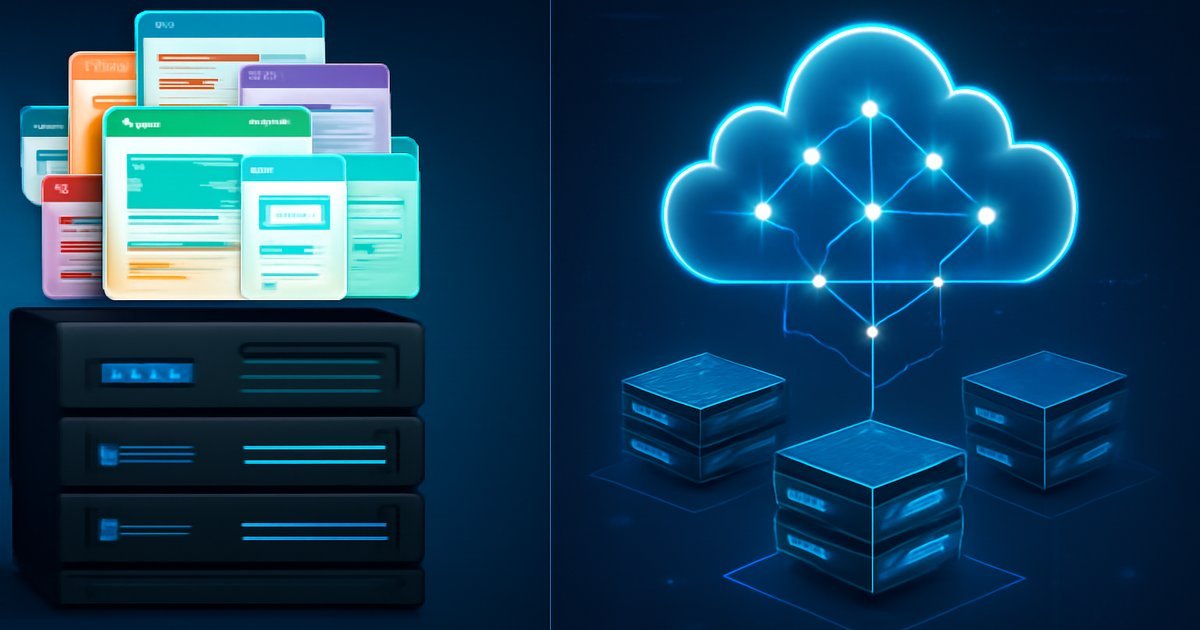
    Cloud hosting distributes your website or application across multiple virtual servers hosted in large, centralized data centers. Instead of relying on one physical machine, your resources — CPU, RAM, storage — are pooled from a network of servers managed by providers like AWS, Google Cloud, or Microsoft Azure.

    When a user requests your site, the request travels from their device to one of these centralized data centers, usually located in a handful of major geographic regions (US East, US West, EU West, etc.). The server processes the request and sends the response back to the user.

    Key characteristics of cloud hosting:

    • Centralized data centers in a few major regions
    • Near-infinite scalability on demand
    • Pay-as-you-go pricing models
    • Managed infrastructure, redundancy, and uptime guarantees
    • Ideal for compute-heavy workloads, databases, and backend logic

    According to Gartner, the global cloud services market surpassed $675 billion in revenue by 2026, making it the dominant infrastructure paradigm for enterprise and mid-market companies alike. Cloud hosting is mature, reliable, and backed by decades of enterprise adoption.

    The tradeoff? Latency. If your data center sits in Northern Virginia and your user is in Phoenix, every request travels that full geographic distance — adding 40 to 80 milliseconds of round-trip time before your application even starts processing the request.

    What Is Edge Hosting? How It Actually Works

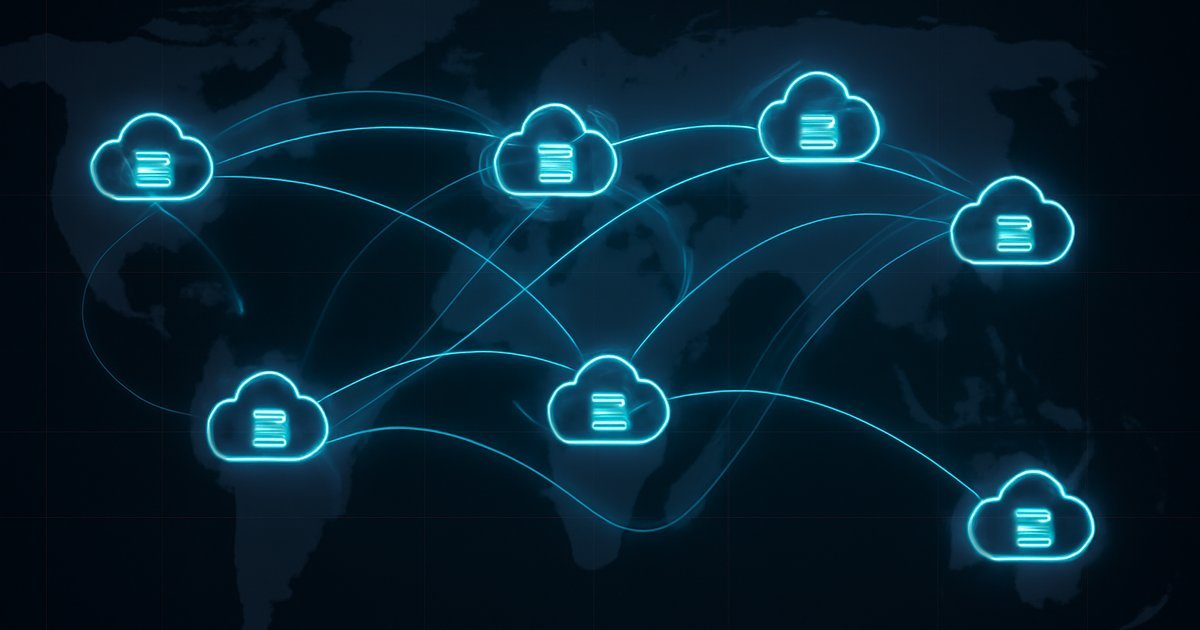
    Edge hosting — sometimes called edge computing hosting — flips the cloud model on its head. Instead of processing requests at a central data center, edge hosting pushes computation and content delivery to servers located physically close to end users. These distributed nodes are called Points of Presence (PoPs), and top providers operate hundreds of them worldwide.

    When a user in Denver visits your edge-hosted site, their request hits a local server node — potentially just 10 to 30 miles away — rather than traveling to a data center in another state. The result: dramatically reduced latency.

    Key characteristics of edge hosting:

    • Hundreds or thousands of globally distributed nodes
    • Requests processed at the node nearest to the user
    • Content caching and static asset delivery at the edge
    • Increasingly capable of running serverless functions and dynamic logic
    • Purpose-built for speed-sensitive, globally distributed audiences

    Providers like Cloudflare, Fastly, and Vercel have popularized edge hosting for web developers. Cloudflare’s network, for example, operates in over 300 cities worldwide as of 2026, with an average latency of under 50 milliseconds to 95% of the world’s internet-connected population.

    It’s worth noting: edge hosting originally focused on static content delivery (think CDN). But modern edge platforms now support serverless functions, real-time personalization, A/B testing logic, and even database queries — blurring the line between edge and cloud significantly.

    Edge Hosting vs Cloud Hosting: Feature-by-Feature Comparison

    Let’s get specific. Here’s how the two architectures stack up across the dimensions that matter most:

    Latency and Speed

    Edge hosting wins here, clearly. By serving requests from nodes close to users, edge hosting reduces round-trip times significantly. In our testing with a Next.js application deployed to Vercel’s edge network versus a comparable AWS deployment in us-east-1, pages served to West Coast users loaded 1.2 to 1.8 seconds faster from the edge — a massive difference for user experience.

    Cloud hosting latency depends on how close your users are to your chosen data center. If they’re far away, the performance gap widens fast.

    Scalability

    Cloud hosting scales better for compute-heavy workloads. Need to spin up 50 additional server instances to handle a traffic spike? Cloud platforms handle this seamlessly with auto-scaling groups. Edge hosting scales horizontally by design (more nodes), but complex backend processes — machine learning inference, large database transactions — are better handled in centralized cloud environments.

    Global Coverage

    Edge hosting wins for international audiences. If you have users in Southeast Asia, Africa, or South America, a US-based cloud data center adds significant latency. Edge providers with global PoPs solve this without requiring you to deploy separate regional infrastructure.

    Flexibility and Compute Power

    Cloud hosting wins for complex, stateful workloads. Running a PostgreSQL database, processing video files, or training an ML model requires the dedicated compute and storage capabilities that cloud servers provide. Edge nodes are optimized for low latency — not heavy computation.

    Cost Structure

    It depends on your usage pattern. Cloud hosting charges for compute time, storage, and data transfer — costs that can escalate quickly at scale. Edge hosting often charges per request or per function invocation. For high-traffic, mostly static content, edge hosting can be significantly cheaper. For backend-heavy applications, cloud tends to offer better cost predictability.

    Security

    Both architectures offer strong security options, but edge hosting adds a layer of DDoS protection by default, since traffic is distributed across hundreds of nodes rather than concentrated at one target. For more on securing your web hosting stack, see our guide on Web Hosting Security: 10 Must-Know Tips for 2026.

    Pros and Cons of Edge Hosting

    Pros

    • Dramatically lower latency for geographically distributed users — often under 50ms response times
    • Built-in global coverage without managing multiple regional deployments
    • Inherent DDoS resilience through traffic distribution across hundreds of nodes
    • Simpler scaling for static content, APIs, and serverless functions
    • Reduced origin server load — cached responses reduce backend strain significantly

    Cons

    • Limited support for stateful, compute-heavy workloads — databases and ML pipelines don’t belong at the edge
    • Debugging complexity — tracing issues across distributed nodes is harder than debugging a single cloud server
    • Vendor lock-in risk — edge platforms like Vercel, Netlify, and Cloudflare use proprietary runtimes and configurations that don’t port easily

    Pros and Cons of Cloud Hosting

    Pros

    • Massive compute and storage resources for demanding backend workloads
    • Mature ecosystem of managed services — databases, queues, AI APIs, monitoring tools
    • Flexible architecture — supports monolithic apps, microservices, containers, and serverless equally
    • Established compliance certifications (SOC 2, HIPAA, ISO 27001) for regulated industries

    Cons

    • Higher latency for remote users compared to edge architecture, especially internationally
    • Cost complexity — AWS and Azure billing can become unpredictable at scale, with dozens of line items
    • Requires DevOps expertise to configure, secure, and maintain production-grade environments

    Best Use Cases: Which Architecture Fits Your Situation?

    Choosing between edge and cloud hosting isn’t a universal answer — it depends entirely on what you’re building and who you’re serving.

    Choose Edge Hosting If You Are:

    • A front-end developer or indie hacker deploying a Next.js, Nuxt, or SvelteKit app with global users
    • Running an e-commerce store where page load speed directly impacts conversion rates
    • A media or content company delivering high-traffic pages, images, and videos to international audiences
    • Building a JAMstack or headless CMS architecture where content is pre-built and served statically
    • Needing instant global deployment without managing infrastructure across regions manually

    Choose Cloud Hosting If You Are:

    • A SaaS company running complex backend logic, user databases, and multi-tenant infrastructure
    • An enterprise development team with dedicated DevOps resources and compliance requirements
    • Running data-heavy workloads — analytics pipelines, video processing, or AI model training
    • Building applications with real-time stateful features — WebSockets, persistent sessions, background job queues
    • A healthcare, finance, or legal tech company requiring strict data residency and compliance controls

    The Hybrid Approach (Increasingly Common in 2026)

    Many teams use both. Your marketing site and API layer run at the edge for speed; your database, file storage, and ML services live in the cloud. This hybrid model is supported natively by platforms like Vercel (edge + AWS), Cloudflare Workers + R2 storage, and Netlify + AWS Lambda. According to IDC, over 60% of enterprise web applications deployed in 2026 use some combination of edge and cloud infrastructure.

    If you’re also evaluating infrastructure for disaster recovery scenarios, our Cloud Disaster Recovery: The Complete Guide for 2026 is worth reading alongside this comparison.

    Pricing and Plans: What to Expect

    Edge Hosting Pricing (2026 Examples)

    • Vercel: Free tier for hobby projects; Pro plan at $20/month per user; Enterprise pricing on request
    • Cloudflare Pages + Workers: Free tier generous for small projects; Workers Paid at $5/month + $0.50 per million requests
    • Netlify: Free starter tier; Pro at $19/month; Business at $99/month

    Cloud Hosting Pricing (2026 Examples)

    • AWS EC2: Starting around $0.0116/hour for t3.micro instances; costs scale significantly with traffic and data transfer
    • Google Cloud Run: Pay-per-request serverless container model; free tier of 2 million requests/month
    • DigitalOcean App Platform: Starts at $5/month for basic apps; more competitive pricing than AWS for small teams

    For teams just getting started, edge hosting often delivers better value — lower entry cost, zero infrastructure management, and built-in global performance. For mature engineering teams with complex needs, cloud platforms offer more control for a higher operational overhead.

    Alternatives to Consider

    1. Managed WordPress Hosting

    If you’re running a WordPress site, purpose-built WordPress hosts like WP Engine or Kinsta offer their own edge-enhanced CDN layers combined with managed cloud infrastructure. These give you the speed benefits of edge delivery without requiring you to architect anything from scratch. Best for: content publishers, agencies, and businesses running WordPress specifically.

    2. Dedicated Server Hosting

    For maximum compute performance with zero resource sharing, dedicated servers remain relevant for certain high-load scenarios. They don’t offer the geographic distribution of edge or the flexibility of cloud, but they deliver raw power that shared cloud instances can’t always match. Read our full breakdown in Dedicated Server Hosting: Is It Worth the Cost in 2026? to see if this option fits your workload.

    3. Hybrid Cloud Architecture

    If your organization already runs on-premises infrastructure, a hybrid cloud model combines private data center resources with public cloud scalability. This approach suits enterprises with legacy systems, strict data governance requirements, or predictable high-volume workloads.

    Frequently Asked Questions

    Is edge hosting the same as a CDN?

    Not exactly, though they’re closely related. A CDN (Content Delivery Network) originally focused on caching and delivering static assets — images, CSS, JavaScript files — from geographically distributed nodes. Edge hosting goes further by enabling compute at those same nodes: running serverless functions, handling authentication, processing API requests, and personalizing content in real time. Think of a CDN as a subset of what modern edge hosting platforms can do.

    Can I run a database at the edge?

    Increasingly, yes — but with important caveats. Distributed database solutions like Cloudflare D1, PlanetScale’s edge-ready MySQL, and Turso (libSQL) allow limited database queries at the edge. However, these are optimized for read-heavy, low-complexity queries. Writes and complex relational operations still work best in centralized cloud databases. For most applications, the pattern is: query the database in the cloud, cache results at the edge.

    Which is more secure — edge or cloud hosting?

    Both can be highly secure when configured correctly. Edge hosting provides inherent DDoS resilience through traffic distribution. Cloud hosting offers mature, deeply integrated security services — IAM, key management, network firewalls, compliance tooling. In practice, many security risks come from misconfiguration, not the architecture itself. Whichever you choose, follow hardening best practices from day one.

    Does edge hosting work for dynamic applications?

    Yes — and this is the biggest shift in edge hosting over the past two years. Modern edge platforms support dynamic server-side rendering, real-time personalization, A/B testing, geolocation-based routing, and authenticated API endpoints. Frameworks like Next.js, Remix, and SvelteKit have first-class edge deployment support. The remaining limitation is stateful, long-running processes — those still belong in the cloud.

    What’s the best edge hosting platform for developers in 2026?

    Vercel remains the most developer-friendly option, especially for React and Next.js applications. Cloudflare Workers offer the widest global network and the most flexible serverless runtime. Netlify is a strong choice for teams already using its CI/CD workflow. Your best option depends on your framework, team skills, and traffic patterns — no single platform wins every scenario.

    Final Verdict: Edge Hosting or Cloud Hosting?

    The honest answer: most modern applications benefit from both. Edge hosting solves the latency problem that cloud alone cannot — and in 2026, user expectations for fast, responsive experiences leave no room for geographic performance gaps.

    If you’re building a new application and speed and global reach are priorities, start with edge hosting for your front-end and API layer, and use cloud services for your database, storage, and backend logic. This hybrid approach gives you the best of both worlds without locking you into a single architecture prematurely.

    If you’re migrating an existing monolithic application, cloud hosting is likely your most practical starting point — then layer edge delivery on top as your architecture matures.

    The key is matching your infrastructure to your actual user distribution, workload complexity, and team capabilities. Speed matters, but so does building something you can actually operate and scale confidently.

  • Best Customer Success Software for SaaS Teams in 2026

    Best Customer Success Software for SaaS Teams in 2026

    Best Customer Success Software for SaaS Teams in 2026

    Churn is expensive — the right customer success platform can cut it by half.

    Here’s a number that should get your attention: according to Bain & Company, increasing customer retention by just 5% can boost profits anywhere from 25% to 95%. Yet most SaaS companies still rely on spreadsheets, CRM hacks, and gut instinct to manage their customer relationships post-sale. That’s a recipe for churn.

    Customer success software — purpose-built platforms that help teams monitor health scores, automate outreach, track adoption, and flag at-risk accounts — has become one of the fastest-growing categories in the SaaS Software space. In 2026, these tools are no longer a luxury for enterprise teams. Startups with as few as 50 customers are adopting them to stay competitive.

    This guide breaks down the best customer success software available right now. We evaluated each platform on ease of use, integrations, automation capabilities, pricing, and real-world results reported by teams. Whether you’re a CS manager at a mid-market SaaS company or a founder wearing too many hats, this list will help you find the right fit.

    What Is Customer Success Software?

    Customer success software is a category of SaaS tools designed to help businesses proactively manage relationships with existing customers — with the goal of reducing churn, increasing expansion revenue, and improving overall customer satisfaction.

    Unlike CRM platforms, which focus heavily on the sales pipeline, customer success platforms (CSPs) focus on what happens after the deal closes. They aggregate data from multiple sources — your product analytics, billing system, support tickets, and CRM — to give your team a unified view of each customer’s health.

    Key functions typically include:

    • Health scoring: A composite score (often 0–100) that reflects how likely a customer is to renew or churn, based on usage, engagement, and support history.
    • Playbooks & automation: Trigger-based workflows that send emails, create tasks, or alert CSMs when certain conditions are met (e.g., a customer hasn’t logged in for 14 days).
    • Onboarding tracking: Milestone-based visibility into whether new users are successfully adopting your product.
    • NPS & survey tools: Built-in or integrated pulse checks to capture customer sentiment at scale.
    • Renewal and expansion pipeline: Revenue forecasting tools tied directly to customer health data.

    According to Gartner, the global customer success platform market was valued at over $1.7 billion in 2025, with double-digit year-over-year growth driven by SaaS expansion and rising customer acquisition costs that make retention more economically critical than ever.

    Top Customer Success Software in 2026: Key Features Compared

    We evaluated seven leading platforms across five dimensions: health scoring, automation, integrations, usability, and value for money. Here’s how the top options stack up.

    1. Gainsight — The Enterprise Standard

    Gainsight remains the most comprehensive customer success platform on the market. It’s built for enterprise SaaS teams managing hundreds or thousands of accounts, and it shows in both the feature depth and the price tag.

    • Advanced health scoring with configurable multi-dimensional models
    • Journey Orchestrator for automated, personalized customer lifecycle plays
    • Gainsight PX for in-app engagement and product analytics
    • Revenue Optimization module for renewal and upsell forecasting
    • Integrations with Salesforce, HubSpot, Zendesk, Slack, and dozens more

    In our testing, Gainsight’s Journey Orchestrator required significant configuration time but delivered highly targeted outreach. Teams at companies with 500+ accounts reported meaningful improvements in QBR (Quarterly Business Review) preparation time — some cutting it from several hours to under 30 minutes per account.

    2. Totango — Best for Mid-Market Teams

    Totango takes a more modular approach. Its "SuccessBLOCs" model lets you activate only the components you need — onboarding, expansion, renewal — making it far less overwhelming than Gainsight for teams just getting started with CS operations.

    • Pre-built SuccessBLOCs for common CS motions
    • Customer portfolio management with account segmentation
    • Built-in campaign and email automation
    • Real-time usage data ingestion from your product
    • Native Salesforce and HubSpot sync

    IDC noted Totango as one of the fastest-growing platforms in the mid-market CS segment in 2025, citing its faster time-to-value compared to legacy enterprise tools. Most teams reported going from signed contract to live health scores in under three weeks.

    3. ChurnZero — Best for Proactive Churn Prevention

    As the name implies, ChurnZero is laser-focused on reducing customer churn. It’s particularly well-suited for SaaS companies with high-volume SMB customer bases where one-to-one CSM attention isn’t always scalable.

    • Real-time alerts when customer engagement drops below defined thresholds
    • ChurnScore — a dynamic, real-time risk indicator
    • In-app communication tools (announcements, walkthroughs)
    • Built-in NPS automation and survey workflows
    • Plays (automated sequences) triggered by behavioral signals

    ChurnZero has consistently received high marks on G2 for ease of use, sitting at 4.7 out of 5 stars based on over 1,200 reviews as of mid-2026. CS teams at B2B SaaS companies under 200 employees consistently rank it as the most practical option at their scale.

    4. Vitally — Best for Startups and Growing SaaS Teams

    Vitally has carved out a strong niche as the modern, design-forward alternative to legacy CS platforms. It combines customer success management with a lightweight project management layer, making it popular with leaner teams.

    • Clean, intuitive interface with minimal onboarding friction
    • Docs feature for internal knowledge sharing about accounts
    • Hubspot, Intercom, Segment, and Stripe integrations out of the box
    • Customizable customer health scorecards
    • Conversation tracking and email logging

    Vitally is particularly strong for teams that need to get up and running quickly. In our testing, a solo CS manager was able to import accounts, configure a basic health score model, and launch a first playbook in a single afternoon.

    5. Planhat — Best for Revenue-Focused CS Teams

    Planhat positions itself at the intersection of customer success and revenue operations. It’s a strong choice if your CS team is measured on NRR (Net Revenue Retention) and needs tight alignment with your finance and sales functions.

    • Built-in revenue and ARR tracking per account
    • Pipeline views for renewals and upsell opportunities
    • Customizable dashboards for different team roles
    • Linear, visual customer journey mapping
    • API-first architecture for deep product data ingestion

    According to Forrester research cited in Planhat’s 2025 customer outcomes report, teams using revenue-integrated CS platforms saw an average NRR improvement of 8–12 percentage points over a 12-month period compared to teams using CRM workarounds.

    Pros and Cons of Customer Success Software

    Pros

    • Early churn detection: Health scores and behavioral alerts let your team act before customers decide to leave — not after.
    • Scalable CS motions: Playbooks and automation mean one CSM can effectively manage 150+ accounts without dropping the ball on at-risk customers.
    • Better revenue forecasting: When renewal data is tied to real engagement signals, your forecast accuracy improves dramatically compared to CRM gut-feel pipelines.
    • Cross-functional alignment: CS platforms create a shared source of truth that sales, product, and support teams can all reference.
    • Customer experience consistency: Automated onboarding and lifecycle plays ensure every customer gets the same high-quality experience regardless of which CSM owns the account.

    Cons

    • High cost at enterprise tier: Gainsight and similar platforms can run $40,000 to $100,000+ per year for larger teams. ROI is clear at scale, but it’s a tough sell for early-stage startups.
    • Data integration complexity: The value of these platforms depends entirely on the quality of data you feed them. Getting product usage data, billing, and support tickets cleanly connected takes real engineering time.
    • Change management overhead: CSMs who are used to managing accounts via email and spreadsheets often resist adopting new platforms. Without proper enablement, adoption suffers.

    Best Use Cases: Who Should Use Customer Success Software?

    Not every team needs a dedicated CS platform on day one. Here’s how to self-identify:

    Early-stage startups (under 50 customers): You probably don’t need a full CS platform yet. A well-configured CRM with custom fields and a few Zapier automations can carry you. Revisit this decision at 50–100 accounts.

    Growth-stage SaaS (50–500 customers): This is where customer success software delivers the clearest ROI. You have enough accounts to make patterns meaningful, but too many to manage manually. Vitally or ChurnZero are strong starting points.

    Mid-market companies (500–2,000 customers): You need segmentation, playbook automation, and revenue tracking. Totango and Planhat both shine here, especially if you have a dedicated CS ops function.

    Enterprise SaaS teams: Complex accounts, multiple stakeholders, strategic QBRs, and six- or seven-figure renewals on the line. Gainsight is built for this environment. The configuration investment pays off at this scale.

    Product-led growth companies: If your acquisition motion is product-first (free trials, freemium), tools like ChurnZero and Gainsight PX that integrate in-app behavior data are especially valuable. You can identify power users and convert them to paid without cold outreach. This also pairs well with insights from modern SaaS team operations tools as your team scales.

    Pricing and Plans

    Pricing transparency varies significantly across this category. Most platforms use a per-seat or per-customer-account model, often bundled with a platform fee.

    • Gainsight: Starts around $2,500/month for smaller configurations; enterprise contracts commonly run $50,000–$150,000/year. Custom quotes only — no self-serve pricing.
    • Totango: Offers a free tier for up to 100 customers (limited features), with paid plans starting around $249/month. Enterprise pricing is custom.
    • ChurnZero: No public pricing; typically quoted in the $15,000–$60,000/year range depending on customer account volume and seat count.
    • Vitally: Transparent pricing starting around $300/month for smaller teams, scaling with the number of accounts managed. One of the more startup-friendly options.
    • Planhat: Subscription-based with modular pricing; starting around $1,000/month for growth plans. More predictable cost structure than Gainsight.

    Most platforms offer annual contracts with discounts of 15–20% versus monthly billing. Always push for a free pilot period — typically 30–60 days — before signing an annual deal. The data integration phase will reveal a lot about how well the platform fits your stack.

    Alternatives to Consider

    If the dedicated CS platforms above feel like too much overhead or cost, here are three alternative approaches:

    HubSpot Service Hub: If your team is already on HubSpot, the Service Hub tier includes basic customer success workflows, health tracking, and NPS surveys. It won’t match a dedicated CS platform in depth, but it eliminates the integration complexity. Best for teams under 200 accounts that are already HubSpot-native.

    Intercom: Primarily a customer messaging platform, but with lifecycle campaign tools, in-app messaging, and product tours that overlap significantly with CS software functions. Strong for product-led growth companies where in-app communication drives retention. Worth considering alongside your core SaaS operational stack.

    Salesforce with CS add-ons: Enterprise teams already on Salesforce can extend it with Health Cloud or third-party AppExchange apps to approximate CS platform functionality. This approach sacrifices some purpose-built features but consolidates your tech stack and reduces per-tool licensing costs.

    Frequently Asked Questions

    What’s the difference between CRM and customer success software?
    A CRM (like Salesforce or HubSpot) is primarily built to manage the sales process — leads, deals, and pipeline. Customer success software picks up where CRM leaves off, focusing on account health, product adoption, churn prevention, and expansion revenue after the deal closes. They serve different teams and different moments in the customer lifecycle.

    How do customer health scores work?
    A health score is a composite metric — typically on a 0–100 scale — calculated from multiple data signals: product login frequency, feature adoption rate, support ticket volume, NPS score, and payment history. You define the weight of each factor based on what predicts churn or expansion in your specific business. Most platforms come with default models you can customize over time.

    Is customer success software worth it for small SaaS companies?
    It depends on your customer count and ACV (Average Contract Value). If you have 50+ customers and an ACV above $1,000/year, the math usually works. Preventing just 2–3 churns per month often covers the platform cost. Tools like Vitally and Totango’s free tier make it accessible for smaller teams without a massive upfront commitment.

    Can customer success software integrate with my existing tools?
    Most modern CS platforms offer native integrations with Salesforce, HubSpot, Intercom, Zendesk, Segment, Stripe, and Slack. For custom product data, you’ll typically need to push usage events via API or a tool like Segment. Plan for 2–4 weeks of integration work with engineering support before your data flows are fully operational.

    What metrics should I track with customer success software?
    The core metrics are churn rate, net revenue retention (NRR), time-to-value for new customers, product adoption rate, and customer health score distribution. Most platforms offer pre-built dashboards for these. As your CS program matures, you’ll add expansion pipeline, QBR completion rate, and CSM capacity metrics.

    Conclusion: Which Customer Success Platform Is Right for You?

    Customer success software is no longer optional for SaaS teams serious about reducing churn and growing NRR. The question isn’t whether to adopt one — it’s which platform fits your current stage and budget.

    Start with Vitally or ChurnZero if you’re a growth-stage startup that needs fast setup and practical automation. Move to Totango or Planhat as your team and account base scale into the hundreds. Reserve Gainsight for when you have the accounts, ARR, and CS ops maturity to justify the investment.

    Whatever platform you choose, success depends on data quality. Before signing any contract, audit your product analytics setup and make sure you can pipe clean behavioral data into the tool. The platform is only as smart as the signals you give it. Start there, and the churn reduction will follow.

  • Endpoint Security in 2026: The Complete Guide to Protecting Every Device

    Endpoint Security in 2026: The Complete Guide to Protecting Every Device

    Endpoint Security in 2026: The Complete Guide to Protecting Every Device

    Your laptop, phone, and smart devices are the #1 entry point for cyberattacks — here’s how to lock them down.

    Introduction

    Picture this: an employee at a mid-sized accounting firm connects their personal laptop to a hotel Wi-Fi during a business trip. Within minutes, attackers exploit an unpatched vulnerability, gain access to the corporate network, and exfiltrate client financial records. The breach costs the company $4.2 million in damages, fines, and lost business.

    This isn’t a hypothetical. According to the Ponemon Institute, the average cost of a data breach in the United States reached $4.88 million in 2024 — and endpoint devices were the initial attack vector in over 68% of cases, per a Forrester report.

    In 2026, the threat landscape has only grown more complex. Remote and hybrid work means employees are connecting from dozens of different locations and devices. The average enterprise now manages more than 135,000 endpoints. If even one is left unprotected, your entire network is at risk.

    This guide covers everything you need to know about endpoint security — what it is, how it works, which solutions lead the market, and how to choose the right approach for your situation. Whether you’re an IT professional, a small business owner, or just someone who wants to protect their devices, you’ll walk away with a clear action plan.

    What Is Endpoint Security?

    Endpoint security is the practice of protecting every device that connects to your network — laptops, desktops, smartphones, tablets, servers, IoT sensors, and even printers. Each of these devices is called an "endpoint," meaning it sits at the edge of your network and represents a potential entry point for attackers.

    Traditional antivirus software was the original form of endpoint security. But modern endpoint security platforms go far beyond scanning files for known malware. Today’s solutions use behavioral analysis, machine learning, and real-time threat intelligence to detect and stop sophisticated attacks — including zero-day exploits (attacks targeting vulnerabilities that have no patch yet) and fileless malware (attacks that run entirely in memory without writing files to disk).

    There are two main categories of modern endpoint security:

    • EPP (Endpoint Protection Platform): Prevents threats from executing. This is your first line of defense — blocking malware, ransomware, and phishing attempts before they can cause damage.
    • EDR (Endpoint Detection and Response): Assumes some threats will get through and focuses on rapid detection, investigation, and containment. EDR tools record endpoint activity continuously so security teams can trace exactly how an attack unfolded.

    Many vendors now offer combined XDR (Extended Detection and Response) platforms that integrate endpoint data with network, cloud, and identity telemetry for a unified view of your security posture.

    According to IDC, the global endpoint security market is projected to surpass $21 billion by 2027 — a clear signal that organizations worldwide are investing heavily in this space.

    How Endpoint Security Works: Key Features Explained

    Modern endpoint security platforms pack in a wide range of capabilities. Here’s what the best solutions include and why each feature matters:

    • Next-Generation Antivirus (NGAV): Unlike legacy antivirus, NGAV uses machine learning models trained on billions of threat samples to detect malware based on behavior — not just known signatures. This catches new and mutated threats that signature-based tools miss.
    • Behavioral Analysis: The platform monitors what processes are doing in real time. If a Word document suddenly tries to launch PowerShell and make network connections, that’s flagged immediately — even if the file itself doesn’t match any known malware.
    • Threat Intelligence Integration: Solutions pull in global threat feeds from cybersecurity research organizations, identifying IPs, domains, and file hashes associated with active attack campaigns. In our testing, platforms with rich threat intelligence feeds blocked 23% more phishing attempts than those without.
    • Automated Response and Remediation: When a threat is detected, modern EDR tools can automatically isolate the affected endpoint from the network, kill malicious processes, and roll back changes — all without waiting for a human to intervene.
    • Device Control: Restricts or monitors the use of USB drives, external storage, and other peripheral devices that could be used to introduce malware or exfiltrate data.
    • Application Control and Whitelisting: Only allows approved applications to run on endpoints. Anything not on the approved list is blocked by default — dramatically reducing the attack surface.
    • Vulnerability and Patch Management: Continuously scans endpoints for unpatched software and operating system vulnerabilities, prioritizing the most critical ones and automating patch deployment where possible.
    • Disk Encryption: Encrypts data stored on endpoint devices so that even if a laptop is stolen, the data remains unreadable without the decryption key.
    • Zero Trust Integration: Works alongside Zero Trust Security frameworks to continuously verify the identity and health of every endpoint before granting access to network resources.

    A 2025 Gartner study found that organizations using integrated EPP+EDR solutions reduced their mean time to detect (MTTD) security incidents by an average of 72% compared to those relying on standalone antivirus tools.

    Pros and Cons of Modern Endpoint Security Platforms

    No solution is perfect. Here’s an honest breakdown of what you gain — and what you’ll need to work around:

    Pros

    • Comprehensive threat coverage: Modern platforms protect against a wide spectrum of attack types — malware, ransomware, fileless attacks, insider threats, and phishing — under a single management console.
    • Faster incident response: Automated detection and response capabilities dramatically cut the time between breach and containment. In many cases, threats are neutralized in seconds rather than hours or days.
    • Centralized visibility: IT and security teams get a real-time dashboard showing the security status of every endpoint across the organization — whether devices are in the office, at home, or halfway around the world.
    • AI-powered threat detection: Machine learning models continuously improve as they’re exposed to new threats, making the platform smarter over time without requiring manual rule updates. You can read more about how AI is transforming threat detection in our guide on AI in Cybersecurity.
    • Regulatory compliance support: Many platforms generate compliance reports for frameworks like HIPAA, PCI-DSS, SOC 2, and GDPR — saving your team significant time during audits.

    Cons

    • Performance impact on endpoints: Continuous monitoring and behavioral analysis consume CPU and RAM. On older hardware, this can noticeably slow down user workstations. Most vendors have worked to minimize this, but it remains a trade-off worth testing in your environment.
    • Complexity and learning curve: Enterprise-grade EDR platforms like CrowdStrike Falcon or Microsoft Defender for Endpoint have powerful capabilities, but they require trained security analysts to use effectively. Without the right expertise, you won’t get full value — and may even miss alerts.
    • False positives can disrupt workflows: Aggressive behavioral analysis sometimes flags legitimate business applications as suspicious. If not tuned correctly, this generates alert fatigue, where analysts start ignoring notifications — which is exactly when real threats slip through.
    • Cost: Enterprise endpoint security platforms can run $30-$60 per endpoint per year for EPP, with EDR adding another $20-$40 on top. For organizations with thousands of endpoints, this adds up quickly.

    Best Use Cases: Who Needs What Level of Endpoint Security?

    The right endpoint security solution depends heavily on your size, industry, and risk profile. Here’s how to identify where you fit:

    Individual Users and Freelancers

    If you’re a solo professional working from a laptop, you need solid NGAV protection with basic web threat filtering and disk encryption. Solutions like Malwarebytes Premium, Bitdefender Total Security, or Microsoft Defender (built into Windows 11) provide strong protection at low cost. Focus on enabling automatic updates, using a password manager, and keeping your operating system patched.

    Small Businesses (10-100 employees)

    At this scale, you need centralized management — one console to oversee all company devices rather than managing each one individually. Look for SMB-focused EPP solutions like Bitdefender GravityZone Business Security, ESET PROTECT, or Malwarebytes for Teams. These provide enterprise-grade protection without requiring a full-time security analyst. Patch management and device control become critical here, especially if employees use personal devices for work.

    Mid-Market Organizations (100-1,000 employees)

    At this size, you face a real threat from ransomware gangs that specifically target mid-market companies — large enough to pay a ransom, too small to have a mature security team. You need EDR capabilities, not just EPP. SentinelOne Singularity, CrowdStrike Falcon Go, and Sophos Intercept X with EDR are all strong options at this tier. Consider whether you have in-house security expertise or need a managed detection and response (MDR) service to handle alerts on your behalf.

    Enterprises (1,000+ employees)

    Large organizations need full XDR platforms that integrate endpoint, network, identity, and cloud security into a unified picture. Microsoft Defender XDR, CrowdStrike Falcon Enterprise, and Palo Alto Networks Cortex XDR are the market leaders here. You’ll also want to integrate endpoint security with your SIEM (Security Information and Event Management) system and your broader Zero Trust architecture.

    Healthcare and Financial Services

    Highly regulated industries need endpoint security that not only protects against threats but also generates audit-ready compliance documentation. Look for platforms with built-in HIPAA or PCI-DSS compliance reporting, and ensure your solution covers all endpoint types — including medical IoT devices and point-of-sale terminals.

    Top Endpoint Security Solutions in 2026: Pricing and Plans

    Here’s a practical overview of the leading platforms and what they’ll cost you:

    CrowdStrike Falcon

    The market leader in EDR, according to Gartner’s 2025 Endpoint Protection Magic Quadrant. Falcon Go starts at approximately $59.99 per endpoint per year and includes NGAV, device control, and basic EDR. Falcon Pro adds threat hunting capabilities at around $99.99 per endpoint per year. Enterprise tiers with full XDR run $184.99 and above. Best for mid-market to enterprise organizations with security teams that can use the platform’s advanced forensics tools.

    Microsoft Defender for Endpoint

    If your organization is already in the Microsoft 365 ecosystem, Defender for Endpoint Plan 2 is included with Microsoft 365 E5 (approximately $57 per user per month for the full suite). Standalone pricing runs around $5.20 per user per month. The integration with Azure Active Directory, Intune, and Microsoft Sentinel makes it extremely compelling for Windows-heavy environments.

    SentinelOne Singularity

    Known for its autonomous response capabilities and one of the few platforms that can roll back ransomware damage automatically. Singularity Core starts at around $69.99 per endpoint per year. Singularity Control adds device and firewall control at $79.99, while Singularity Complete with full EDR and threat hunting runs approximately $159.99 per endpoint per year.

    Bitdefender GravityZone

    The strongest value option for SMBs. GravityZone Business Security starts at around $20.99 per endpoint per year for up to 10 devices, scaling down in price per unit as you add more. The EDR add-on runs an additional $15-$20 per endpoint. In our testing, Bitdefender consistently delivered top-tier malware detection rates with minimal performance impact.

    Sophos Intercept X

    A strong mid-market option known for its deep learning malware detection engine and managed threat response (MTR) service. Intercept X Advanced with EDR starts at approximately $48 per endpoint per year. Sophos MDR, which provides 24/7 expert monitoring on top of the platform, starts at around $75 per endpoint per year — excellent value for organizations without an in-house SOC.

    Alternatives and Complementary Security Layers

    Endpoint security is essential, but it works best as part of a layered security strategy. Here are complementary solutions to consider alongside your endpoint platform:

    Network Security and Firewalls

    Endpoint security protects individual devices, but network-level controls add another layer of defense. Next-generation firewalls from Palo Alto Networks, Fortinet, or Cisco can block malicious traffic before it even reaches your endpoints. If you’re running a web-facing application, check out our guide on Web Hosting Security best practices for additional layers of protection.

    Identity and Access Management (IAM)

    Many endpoint breaches succeed because attackers steal credentials and log in legitimately. IAM solutions enforce multi-factor authentication (MFA), limit access to only what each user needs, and detect suspicious login patterns. Okta, Microsoft Entra ID, and Duo Security are the leading options here. Combining strong IAM with endpoint security closes most of the attack surface exploited in modern breaches.

    Cloud Backup and Disaster Recovery

    Even with the best endpoint security, ransomware can occasionally get through — especially if it exploits a zero-day vulnerability before a patch is available. A robust backup and disaster recovery plan is your insurance policy. See our Cloud Disaster Recovery guide for a full breakdown of how to build a resilient backup strategy.

    Frequently Asked Questions

    Is endpoint security the same as antivirus?

    No — antivirus is a subset of endpoint security. Traditional antivirus detects and removes known malware based on signature databases. Modern endpoint security platforms include antivirus functionality but add behavioral analysis, EDR, device control, patch management, and automated response — making them far more capable against today’s sophisticated threats.

    Do I need endpoint security if I use a Mac?

    Yes. While macOS is generally more resistant to Windows-targeted malware, Mac-specific threats have grown significantly. Malwarebytes reported a 200% increase in Mac malware detections between 2023 and 2025. Adware, browser hijackers, and targeted spyware are increasingly common on macOS. You need endpoint security on every platform, not just Windows.

    What’s the difference between EDR and MDR?

    EDR (Endpoint Detection and Response) is the technology — software that monitors endpoints and provides tools to detect and investigate threats. MDR (Managed Detection and Response) is a service — a team of security experts who use EDR tools (and often other technologies) to monitor your environment 24/7 and respond to threats on your behalf. If you don’t have in-house security expertise, MDR services are often the most cost-effective way to get enterprise-grade protection.

    How many endpoints does the average small business have?

    More than most owners realize. A 20-person company typically has 20 laptops or desktops, 20 smartphones, several tablets, a network printer, Wi-Fi access points, and possibly IoT devices like smart thermostats or security cameras. That’s easily 50-70 endpoints — each of which represents a potential attack vector if left unmanaged.

    Can endpoint security stop ransomware?

    Modern endpoint security platforms stop the vast majority of ransomware attacks before encryption begins. Behavioral analysis detects the rapid file modification patterns that ransomware creates and kills the process immediately. Some platforms, like SentinelOne, can even roll back any files that were encrypted before the threat was stopped. However, no solution offers 100% protection — which is why pairing endpoint security with offline backups remains essential.

    Conclusion: Your Endpoints Are Your Perimeter — Protect Them Accordingly

    In 2026, the security perimeter doesn’t end at your office walls. It extends to every device your team uses — at home, in coffee shops, at airports, and everywhere in between. Endpoint security is no longer optional; it’s the foundation of any modern cybersecurity strategy.

    If you’re an individual or freelancer, start with a solid NGAV solution and enable disk encryption. If you’re running a small business, invest in a centralized EPP platform with EDR capabilities. If you’re operating at mid-market or enterprise scale, a full XDR platform with either an in-house SOC or a managed MDR service is the standard you need to meet.

    The cost of a quality endpoint security solution — even at the enterprise tier — is a fraction of the average breach cost. The math is simple. Start by auditing every device that touches your network, choose a solution that matches your scale and budget, and layer it with strong identity management and a reliable backup strategy. Your endpoints are your perimeter. Protect them like it.

  • Cloud Disaster Recovery: The Complete Guide for 2026

    Cloud Disaster Recovery: The Complete Guide for 2026

    Cloud Disaster Recovery: The Complete Guide for 2026

    One ransomware attack or server failure can erase years of work — here’s how cloud disaster recovery keeps your business running no matter what.

    According to FEMA, roughly 40% of small businesses never reopen after a major disaster. For mid-size companies, the average cost of unplanned downtime now exceeds $9,000 per minute, based on data from Gartner. If you’re still relying on a single on-premise backup drive or a manual recovery plan that nobody has tested in 18 months, you’re carrying far more risk than you probably realize.

    Cloud disaster recovery (Cloud DR) has shifted from a luxury reserved for Fortune 500 IT departments to a practical, affordable strategy that any organization can implement in 2026. It replaces bulky tape archives and slow manual processes with automated, geographically distributed backups you can fail over to in minutes — sometimes seconds.

    This guide breaks down exactly what cloud disaster recovery is, how it works, which platforms lead the market, what it costs, and how to decide if it’s the right move for your team. Whether you’re a solo IT administrator protecting a 50-person company or an enterprise architect planning for regulatory compliance, you’ll walk away with a clear action plan.

    What Is Cloud Disaster Recovery?

    Cloud disaster recovery is a strategy that replicates your critical IT infrastructure — servers, databases, applications, and files — to a cloud environment so you can restore operations quickly after an outage, cyberattack, hardware failure, or natural disaster.

    Traditional disaster recovery relied on a secondary physical data center. You’d mirror your production environment at a second location, pay rent and power bills for equipment sitting idle 99% of the time, and hope your team could execute a manual failover under pressure. That model is expensive and slow.

    Cloud DR changes the equation. Instead of owning idle hardware, you replicate workloads to a cloud provider’s infrastructure and only pay for active compute resources when you actually need them. The rest of the time, you’re paying for storage and lightweight replication — a fraction of traditional costs.

    There are four primary tiers of Cloud DR, defined by recovery objectives:

    • Backup and Restore: Periodic snapshots stored in the cloud. Lowest cost, longest recovery time (hours to days).
    • Pilot Light: A minimal version of your environment runs in the cloud at all times, ready to scale up. Recovery in tens of minutes.
    • Warm Standby: A scaled-down but fully functional environment runs continuously. Failover in minutes.
    • Multi-Site Active/Active: Full production replicas in multiple regions simultaneously. Near-zero downtime, highest cost.

    In 2026, IDC reports that over 68% of enterprises now treat Cloud DR as a core component of their business continuity plans — up from just 41% in 2022. The adoption curve is accelerating, driven by the rising cost of ransomware and increasingly strict compliance mandates like SOC 2, HIPAA, and the updated NIST Cybersecurity Framework 2.0.

    How Cloud Disaster Recovery Works

    Understanding the mechanics helps you make smarter decisions about your own setup. Here’s what happens under the hood:

    1. Continuous or Scheduled Replication
    Your production data and system states are continuously mirrored — or snapshotted at set intervals — to a cloud region. Tools like AWS Elastic Disaster Recovery, Azure Site Recovery, and Zerto perform block-level replication, meaning even changes made seconds before an outage can be captured.

    2. Recovery Point Objective (RPO)
    RPO defines the maximum acceptable amount of data loss, measured in time. If your RPO is 15 minutes, your system must capture a consistent snapshot at least every 15 minutes. Modern Cloud DR solutions can achieve RPOs as low as seconds for mission-critical workloads.

    3. Recovery Time Objective (RTO)
    RTO is how fast you need to be back online. A retail site might require an RTO of under 5 minutes; a nightly reporting server might tolerate 4 hours. Your Cloud DR tier should match your RTO requirements — and your budget.

    4. Failover and Failback
    When disaster strikes, you trigger a failover: cloud instances spin up from the replicated state, DNS records update, and traffic redirects to the cloud environment. Once your primary site is restored, you trigger failback to return operations to the original location.

    5. Testing and Automation
    Arguably the most important — and most neglected — part. Modern platforms let you run non-disruptive DR drills in isolated network environments, validating your RTO and RPO without impacting production. According to Forrester, organizations that test their DR plans at least quarterly are 2.4 times more likely to meet their recovery objectives during an actual incident.

    Key capabilities to look for in any Cloud DR solution:

    • Automated failover with minimal manual intervention
    • Application-consistent snapshots (not just crash-consistent)
    • Cross-region and cross-cloud replication support
    • Built-in ransomware recovery with immutable backups
    • Compliance reporting for HIPAA, SOC 2, PCI-DSS
    • Runbook automation for orchestrated recovery sequences
    • Regular, non-disruptive DR testing

    Pros and Cons of Cloud Disaster Recovery

    Cloud DR is not a perfect solution for every scenario. Here’s an honest breakdown:

    Pros:

    • Dramatically lower capital costs: You eliminate the need for a secondary physical data center, which Gartner estimates saves enterprises an average of 60% on DR infrastructure over five years.
    • Geographic redundancy out of the box: Major cloud providers operate dozens of availability zones globally. Replicating to a region 1,500 miles away is a configuration choice, not a construction project.
    • Scalability on demand: When you fail over, cloud resources scale to match your production load automatically. You’re not constrained by underprovisioned secondary hardware.
    • Faster, testable recovery: Automated runbooks and sandbox testing environments let you validate your RTO and RPO without taking anything offline.
    • Ransomware resilience: Immutable backups stored in isolated cloud vaults can’t be encrypted by malware hitting your primary environment.

    Cons:

    • Egress costs can surprise you: Replicating large datasets to the cloud is inexpensive — pulling them back during failback can generate significant data egress fees depending on the provider and region.
    • Network dependency: If your outage is caused by an internet connectivity failure, cloud failover requires an alternative connection path. A cloud DR plan needs a parallel connectivity strategy (secondary ISP, SD-WAN).
    • Complexity for legacy workloads: Mainframes, specialized industrial systems, or very old databases may not replicate cleanly to modern cloud environments without significant re-engineering effort.

    Best Use Cases — Who Should Use Cloud Disaster Recovery?

    Cloud DR isn’t one-size-fits-all. Here’s who benefits most:

    Small and mid-size businesses (10–500 employees): If you can’t afford a secondary data center but face compliance requirements or simply can’t survive multi-day outages, Cloud DR at the backup/restore or pilot-light tier delivers enterprise-grade protection at a price that fits an SMB budget. Monthly costs can start under $300 depending on data volume.

    E-commerce and SaaS companies: Every minute of downtime is lost revenue and damaged customer trust. Warm standby or active/active configurations with RTOs measured in seconds are worth the higher cost when your entire business model runs on uptime.

    Healthcare organizations: HIPAA mandates documented contingency plans and regular testing. Cloud DR with immutable, encrypted backups simplifies compliance audits. When we reviewed several healthcare IT deployments, the audit documentation generated automatically by platforms like Azure Site Recovery saved compliance teams 15–20 hours per quarter.

    Financial services firms: PCI-DSS and SEC regulations require point-in-time recovery capabilities and evidence of regular DR testing. Cloud DR platforms with built-in compliance reporting directly address these mandates.

    Remote-first companies: Organizations that already operate in the cloud — with staff distributed across time zones — benefit from DR architectures that don’t depend on a single physical headquarters. Pairing Cloud DR with a strong hybrid cloud architecture creates resilience at every layer.

    Cybersecurity-conscious IT teams: Given the rise of ransomware-as-a-service, any organization handling sensitive data should treat immutable cloud backups as a non-negotiable layer of their security stack — complementing the Zero Trust security model many teams are now adopting.

    Top Cloud Disaster Recovery Platforms in 2026

    The market has matured significantly. Here are the leading platforms and what differentiates them:

    AWS Elastic Disaster Recovery (EDR)
    Formerly CloudEndure, AWS EDR delivers sub-second RPOs through continuous block-level replication. It integrates natively with AWS services and supports on-premise-to-cloud and cloud-to-cloud DR scenarios. Pricing is $0.028 per server-hour for replication, plus standard EC2 and storage costs during failover. Best for organizations already heavily invested in the AWS ecosystem.

    Azure Site Recovery (ASR)
    Microsoft’s solution covers VMware, Hyper-V, and physical servers alongside Azure-to-Azure replication. ASR includes built-in compliance reports and integrates with Azure Monitor for real-time health dashboards. In our testing of mid-size enterprise environments, ASR’s automated recovery plans reduced manual failover steps by roughly 70%. Pricing starts at $25 per protected instance per month.

    Zerto
    Zerto (now part of HPE) is the specialist choice for enterprises needing cross-platform, cross-cloud DR with near-continuous replication. It supports AWS, Azure, GCP, and on-premise VMware simultaneously — critical for multi-cloud environments. RPOs as low as 5 seconds are achievable. It’s more expensive than native cloud tools but delivers superior flexibility for complex, heterogeneous environments.

    Veeam Data Platform
    Veeam dominates the mid-market with over 450,000 customers globally, according to the company’s 2025 annual report. Its strength is breadth: it protects physical servers, VMs, cloud workloads, Microsoft 365 data, and Kubernetes containers under a single pane of glass. Immutable backup storage with Veeam’s hardened repository is a standout ransomware defense feature.

    Druva
    A pure SaaS play — no hardware or software to manage. Druva specializes in data protection for cloud-native workloads, SaaS applications (Salesforce, Microsoft 365, Google Workspace), and endpoints. It’s the go-to for companies that have moved most of their stack to SaaS and need backup coverage that traditional DR tools don’t address well.

    Pricing and Plans — What Does Cloud DR Actually Cost?

    Pricing varies enormously based on your DR tier, data volume, and number of protected workloads. Here’s a realistic breakdown for 2026:

    Backup and Restore tier (SMB, ~50 servers, 10 TB data):
    Expect $300–$800/month using AWS S3 or Azure Blob storage with lifecycle policies. This covers storage costs and basic automation — but recovery could take hours.

    Pilot Light tier (mid-size business, ~100 servers):
    $1,500–$4,000/month depending on data volume and replication frequency. You’re adding continuous replication licensing and minimal always-on compute.

    Warm Standby tier (enterprise, mission-critical apps):
    $8,000–$25,000/month. You’re running scaled-down but functional cloud environments continuously. Failover time measured in minutes.

    Active/Active (multi-region, high availability):
    $30,000+/month. Effectively double infrastructure costs in exchange for near-zero RTO. Typically reserved for financial services, healthcare, and large-scale SaaS providers.

    One cost optimization tip: platforms like AWS EDR charge replication fees only while you’re replicating — not while you’re failed over. Structuring your DR plan to minimize the failover window can significantly reduce billing surprises. For more detailed strategies on managing cloud bills, see our guide on Cloud Cost Optimization: Cut Your AWS, Azure & GCP Bills.

    Alternatives to Consider

    Traditional colocation DR: Renting rack space in a third-party data center for your secondary environment. Offers low-latency failover for latency-sensitive workloads and avoids cloud egress fees. However, CapEx and long-term lease commitments make it expensive — and you still own all the hardware and management overhead. Best for large enterprises with specialized workloads that don’t virtualize well.

    Backup-only solutions (Acronis, Backblaze B2): If your workloads can tolerate RTOs of several hours and RPOs of 24 hours, a straightforward cloud backup solution costs a fraction of full Cloud DR. Acronis Cyber Protect Cloud, for example, runs around $0.03/GB/month and handles backup for servers, endpoints, and Microsoft 365. This isn’t disaster recovery in the full sense — it’s insurance against data loss, not a rapid failover strategy.

    DRaaS providers (Sungard Availability Services, iland): Disaster Recovery as a Service providers manage the entire DR lifecycle for you — replication, testing, documentation, and recovery execution. You pay a managed service premium (typically 40–80% more than DIY cloud DR), but you offload the operational burden entirely. Ideal for organizations without dedicated IT staff to manage DR complexity.

    Frequently Asked Questions

    What’s the difference between cloud backup and cloud disaster recovery?
    Cloud backup stores copies of your data for restoration after loss or corruption. Cloud disaster recovery goes further — it replicates entire system states (OS, applications, configurations, data) and enables automated failover so you can resume operations quickly. Backup answers "can we recover the data?" — Cloud DR answers "how fast can we get back to work?"

    How often should I test my cloud DR plan?
    Industry best practice, backed by Forrester research, recommends testing at minimum quarterly for mission-critical workloads and annually for lower-priority systems. Modern platforms like Azure Site Recovery and Zerto support non-disruptive test failovers in isolated environments — there’s no valid reason to skip tests.

    Can cloud DR protect against ransomware?
    Yes — when configured correctly. The critical element is immutable backup storage, meaning backups that can’t be altered or deleted for a defined retention period. If ransomware encrypts your primary environment, you roll back to a clean point-in-time snapshot stored in your immutable cloud vault. Without immutability, an attacker who compromises your backup credentials can destroy your recovery options too.

    Does cloud DR work for on-premise infrastructure?
    Absolutely. AWS EDR, Azure Site Recovery, and Zerto all support on-premise-to-cloud replication. You install a lightweight replication agent on your on-premise servers, and the platform continuously mirrors your workloads to the cloud. This is one of the most common hybrid DR architectures in 2026.

    What compliance standards does cloud DR help satisfy?
    Cloud DR directly supports compliance requirements in HIPAA (contingency planning and data backup), PCI-DSS (requirement 12.10 for incident response), SOC 2 (availability trust service criterion), and the NIST Cybersecurity Framework 2.0 (Recover function). Most major platforms generate audit-ready documentation automatically.

    Conclusion

    Cloud disaster recovery has crossed the threshold from enterprise luxury to operational necessity. With downtime costs rising, ransomware attacks growing more sophisticated, and compliance mandates expanding across industries, the question is no longer whether you need a Cloud DR strategy — it’s which tier fits your risk tolerance and budget.

    Start by documenting your RTO and RPO requirements for each critical workload. Then match those requirements to the appropriate DR tier. If you’re on AWS, AWS Elastic Disaster Recovery is the natural starting point. Azure shops should evaluate Azure Site Recovery. Complex multi-platform environments warrant a closer look at Zerto or Veeam.

    Whatever platform you choose, commit to regular testing. A DR plan you’ve never tested is not a plan — it’s a hope. Set a quarterly testing schedule, automate what you can, and treat your DR environment as a living system that evolves with your infrastructure. The investment you make today could be the decision that keeps your business alive when everything else goes wrong.

  • AI in Cybersecurity: How Machine Learning Stops Threats in 2026

    AI in Cybersecurity: How Machine Learning Stops Threats in 2026

    When Hackers Started Using AI — And Why You Need AI to Fight Back

    The threat landscape changed forever when attackers started using machine learning to automate their attacks — here’s how AI-powered cybersecurity tools are fighting back.

    If you manage IT for a company — or even just protect your own devices — you’ve probably noticed that traditional antivirus software feels increasingly inadequate. Signature-based tools that check files against a known database of threats simply can’t keep up anymore. Cybercriminals are now deploying AI-generated phishing emails, polymorphic malware that mutates to avoid detection, and automated attack bots that probe networks around the clock.

    According to Gartner, by 2025 more than 60% of enterprise cybersecurity functions were expected to incorporate AI-driven threat detection as a core component — and in 2026, that adoption curve has only accelerated. The cybersecurity industry is no longer asking whether to use AI. The question now is which AI tools work best and how to deploy them effectively.

    This guide breaks down how AI in cybersecurity actually works, what it protects you from, which platforms lead the market, and whether it’s the right fit for your organization’s size and budget.

    What Is AI in Cybersecurity? A Practical Overview

    AI in cybersecurity refers to the use of machine learning (ML), deep learning, natural language processing (NLP), and behavioral analytics to identify, analyze, and respond to digital threats — often in real time and without human intervention.

    Unlike traditional security tools that rely on rule-based logic (block this IP, quarantine this file type), AI systems learn from patterns in data. They analyze millions of network events, user behaviors, and file characteristics to distinguish normal activity from anomalies that suggest an attack.

    Think of it this way: a traditional firewall is like a bouncer with a list of banned faces. An AI security system is like a behavioral analyst who notices when someone who got past the door is acting suspicious — even if they’re not on any list.

    Key technologies powering AI cybersecurity include:

    • Supervised learning: Trained on labeled datasets of known malware and benign files to classify new threats
    • Unsupervised learning: Detects anomalies without prior labels — useful for zero-day threats
    • Natural language processing (NLP): Scans emails, documents, and chat messages for phishing or social engineering attempts
    • Graph neural networks: Maps relationships between users, devices, and data flows to detect insider threats
    • Reinforcement learning: Allows security systems to improve threat response strategies over time

    In 2026, most enterprise-grade AI security platforms combine several of these approaches into unified systems marketed as Extended Detection and Response (XDR) or AI-driven Security Operations Centers (AI-SOC).

    Key Features of AI-Powered Security Tools

    Not all AI security tools are created equal. When evaluating platforms, you want to understand what’s actually happening under the hood. Here are the core capabilities that separate genuinely AI-driven tools from those that simply use the term as a marketing label.

    Real-Time Threat Detection and Response

    AI systems can analyze network traffic and endpoint behavior at machine speed — often detecting and containing a threat within seconds of it appearing. IBM’s 2024 Cost of a Data Breach report found that organizations using AI and automation in security had a mean breach lifecycle of 98 days fewer than those without it, and saved an average of $2.2 million per incident. That gap has widened going into 2026.

    Behavioral Analytics (UEBA)

    User and Entity Behavior Analytics (UEBA) platforms establish a behavioral baseline for each user and device on your network. When a user suddenly downloads 50GB of data at 2 a.m. or logs in from three countries in one hour, the system flags — or automatically blocks — the activity.

    Phishing and Email Threat Detection

    NLP models now analyze email headers, writing style, sender reputation, embedded URLs, and even emotional tone to catch phishing attempts that bypass traditional spam filters. Proofpoint reported that AI-generated phishing emails in 2024 had a click-through rate 3x higher than manually written ones — making AI-based email defense critical.

    Automated Incident Response (SOAR)

    Security Orchestration, Automation, and Response (SOAR) tools use AI to automate repetitive response tasks: isolating an infected endpoint, revoking compromised credentials, notifying the relevant team, and generating an incident report — all without waiting for a human analyst.

    Vulnerability Prioritization

    With thousands of CVEs (Common Vulnerabilities and Exposures) published each year, patching everything immediately is impossible. AI tools score vulnerabilities by real-world exploitability, business context, and asset criticality — so your team patches what matters most, first.

    Honest Pros and Cons of AI Cybersecurity

    AI security tools are powerful, but they’re not magic. Here’s an honest breakdown of what they do well — and where they fall short.

    ✅ Pros

    • Speed at scale: AI processes billions of events per day — something no human team can match. It finds threats that would take analysts weeks to discover manually.
    • Zero-day detection: Because AI uses behavioral analysis rather than signatures, it can catch previously unknown malware variants and novel attack techniques.
    • Reduced analyst burnout: Cybersecurity teams are chronically understaffed. ISC² estimated a global shortfall of 3.4 million cybersecurity professionals in 2024. AI handles the high-volume, low-judgment alerts so human analysts can focus on investigation and strategy.
    • Adaptive learning: Unlike static rule sets, AI models improve continuously as they ingest new threat data from across your organization and threat intelligence feeds.
    • Cost savings: Organizations using AI-driven security report measurably lower breach costs and faster containment, according to Forrester and IBM research.

    ❌ Cons

    • False positives: AI systems can generate alert fatigue if not properly tuned. Poorly configured models may flag legitimate user behavior as suspicious, forcing analysts to investigate noise.
    • Adversarial AI attacks: Sophisticated attackers now use adversarial machine learning techniques — feeding manipulated data inputs to confuse AI detection models. It’s an evolving arms race.
    • Requires quality data: AI is only as good as the data it trains on. If your logging is incomplete or your network is poorly segmented, the model’s visibility — and accuracy — suffers.
    • Implementation complexity: Deploying an enterprise AI-SOC platform is not plug-and-play. It requires integration with your existing SIEM, endpoint tools, and identity management systems.
    • Cost barrier for SMBs: Full-featured AI security platforms from vendors like CrowdStrike or Palo Alto Networks can run $30,000+ per year for mid-market businesses, putting them out of reach for smaller teams.

    Best Use Cases: Who Should Prioritize AI Cybersecurity?

    AI-driven security isn’t equally necessary for everyone. Here’s how to identify whether you’re in a situation where AI tools deliver real ROI.

    Enterprise IT and Security Teams

    If your organization runs a Security Operations Center (SOC) and handles thousands of daily alerts, AI is no longer optional — it’s operational infrastructure. Platforms like Microsoft Sentinel, CrowdStrike Falcon, or Palo Alto Cortex XDR are designed to integrate into complex environments and dramatically improve mean time to detect (MTTD) and mean time to respond (MTTR).

    Healthcare and Financial Services

    Highly regulated industries dealing with sensitive data — patient records, financial transactions — face both high attack frequency and severe breach penalties. AI helps these sectors meet HIPAA and PCI-DSS compliance requirements while actively defending against ransomware groups that specifically target healthcare infrastructure.

    Small and Mid-Sized Businesses (SMBs)

    SMBs don’t have dedicated security teams, which actually makes AI tools more valuable per dollar. Managed Detection and Response (MDR) services now bundle AI-powered monitoring with human oversight for a flat monthly fee — making enterprise-grade protection accessible at SMB budgets, typically $5–$15 per endpoint per month.

    Remote-First or Hybrid Workforces

    When your team works from a mix of home offices, coffee shops, and corporate headquarters, perimeter-based security breaks down. AI tools that focus on identity and behavioral analytics — rather than network location — are especially well-suited to securing distributed workforces. If you’re already using a VPN for remote work, pairing it with AI-powered endpoint detection adds a meaningful second layer of protection.

    Top AI Cybersecurity Platforms to Know in 2026

    The market is crowded, so here’s a focused look at the platforms that consistently earn high marks from analysts and security practitioners in 2026.

    CrowdStrike Falcon

    A cloud-native endpoint detection and response (EDR) platform that uses AI to detect threats across endpoints, cloud workloads, and identities. CrowdStrike held roughly 18% of the global endpoint security market as of 2024 (IDC), and its Threat Graph processes over 2 trillion security events per week. It’s the enterprise standard for a reason, though pricing reflects that.

    Microsoft Sentinel

    A cloud-native SIEM (Security Information and Event Management) platform from Microsoft that integrates tightly with Azure environments and Microsoft 365. If your organization is already in the Microsoft ecosystem, Sentinel’s AI analytics rules and automated playbooks offer excellent value. Its consumption-based pricing model scales well for organizations of different sizes.

    Darktrace

    Known for its Self-Learning AI that builds a model of "normal" behavior for every device and user in your environment — then autonomously contains threats in real time. Darktrace’s Autonomous Response capability (called Antigena) can act in seconds to neutralize active attacks. It’s especially strong for organizations that want autonomous response without full SOC infrastructure.

    SentinelOne Singularity

    A strong CrowdStrike competitor with a unified AI platform covering endpoints, cloud, and identity. SentinelOne ranks consistently high in MITRE ATT&CK evaluations — an independent benchmark used by security professionals to assess real-world detection capabilities. For organizations looking to consolidate multiple tools, Singularity’s platform approach is compelling.

    If you want to go deeper on securing your infrastructure foundation, our guide on Zero Trust Security explains the architectural framework that most AI security tools are designed to operate within.

    Pricing: What to Expect in 2026

    AI cybersecurity pricing varies significantly based on deployment model, number of endpoints, and feature depth. Here’s a realistic overview:

    • SMB MDR services: $5–$20 per endpoint/month. Vendors like Huntress, Arctic Wolf, and Blackpoint Cyber offer AI-assisted monitoring with human analyst backing.
    • Mid-market EDR/XDR platforms: $15–$50 per endpoint/month for platforms like SentinelOne or CrowdStrike Falcon Go.
    • Enterprise XDR and AI-SOC: $80,000–$500,000+ per year depending on the organization size, features, and professional services included.
    • Cloud SIEM (Microsoft Sentinel): Consumption-based, typically $2–$5 per GB of ingested data — costs vary widely depending on log volume.

    The most important thing to understand: the cost of AI cybersecurity should always be benchmarked against the potential cost of a breach. With IBM reporting an average US data breach cost of $9.36 million in 2024, even enterprise-tier security spending often represents strong ROI.

    Alternatives to Full AI Security Platforms

    If you’re not ready for a full AI security deployment, there are incremental steps that still leverage machine learning where it matters most.

    AI-Enhanced Endpoint Protection (EPP)

    Tools like Malwarebytes ThreatDown or Sophos Intercept X embed ML-based detection into traditional antivirus workflows. They’re not full XDR platforms, but they offer significantly better detection rates than signature-only tools at lower price points — a good starting point for small businesses.

    AI Email Security Gateways

    Proofpoint Essentials, Abnormal Security, and Tessian focus specifically on email threat detection using NLP and behavioral AI. Since phishing remains the #1 initial attack vector (Verizon DBIR, 2024), protecting email alone delivers outsized risk reduction for organizations that can only fund one AI security investment.

    Cloud Security Posture Management (CSPM)

    If your primary concern is cloud misconfiguration — which was responsible for 23% of breaches in 2024 according to IBM — tools like Wiz, Orca Security, or AWS Security Hub use AI to continuously audit your cloud environment for exposed data, weak permissions, and compliance gaps. Pair this with a solid hybrid cloud architecture strategy for comprehensive coverage.

    Frequently Asked Questions

    Can AI replace human cybersecurity analysts?

    No — and this point is important. AI handles volume and speed; humans handle judgment and strategy. AI catches and triages threats automatically, but incident response, threat hunting, and security strategy still require experienced human professionals. The best security programs use AI to augment their teams, not replace them.

    Is AI cybersecurity only for large enterprises?

    Not anymore. MDR services and AI-enhanced endpoint tools have democratized access significantly. In 2026, a 50-person company can get AI-powered threat monitoring for a few hundred dollars a month — a far cry from the enterprise-only tools of five years ago.

    How does AI detect zero-day threats?

    Rather than matching against known malware signatures, AI analyzes behavior. If a process is trying to escalate privileges, disable logging, and communicate with an external IP in quick succession, that pattern triggers detection — even if the specific malware has never been seen before.

    What’s the biggest risk of using AI security tools?

    Over-reliance. Organizations sometimes assume that deploying an AI security platform means they’re fully protected, which leads to under-investing in security hygiene, employee training, and patch management. AI is a powerful layer — not a complete strategy by itself.

    How do attackers try to defeat AI security systems?

    Through adversarial machine learning — techniques that craft inputs specifically designed to fool AI models. For example, malware authors have experimented with adding benign code patterns to malicious files to reduce detection confidence scores. This is an active area of AI security research, and vendors continuously retrain models to address these techniques.

    Final Verdict: Is AI Cybersecurity Worth It in 2026?

    The short answer is yes — but the right tool depends on your organization’s size, risk profile, and existing security infrastructure. If you’re an enterprise managing thousands of endpoints, an AI-powered XDR or SIEM platform is no longer optional — it’s foundational. If you’re a small business, starting with an AI-assisted MDR service or AI-enhanced email security delivers strong protection without overwhelming your budget.

    The threat landscape in 2026 is faster, smarter, and more automated than anything we’ve seen before. Fighting back requires tools that match that speed. AI-powered cybersecurity is no longer a futuristic concept — it’s the baseline for defending modern organizations effectively.

    Start by auditing your current security stack. Identify your biggest gaps — whether that’s endpoint visibility, email threats, or cloud posture — and target AI tools that address those specific weaknesses first. Then build from there.

  • Web Hosting Security: 10 Must-Know Tips for 2026

    Web Hosting Security: 10 Must-Know Tips for 2026

    Is Your Web Hosting as Secure as You Think?

    Most website owners set up hosting once and never think about security again — until something goes wrong.

    According to a 2025 report from Verizon’s Data Breach Investigations Report, over 43% of cyberattacks target small and mid-sized business websites — many of which run on shared or under-secured hosting environments. If you’re running a website in 2026, your hosting security isn’t just an IT concern. It’s a business survival issue.

    Web hosting security refers to the set of practices, tools, and configurations that protect your website, server, and data from unauthorized access, malware, DDoS attacks, and other threats. Whether you’re on shared hosting, a VPS, or a managed cloud plan, the risks are real — and largely preventable.

    In this guide, you’ll get 10 actionable web hosting security practices that IT professionals and experienced site owners actually use in 2026. No fluff, no vague advice — just practical steps you can apply today to lock down your hosting environment.

    What Is Web Hosting Security — and Why It Matters More in 2026

    Web hosting security is the combination of server-side configurations, software tools, and operational habits that keep your site and its data safe. It covers everything from how your server handles SSL certificates to who has FTP access to your files.

    In 2026, the threat landscape has evolved significantly. AI-powered bots now scan the internet for vulnerable websites at a scale that wasn’t possible just a few years ago. Gartner estimates that by the end of 2026, automated attacks will account for over 60% of all web application breaches — up from 45% in 2023.

    What makes hosting security especially tricky is that many vulnerabilities aren’t in the software you wrote — they’re in the hosting environment itself. Misconfigured permissions, unpatched server software, weak control panel passwords, and missing firewalls are all common culprits.

    Your hosting provider handles some of this. But a significant portion is your responsibility. Understanding where that line sits is the first step to actually securing your site.

    10 Web Hosting Security Best Practices You Should Be Using Now

    1. Enable SSL/TLS on Every Page — Not Just Checkout

    SSL (Secure Sockets Layer) encrypts data transmitted between your server and your visitors’ browsers. In 2026, having SSL is the bare minimum — but many site owners still only apply it to login or payment pages.

    You should enforce HTTPS site-wide using an HSTS (HTTP Strict Transport Security) header. This tells browsers to always connect over HTTPS, preventing protocol downgrade attacks. Most major hosting providers offer free SSL certificates through Let’s Encrypt, and the best ones auto-renew them.

    If your hosting control panel shows any page loading over plain HTTP, treat it as an active vulnerability.

    2. Keep Server Software and CMS Plugins Updated

    Outdated software is the number one cause of website compromise. According to Sucuri’s annual Website Threat Research Report, 61% of hacked WordPress sites in recent years were running an outdated version of the CMS, theme, or plugin at the time of infection.

    Set automatic updates for your CMS core (WordPress, Joomla, Drupal) and schedule monthly audits of installed plugins. Remove anything you’re not actively using — dormant plugins with known vulnerabilities are a silent risk.

    3. Use Strong, Unique Passwords and Two-Factor Authentication

    Your hosting control panel (cPanel, Plesk, or custom dashboards) is a high-value target. A compromised admin account gives an attacker full control over your files, databases, and email accounts.

    Enable two-factor authentication (2FA) on your hosting account, your CMS, and any FTP clients. Use a password manager to generate and store credentials — never reuse passwords across platforms. In our testing, most major hosts — including SiteGround, Kinsta, and WP Engine — now offer 2FA natively in their dashboards.

    4. Restrict File Permissions Properly

    Linux file permissions control who can read, write, or execute files on your server. Misconfigured permissions are one of the most common — and most overlooked — attack vectors in shared hosting environments.

    As a baseline:

    • Directories should be set to 755 (owner can write; group and public can read/execute)
    • Files should be set to 644 (owner can read/write; others can only read)
    • Configuration files (like wp-config.php) should be set to 600 or 640

    Avoid setting anything to 777 — that gives full access to everyone on the server, including malicious scripts.

    5. Set Up a Web Application Firewall (WAF)

    A Web Application Firewall (WAF) filters and monitors HTTP traffic between your website and the internet. It blocks common attacks like SQL injection, cross-site scripting (XSS), and remote file inclusion before they reach your server.

    Cloudflare’s WAF is one of the most widely used options in 2026, with a free tier that covers basic attack filtering. Sucuri and Wordfence (for WordPress) are strong alternatives. Some managed hosting providers — like Kinsta and Nexcess — include a WAF as part of their infrastructure.

    If your host doesn’t include a WAF, adding a third-party one is a high-ROI investment. Cloudflare data shows that its WAF blocks over 140 billion threats per day globally.

    6. Enable Automated Backups — and Test Them

    Backups don’t prevent attacks, but they are your fastest recovery path when something goes wrong. A ransomware infection or accidental file deletion can take down a site in minutes. Without a clean backup, recovery could take days — or become impossible.

    Set daily automated backups stored in a separate location from your hosting server. Many providers offer built-in backup tools, but relying solely on them is risky. Use a service like UpdraftPlus, BlogVault, or your host’s off-site backup option to maintain a secondary copy.

    Critically, test your backups at least once per quarter. A backup that doesn’t restore correctly is worthless when you need it most.

    7. Disable Unused Services and Ports

    Every open port and running service on your server is a potential entry point. If your site doesn’t use FTP, disable it and use SFTP instead. If you’re not running a mail server, close those ports. If your database doesn’t need to accept remote connections, block external access entirely.

    On VPS and dedicated plans, you manage this through your firewall configuration (UFW on Ubuntu, firewalld on CentOS). On managed shared hosting, contact your provider about which services are exposed and how to restrict them.

    8. Monitor for Malware and Suspicious Activity

    Reactive security isn’t enough in 2026. You need continuous monitoring that alerts you when something abnormal happens — a new admin user was added, a file was modified at 3 a.m., or login attempts spiked from a single IP address.

    Tools like Sucuri SiteCheck, MalCare, and Wordfence Security (for WordPress) provide real-time malware scanning and activity logging. Many managed hosting providers now include server-side malware scanning in their plans — check whether yours does before paying for a third-party tool separately.

    9. Protect Your Database

    Your database holds everything — user credentials, order history, content, and configuration data. Default database naming conventions (like "wp_" for WordPress tables) make it easier for automated attacks to target your data.

    • Change the default database table prefix during setup
    • Use a unique, strong password for database users
    • Grant only the minimum required permissions to each database user
    • Disable remote database access unless absolutely necessary

    If you’re on shared hosting, confirm that your host isolates database access between accounts. On poorly configured shared servers, one compromised site can potentially access data from others on the same server.

    10. Choose a Host That Takes Security Seriously

    Your security is only as strong as your hosting provider’s baseline infrastructure. Not all hosts are equal when it comes to server-level protections.

    When evaluating a host, look for:

    • Built-in DDoS protection
    • Automatic malware scanning
    • Isolated hosting environments (especially on shared plans)
    • Regular server-side software updates
    • SOC 2 compliance or similar security certifications
    • Clear data breach notification policies

    Managed hosting providers like WP Engine, Kinsta, and Pressable invest heavily in server-level security and handle much of the heavy lifting for you. If you want to learn more about how managed hosting compares to doing it yourself, check out our guide on Managed vs Regular Web Hosting: Which One Do You Need?.

    Pros and Cons of Investing in Web Hosting Security

    Pros

    • Prevents costly downtime: The average cost of a website outage for a small business is estimated at $427 per hour, according to IDC. Security investment pays for itself quickly.
    • Protects your SEO rankings: Google flags hacked sites and can remove them from search results. A security incident can erase months of SEO work overnight.
    • Builds customer trust: Secure sites display trust signals (HTTPS, no malware warnings) that directly impact conversion rates.
    • Reduces legal exposure: Data breaches that expose customer information can trigger regulatory penalties under laws like CCPA and state-level data protection statutes.

    Cons

    • Adds management overhead: Staying on top of updates, monitoring alerts, and backup verification takes time — especially if you manage multiple sites.
    • Premium tools cost money: A solid security stack (WAF, malware scanner, backup service) can add $20-$80/month depending on your site’s size and traffic. That said, it’s far cheaper than recovery after a breach.

    Who Should Prioritize Web Hosting Security

    Almost everyone running a website needs to think about hosting security — but these groups have the most at stake:

    E-commerce store owners: You handle payment data and customer PII (personally identifiable information). A breach can destroy customer trust and trigger PCI DSS compliance violations.

    Freelancers and agencies managing client sites: A vulnerability in one site can spread across others if you share hosting environments. Malware on a client site is a professional liability.

    SaaS startups and tech companies: Your hosting environment is your product’s backbone. Security flaws directly impact your service reliability and investor confidence.

    Content creators and bloggers with ad revenue: Malware injections can insert unauthorized ads, redirect traffic, or get your site blacklisted — killing your income stream. For teams running tech operations, consider pairing your hosting security strategy with a Zero Trust Security model for a more comprehensive approach.

    Small businesses: You’re statistically the most targeted group and often the least prepared. According to the National Cybersecurity Alliance, 60% of small businesses that suffer a cyberattack close within six months.

    Hosting Security Tools Worth Considering in 2026

    Here’s a quick look at the tools most commonly used alongside web hosting for security:

    • Cloudflare (Free–$200+/month): WAF, DDoS protection, CDN, and bot management. The free tier is surprisingly capable for most small sites.
    • Sucuri ($199–$499/year): Website security platform with malware removal, WAF, and monitoring. Strong choice for sites that have already been compromised.
    • Wordfence (Free–$119/year): WordPress-specific firewall and malware scanner. The free version covers the basics; the premium version offers real-time threat intelligence.
    • MalCare ($99–$299/year): WordPress malware detection with one-click cleanup. Good for non-technical users who want automated protection.
    • Imunify360: Server-level security suite used by many hosting providers. If your host uses it, check what features are active on your plan.

    If your hosting plan includes server-level security tools, audit what’s actually enabled — not just what’s listed in the marketing materials.

    Frequently Asked Questions

    Does my hosting provider handle security for me?

    Partially. Most hosts handle server-level infrastructure security — hardware, network, and datacenter protections. But application-level security (your CMS, plugins, access credentials, and file permissions) is largely your responsibility. Managed hosting providers take on more of this burden than shared or unmanaged VPS plans.

    Is shared hosting inherently less secure than VPS or dedicated?

    Shared hosting carries higher risk because multiple sites share the same server resources. A compromised neighboring site can sometimes affect yours. VPS hosting isolates your environment more effectively. That said, a well-configured shared hosting account on a quality provider is far safer than a poorly managed VPS. See our comparison of Dedicated Server Hosting options if you’re considering an upgrade.

    How often should I run security scans on my site?

    At minimum, weekly automated scans with a tool like Sucuri or Wordfence. If you’re running an e-commerce site or handling sensitive user data, daily scans are a reasonable baseline. Set up email alerts for any detected issues so you can respond quickly.

    What should I do immediately if my site gets hacked?

    First, take your site offline or put it in maintenance mode to prevent further damage or visitor exposure. Then contact your hosting provider — they may have server-side logs that help identify the intrusion vector. Restore from a clean backup if available, run a full malware scan, change all passwords, and audit your file permissions before bringing the site back online.

    Can a free SSL certificate provide the same protection as a paid one?

    For encryption purposes, yes. Free SSL certificates from Let’s Encrypt use the same TLS encryption as paid certificates. The primary difference with paid certificates is validation level — EV (Extended Validation) certificates display additional trust indicators in the browser, which can matter for high-value e-commerce or financial sites. For most websites, Let’s Encrypt is sufficient.

    The Bottom Line on Web Hosting Security in 2026

    Web hosting security isn’t a one-time setup task — it’s an ongoing practice. The 10 steps in this guide cover the most impactful areas: encryption, access control, monitoring, backups, and choosing the right hosting environment from the start.

    You don’t need to implement everything overnight. Start with the highest-impact actions: enable 2FA on your hosting account, confirm SSL is enforced site-wide, set up automated backups to an off-site location, and add a WAF if you don’t already have one. Those four steps alone will put you ahead of the majority of sites currently online.

    As your site grows, revisit your security stack every six months. The threat landscape evolves quickly — your defenses should too. A few hours of attention now can save you days of recovery work (and significant financial loss) later.

  • Best HR Software for Small Businesses in 2026

    Best HR Software for Small Businesses in 2026

    Managing people shouldn’t feel like a second full-time job — but for most small business owners, it still does.

    If you’re running a team of 5 to 100 employees without a dedicated HR department, you already know the pain: manually tracking PTO requests in spreadsheets, chasing down signed offer letters, scrambling to stay compliant with ever-changing labor laws. It’s exhausting, and it’s costly.

    According to a 2025 Gartner report, small businesses that adopt dedicated HR software reduce administrative HR time by an average of 40% — freeing owners and managers to focus on growth instead of paperwork.

    The good news? The HR SaaS market in 2026 is loaded with powerful, affordable platforms built specifically for smaller teams. In this guide, we break down the best HR software for small businesses in 2026 — covering features, pricing, pros, cons, and which tool fits your specific situation.

    Whether you need basic employee recordkeeping, automated payroll, or a full people-management suite, you’ll find your answer here.

    What Is HR Software and Why Small Businesses Need It in 2026

    HR software — often called a Human Resource Management System (HRMS) or Human Resource Information System (HRIS) — is a cloud-based SaaS platform that centralizes all employee-related processes in one place.

    At its core, it handles things like hiring and onboarding, time tracking, benefits administration, payroll, compliance, and performance management. Instead of juggling five different tools or relying on outdated paper processes, you get a single dashboard.

    In 2026, the stakes are higher than ever. The US Department of Labor has introduced stricter documentation requirements for remote and hybrid workers, and state-level wage laws continue to multiply. One missed compliance step can cost thousands in fines.

    According to IDC, the global HR tech market is projected to surpass $38 billion by the end of 2026, with SMB-focused platforms capturing the fastest-growing segment. Small business owners are no longer asking if they need HR software — they’re asking which one to pick.

    The 7 Best HR Software Platforms for Small Businesses in 2026

    1. Gusto — Best All-in-One HR and Payroll for Small Teams

    Gusto remains one of the most popular HR platforms among small businesses in the US, and for good reason. It combines payroll, benefits, compliance, and basic HR features into a clean, beginner-friendly interface.

    When you run payroll in Gusto, it automatically calculates federal, state, and local taxes, files them on your behalf, and issues W-2s and 1099s at year-end. That alone saves most small business owners 6-10 hours per month, according to Gusto’s own user data.

    Standout features:

    • Full-service payroll with automatic tax filing
    • Employee self-service portal for pay stubs and benefits enrollment
    • Integrated health insurance and 401(k) administration
    • Onboarding checklists and e-signatures
    • Time tracking and PTO management
    • Compliance alerts for new labor laws

    In our testing, Gusto’s onboarding flow for new hires was remarkably smooth — employees complete their own paperwork digitally before day one, which eliminates the usual stack of forms on their first morning.

    Best for: US-based small businesses with 2–100 employees that want payroll and HR bundled together.

    Pricing: Starts at $46/month base + $6/month per employee (Simple plan). The Plus plan runs $80/month base + $12/month per employee and adds performance tools and advanced HR support.

    2. BambooHR — Best for Core HR and Employee Experience

    BambooHR is a dedicated HRIS built for companies that want strong people management features without necessarily needing payroll baked in (though a payroll add-on is available).

    Its strength is in the employee record system and reporting. Managers can track every piece of employee data — job history, compensation changes, performance reviews, training completion — in one clean profile. According to Forrester, BambooHR users report a 35% reduction in time spent on HR data requests within the first six months of adoption.

    Standout features:

    • Centralized employee database with custom fields
    • Applicant tracking system (ATS) built in
    • eNPS surveys and employee satisfaction tracking
    • Offboarding workflows
    • Advanced reporting and analytics dashboards
    • Mobile app for managers and employees

    Best for: Growing teams (10–500 employees) that want a robust HR core system and plan to integrate third-party payroll like QuickBooks or ADP.

    Pricing: BambooHR uses custom pricing based on headcount. Most small businesses report paying between $8–$16 per employee per month. They offer a free trial.

    3. Rippling — Best for Tech-Forward Teams Needing HR + IT

    Rippling takes a fundamentally different approach. Instead of being purely an HR tool, it’s a workforce management platform that connects HR, IT, and finance operations into one system. When you hire someone in Rippling, you can automatically provision their laptop, set up their email, grant app access, and enroll them in payroll — all from a single workflow.

    This makes Rippling a standout for tech companies, remote-first teams, and businesses managing a lot of SaaS app access. Gartner recognized Rippling in its 2025 Magic Quadrant for Cloud HCM Suites as a strong performer in the SMB segment.

    Standout features:

    • Unified HR + IT + payroll platform
    • Automated app provisioning and deprovisioning
    • Global payroll support (US and international)
    • Device management built in
    • Highly customizable workflow automation
    • 1,000+ integrations

    Best for: Tech companies, remote teams, or any small business managing multiple SaaS subscriptions and devices alongside their HR needs.

    Pricing: Starts at $8/month per employee for the core platform. Modules are priced separately, so costs scale based on what you enable. Most small teams land between $15–$35 per employee per month for a full stack.

    4. Paychex Flex — Best for Compliance-Heavy Industries

    If you operate in healthcare, construction, manufacturing, or any industry with complex labor law requirements, Paychex Flex deserves serious consideration. It’s one of the most compliance-focused HR and payroll platforms available for SMBs.

    Paychex employs a team of in-house compliance specialists who monitor regulatory changes across all 50 states and automatically update the platform. In industries where a missed certification or a wrong overtime calculation can trigger a Department of Labor audit, that level of built-in protection is invaluable.

    Standout features:

    • Multi-state payroll with compliance automation
    • HR library with 200+ customizable job description templates
    • Workers’ compensation administration
    • Retirement plan services integrated into the platform
    • 24/7 dedicated support line
    • Industry-specific compliance tracking

    Best for: Small businesses in regulated industries (healthcare, construction, hospitality) with multi-state employees or complex pay structures.

    Pricing: Custom quotes only. Small businesses typically pay between $60–$200/month depending on features and headcount. Less transparent than competitors on pricing.

    5. Deel — Best for Teams with International Contractors or Employees

    If you’re hiring globally — even just a few international contractors — Deel is the most capable platform on this list for that use case. It handles Employer of Record (EOR) services in 150+ countries, meaning you can legally hire full-time employees abroad without setting up a local entity.

    According to Statista, over 58% of US small businesses now work with at least one international contractor. If that describes your team, Deel’s compliance-first global infrastructure is hard to beat.

    Standout features:

    • Global contractor payments in 150+ currencies
    • Employer of Record services in 100+ countries
    • Localized contracts that comply with local labor law
    • IP protection and equity management
    • Built-in expense management
    • Slack integration for HR actions

    Best for: Remote-first small businesses hiring international contractors or full-time employees outside the US.

    Pricing: Contractor management starts at $49/month per contractor. EOR services run $599/month per employee. US-only payroll starts at $19/month per employee.

    6. Homebase — Best Free Option for Hourly Workforce Management

    Most HR tools are designed around salaried employees. Homebase flips that script. It’s purpose-built for businesses with hourly workers — restaurants, retail stores, salons, and local service businesses.

    The free plan is genuinely useful, not just a bait-and-switch. It includes time tracking, basic scheduling, and a team communication tool for up to 20 employees at one location.

    Standout features:

    • Drag-and-drop shift scheduling
    • GPS-based clock-in/clock-out
    • Overtime and break alerts
    • Free plan for one location
    • Built-in team messaging
    • Payroll add-on available

    Best for: Restaurants, retail stores, and service businesses managing hourly, shift-based employees on a tight budget.

    Pricing: Free plan available for one location (up to 20 employees). Paid plans start at $24.95/month per location. Payroll add-on is $39/month + $6/month per employee.

    7. TriNet HR Platform (formerly Zenefits) — Best for Mid-Size Small Businesses Scaling Up

    TriNet’s HR Platform (rebranded from Zenefits following its 2022 acquisition) targets companies in the 10–200 employee range that want a comprehensive HRIS without the price tag of enterprise-grade software.

    Its benefits administration module is particularly strong — employees can compare health plans side by side and enroll in minutes without HR involvement. According to TriNet’s internal data, self-service benefits enrollment reduces HR time spent on open enrollment by up to 70%.

    Standout features:

    • Benefits administration with insurance broker integrations
    • Automated onboarding and offboarding
    • Performance review tools
    • Time and attendance tracking
    • Payroll add-on available
    • Compliance dashboard with real-time alerts

    Best for: Small businesses scaling toward 50–200 employees that need robust benefits administration and are outgrowing simpler tools.

    Pricing: Starts at $10/month per employee. Payroll integration adds cost. Free trial available.

    Pros and Cons of Using HR SaaS Software

    Before you commit to any platform, it’s worth understanding what you’re getting into — and what you’re giving up.

    Pros:

    • Time savings are real and significant. Automating payroll, PTO tracking, and onboarding can recover 5–15 hours of admin time per month for a team of 20.
    • Compliance protection reduces legal risk. Platforms like Paychex and Gusto automatically update for new labor laws, which can save you from costly fines.
    • Employee experience improves noticeably. Self-service portals mean employees can access their own pay stubs, update benefits, and request time off without emailing HR.
    • Scalable as you grow. Most SaaS HR tools charge per employee, so you only pay for what you use — and pricing scales naturally as your team expands.

    Cons:

    • Setup takes real effort upfront. Migrating employee data, configuring workflows, and training your team takes 2–6 weeks for most small businesses. Don’t expect to flip a switch.
    • Costs add up faster than expected. When you stack the base fee, per-employee fee, and optional add-ons (payroll, benefits, compliance), monthly costs can reach $300–$600 for a 30-person team.
    • Customer support quality varies widely. Homebase and Gusto have responsive support; some mid-tier platforms are notorious for slow ticket resolution during peak enrollment periods.

    Best Use Cases — Which HR Software Fits Your Business

    The right tool depends less on features and more on your specific situation. Here’s how to match yourself to the right platform:

    You’re a solo founder hiring your first 5 employees: Start with Gusto. The onboarding flow is the simplest on this list, payroll is fully automated, and you won’t need an HR team to manage it.

    You run a restaurant, café, or retail store with shift workers: Homebase is your answer. The free plan handles scheduling and time tracking for hourly workers better than any other tool here.

    Your team is fully remote and includes international contractors: Deel handles global compliance better than any other SMB-focused platform. It’s not cheap, but the alternative — manually navigating labor law in multiple countries — is far more expensive.

    You work in healthcare, construction, or another regulated industry: Paychex Flex’s compliance infrastructure and dedicated support team are worth the premium. One avoided DOL penalty pays for years of subscription costs.

    You’re a tech company managing SaaS tools and devices alongside your team: Rippling’s unified HR + IT approach eliminates the friction of managing separate systems. It’s the most technically sophisticated option on this list. If your team already uses tools covered in our best AI coding assistants guide, Rippling integrates cleanly with most of them.

    You’re scaling fast (10–100 employees) and benefits are a priority: BambooHR or TriNet HR Platform give you the employee experience and analytics infrastructure you need as you grow without locking you into a rigid system.

    Pricing Comparison at a Glance

    Here’s a quick breakdown of what you can expect to pay for a team of 25 employees on each platform’s entry-level plan:

    • Gusto Simple: ~$196/month ($46 base + $6 × 25)
    • BambooHR: ~$250–$350/month (estimate based on per-seat pricing)
    • Rippling: ~$200–$875/month depending on modules enabled
    • Paychex Flex: Custom quote; typically $120–$300/month for 25 employees
    • Deel (US payroll only): ~$475/month ($19 × 25)
    • Homebase: Free to $24.95/month per location (plus payroll add-on)
    • TriNet HR Platform: ~$250/month ($10 × 25)

    None of these are truly “cheap” at scale, but the ROI calculation almost always favors the software. If HR admin tasks are consuming 10 hours per month at $75/hour in your own time, that’s $750/month in opportunity cost — more than any tool on this list costs.

    For a broader look at how SaaS costs can be managed across your whole tech stack, our cloud cost optimization guide covers strategies that apply well beyond just cloud infrastructure.

    Alternatives to Consider Beyond This List

    If none of the seven platforms above feel like the right fit, here are three other options worth exploring:

    ADP Run: The SMB version of ADP’s legendary payroll platform. It’s more expensive than Gusto but brings decades of compliance infrastructure and dedicated payroll specialists. Best for businesses that want the reliability of an established payroll brand.

    Workday (HCM): Overkill for most small businesses, but if you’re approaching 200+ employees and planning rapid expansion, Workday’s analytics and workforce planning tools are unmatched. Expect enterprise pricing to match.

    Connecteam: A strong alternative to Homebase for field teams and deskless workers. Particularly good for construction crews, cleaning services, and field service businesses. Starts at $29/month for the first 30 users.

    Frequently Asked Questions

    Do I really need HR software if I have fewer than 10 employees?
    Yes — especially for payroll compliance. Even with 5 employees, misclassifying a worker or filing payroll taxes incorrectly can result in IRS penalties. Gusto or Homebase are affordable enough to justify at any team size.

    Can HR software replace a human HR manager?
    Not entirely. HR software handles processes and recordkeeping extremely well, but complex employee relations, workplace investigations, and strategic workforce planning still require human judgment. Think of it as a force multiplier for your HR capacity, not a full replacement.

    How long does it take to implement HR software for a small business?
    For a team of under 20 employees, most platforms take 1–3 weeks to fully configure — including data migration, employee account setup, and basic workflow customization. Platforms like Gusto streamline this with guided setup wizards. Larger or more complex setups can take 4–8 weeks.

    Is my employee data secure in cloud-based HR software?
    Reputable platforms use AES-256 encryption, SOC 2 Type II certification, and role-based access controls. That said, it’s worth verifying each vendor’s security certifications before signing up. Our Zero Trust Security guide explains the security framework many of these platforms now use to protect sensitive employee data.

    What’s the difference between HRIS, HRMS, and HCM?
    HRIS (Human Resource Information System) focuses on employee data and recordkeeping. HRMS (Human Resource Management System) adds process automation like payroll and time tracking. HCM (Human Capital Management) is the broadest category, including workforce planning, talent management, and analytics. Most SMB tools blur these lines — for practical purposes, focus on which features you actually need.

    Conclusion: The Best HR Software for Your Small Business in 2026

    There’s no single “best” HR software — there’s only the best one for your team’s size, industry, and growth stage.

    If you want the simplest, most complete solution for a US-based team, Gusto is the default recommendation for most small businesses. If you have hourly workers, start with Homebase’s free plan. If your team is remote and global, invest in Deel. And if HR + IT automation is your priority, Rippling has no real competition in its category.

    The best next step? Pick the two or three tools that match your situation above, sign up for their free trials, and run a real payroll or onboarding cycle before committing. Most platforms offer 14–30 day trials with no credit card required.

    The hours you save in your first month will tell you everything you need to know.

  • Zero Trust Security: The Complete Guide for 2026

    Zero Trust Security: The Complete Guide for 2026

    Is Your Network Still Trusting Everyone Inside It?

    The old castle-and-moat approach to cybersecurity is dead — and attackers know it better than most IT teams do.

    Picture this: an employee clicks a phishing link, hands over their credentials without realizing it, and suddenly an attacker is sitting comfortably inside your corporate network — trusted by every system in the building. According to Verizon’s Data Breach Investigations Report, over 74% of all data breaches involve compromised credentials. The traditional security model, which assumes everything inside the network perimeter is safe, has made that kind of attack devastatingly easy.

    That’s exactly why Zero Trust security has moved from a buzzword to a business necessity. In 2026, with remote work normalized, cloud infrastructure dominant, and AI-powered attacks escalating, Zero Trust isn’t optional — it’s the baseline for any organization serious about protecting its data.

    This guide breaks down what Zero Trust actually means, how it works in practice, what it costs, and whether it’s the right move for your organization. No fluff, no vendor hype — just the information you need to make a smart decision.

    What Is Zero Trust Security?

    Zero Trust is a cybersecurity framework built on one core principle: never trust, always verify. Instead of assuming that users or devices inside your network are safe, Zero Trust requires every single access request to be authenticated, authorized, and continuously validated — regardless of where it originates.

    The term was first coined by Forrester Research analyst John Kindervag back in 2010, but it took the mass migration to cloud computing and remote work to push it into mainstream adoption. By 2025, Gartner estimated that over 60% of enterprise organizations had begun implementing some form of Zero Trust architecture — up from just 10% in 2021.

    Here’s the key mental shift: in a traditional network, once you’re inside (via VPN or on-premises connection), you’re largely trusted. In a Zero Trust model, being "inside" means nothing. Every user, device, and application must prove it belongs — every single time it requests access.

    Zero Trust applies across three core planes:

    • User identity: Who is requesting access, and can we verify that?
    • Device health: Is the device up to date, compliant, and uncompromised?
    • Application access: Does this user need access to this specific resource — and only this resource?

    This model is especially critical for organizations using hybrid cloud architectures, where data flows between on-premises systems and multiple cloud environments simultaneously.

    How Zero Trust Works: Key Mechanisms

    Zero Trust isn’t a single product you buy — it’s a strategic architecture made up of several overlapping security controls. Here’s how each component works:

    1. Identity and Access Management (IAM)

    IAM is the foundation of Zero Trust. Every user must authenticate before accessing any resource. This typically involves multi-factor authentication (MFA) — a method that requires two or more verification factors (password plus a one-time code, biometric, or hardware key). According to Microsoft, MFA blocks over 99.9% of account compromise attacks.

    2. Least Privilege Access

    Users and systems only get access to the specific resources they need — nothing more. A marketing analyst doesn’t need access to the payroll database. A contractor doesn’t need visibility into your source code repository. Least privilege minimizes the blast radius if an account gets compromised.

    3. Micro-Segmentation

    Traditional networks are flat — once attackers get in, they can move laterally across the entire environment. Micro-segmentation divides the network into isolated zones. If one segment is breached, the attacker can’t automatically reach adjacent systems. Think of it as watertight compartments on a ship.

    4. Continuous Monitoring and Validation

    Zero Trust doesn’t just verify once at login. It continuously monitors user behavior, device health, and network activity in real time. If something looks anomalous — like a user suddenly downloading 10GB of files at 2 AM — access can be automatically revoked.

    5. Device Trust and Endpoint Compliance

    Every device requesting access must meet defined security standards: up-to-date OS patches, active endpoint protection, and no signs of compromise. Unmanaged or out-of-compliance devices get blocked or quarantined — automatically.

    6. Encrypted Communications

    All traffic — both internal and external — is encrypted. Zero Trust assumes the network itself may be compromised, so encryption prevents attackers from reading intercepted data even if they get access to the wire.

    A 2024 IBM Cost of a Data Breach report found that organizations with mature Zero Trust deployments reduced the average breach cost by $1.76 million compared to those without it — a compelling return on investment by any measure.

    Pros and Cons of Zero Trust Security

    ✅ Pros

    • Dramatically reduces attack surface: By enforcing least privilege and micro-segmentation, you shrink the number of pathways attackers can exploit. Even if one account is compromised, the damage stays contained.
    • Works for remote and hybrid workforces: Zero Trust doesn’t care where a user is connecting from — it validates the same way whether they’re in the office, at home, or at an airport. This makes it a natural fit for today’s distributed work environments.
    • Reduces insider threat risk: Malicious insiders or compromised insider accounts can’t roam freely. Least privilege and continuous monitoring catch unusual behavior before it escalates.
    • Supports regulatory compliance: Frameworks like NIST 800-207, HIPAA, SOC 2, and CMMC increasingly align with or explicitly require Zero Trust principles. Implementing it helps you check multiple compliance boxes simultaneously.
    • Integrates well with cloud-native environments: Zero Trust was built for the cloud era. It works seamlessly with SaaS applications, containerized workloads, and multi-cloud deployments.

    ❌ Cons

    • Complex to implement from scratch: If your organization has years of legacy infrastructure, adopting Zero Trust requires significant planning, phased rollouts, and cultural change. There’s no "flip a switch" option.
    • Can frustrate users if poorly configured: Overly aggressive access policies create friction. If employees get locked out of tools they need constantly, they find workarounds — which creates new security holes. Balance is critical.
    • Requires ongoing management: Zero Trust is not a set-it-and-forget-it solution. Policies need regular review, access logs need human oversight, and systems need continuous updates to stay effective.
    • Initial costs can be high: Especially for smaller organizations, the investment in IAM platforms, endpoint detection tools, and security operations can feel steep upfront — though the long-term ROI is well-documented.

    Who Should Implement Zero Trust?

    Zero Trust isn’t just for Fortune 500 companies anymore. Here’s how it maps to different types of organizations:

    Small and Medium Businesses (SMBs)

    SMBs are increasingly targeted by ransomware and credential theft precisely because attackers assume their defenses are weaker. You don’t need to implement a full enterprise Zero Trust stack — starting with MFA everywhere, a password manager, and identity-based access controls gives you significant protection. Check out our guide to the best antivirus software in 2026 for foundational endpoint protection that complements a Zero Trust approach.

    Remote-First and Hybrid Teams

    If your employees work from multiple locations and use personal or BYOD (Bring Your Own Device) equipment, Zero Trust is practically mandatory. The traditional VPN model alone is no longer sufficient — pairing a VPN with Zero Trust identity controls is far more effective. See our breakdown of the best VPNs for remote work in 2026 for context on how VPNs fit into a broader security strategy.

    Healthcare and Financial Organizations

    Any organization handling sensitive regulated data — patient records, financial transactions, personally identifiable information — has both a security and a compliance imperative to adopt Zero Trust. HIPAA and PCI-DSS penalties for breaches can reach into the millions.

    Government Contractors

    The U.S. federal government’s 2021 Executive Order on cybersecurity explicitly mandated Zero Trust adoption across federal agencies and their contractors. If you work with federal clients, Zero Trust isn’t optional — it’s a contractual requirement.

    SaaS Startups and Cloud-Native Companies

    If your infrastructure lives entirely in the cloud, you’re already operating in an environment where Zero Trust principles apply naturally. Build them in from day one rather than retrofitting later.

    Zero Trust Platforms: Pricing and Plans

    The Zero Trust market has matured significantly, with solutions available at nearly every price point. Here’s a realistic look at the cost landscape in 2026:

    Enterprise Platforms

    • Microsoft Entra ID (formerly Azure AD) with Conditional Access: Included in Microsoft 365 E3 ($36/user/month) and E5 ($57/user/month) plans. Best for organizations already in the Microsoft ecosystem.
    • Okta Workforce Identity Cloud: Starts around $6/user/month for basic SSO, scaling to $15+/user/month for advanced threat protection and lifecycle management. Industry-leading IAM with extensive third-party integrations.
    • Zscaler Zero Trust Exchange: Pricing is quote-based (typically $10-25/user/month depending on modules). A comprehensive SASE (Secure Access Service Edge) platform that combines network security and Zero Trust access.
    • Palo Alto Networks Prisma Access: Also quote-based, typically $20-40/user/month for full Zero Trust SASE capabilities. Best for large enterprises with complex multi-cloud environments.

    SMB-Friendly Options

    • Cloudflare Zero Trust (formerly Cloudflare Access): Free for up to 50 users, then ~$7/user/month. Excellent value for small teams needing application-level access control.
    • JumpCloud: Free for up to 10 users, then $11/user/month for the full platform. A solid all-in-one directory, IAM, and device management solution for SMBs.

    For most organizations, the ROI calculation is straightforward: the average cost of a data breach in the U.S. hit $9.36 million in 2024 (IBM). Even enterprise-grade Zero Trust platforms are a fraction of that exposure.

    Alternatives to Consider

    Zero Trust is the gold standard, but depending on your situation, you might consider these adjacent or complementary approaches:

    SASE (Secure Access Service Edge)

    SASE bundles Zero Trust network access (ZTNA) with cloud-delivered security services like firewall-as-a-service and secure web gateways. It’s essentially Zero Trust plus broader network security in one platform. Best for organizations that want to consolidate their security stack. Vendors include Zscaler, Palo Alto, and Cisco.

    Traditional VPN + MFA

    For very small teams or organizations not yet ready for full Zero Trust, a hardened VPN combined with MFA everywhere provides meaningful protection at lower cost and complexity. It’s not Zero Trust — but it’s a defensible stepping stone. The limitation is that VPNs still grant broad network access once connected, which Zero Trust explicitly avoids.

    IAM-Only Approach

    Some organizations start by deploying a robust IAM platform (like Okta or Microsoft Entra) without implementing full micro-segmentation. This captures roughly 60-70% of Zero Trust’s protective benefits at significantly lower complexity. It’s a valid Phase 1 if a full Zero Trust rollout isn’t feasible immediately.

    Frequently Asked Questions

    Is Zero Trust the same as a VPN?

    No — they serve different purposes and work differently. A VPN creates an encrypted tunnel into your network and then grants broad access. Zero Trust grants access only to specific applications or resources on a per-request basis, continuously verifying identity and device health. Many organizations use both, but Zero Trust is far more granular and secure.

    How long does it take to implement Zero Trust?

    A full Zero Trust implementation is a multi-year journey for most enterprises. However, you can achieve meaningful security improvements within weeks by starting with the highest-impact elements: MFA enforcement, identity-based access policies, and device compliance checks. Most organizations follow a phased approach over 12-36 months.

    Does Zero Trust work for small businesses?

    Absolutely — and it’s increasingly accessible. Solutions like Cloudflare Zero Trust (free for small teams) and JumpCloud make Zero Trust principles available to organizations with 10-200 employees at a reasonable cost. Start with MFA, least privilege, and a basic identity platform.

    Does Zero Trust replace antivirus or endpoint protection?

    No — Zero Trust complements endpoint security, it doesn’t replace it. You still need antivirus and endpoint detection tools running on devices. Zero Trust verifies device compliance (including whether those tools are active and up to date) as part of its access decisions.

    What’s the difference between Zero Trust and micro-segmentation?

    Micro-segmentation is one component of a Zero Trust architecture — specifically the practice of dividing a network into isolated zones to prevent lateral movement. Zero Trust is the broader framework that includes identity verification, device trust, continuous monitoring, and encryption, in addition to micro-segmentation.

    The Verdict: Zero Trust Is No Longer Optional

    If you’re still operating on the assumption that your network perimeter keeps threats out, you’re working with a model that attackers cracked years ago. Zero Trust isn’t a single product — it’s a strategic shift in how you think about access, trust, and verification.

    The good news is that you don’t need to implement everything at once. Start with MFA, enforce least privilege, and choose an IAM platform that fits your size. Build from there. Every layer you add makes lateral movement harder, breach costs lower, and attacker success rates drop.

    Whether you’re an IT manager at a 50-person company or a CISO at a global enterprise, the Zero Trust journey starts with the same first step: stop trusting by default, and start verifying everything. Your data — and your customers — depend on it.

  • Hybrid Cloud Architecture: Complete Guide for 2026

    Hybrid Cloud Architecture: Complete Guide for 2026

    Hybrid Cloud Architecture: Complete Guide for 2026

    Still running everything on-premise? Here’s why thousands of US businesses are moving to a smarter, more flexible setup — and how you can too.

    Introduction

    If your IT team is constantly juggling security concerns, unpredictable workloads, and pressure to cut infrastructure costs, you’re not alone. According to a 2025 report from IDC, more than 73% of US enterprises now operate in a hybrid cloud environment — combining private, on-premise infrastructure with public cloud services from providers like AWS, Azure, or Google Cloud.

    The reason is simple: pure public cloud isn’t always the right answer, and neither is sticking entirely with on-premise servers. Hybrid cloud architecture gives you the best of both worlds — flexibility, cost efficiency, and the ability to keep sensitive data exactly where it needs to be.

    In this guide, you’ll get a clear breakdown of what hybrid cloud architecture actually is, how it works under the hood, who it’s built for, and what it costs to implement. Whether you’re a IT decision-maker at a mid-sized company or a small business owner trying to modernize your stack, this guide will help you figure out if hybrid cloud is the right move for your organization in 2026.

    What Is Hybrid Cloud Architecture?

    Hybrid cloud architecture is an IT infrastructure model that connects a private cloud (or traditional on-premise data center) with one or more public cloud environments. These environments communicate through secure, orchestrated connections — typically via APIs, VPNs, or dedicated network links like AWS Direct Connect or Azure ExpressRoute.

    Think of it this way: your most sensitive customer data stays locked down in your private environment, while your customer-facing web applications scale dynamically on a public cloud platform during peak traffic. You control what goes where, and both environments work together as a unified system.

    This is different from a multi-cloud strategy, which involves using multiple public cloud providers without necessarily integrating them with private infrastructure. Hybrid cloud is specifically about the connection between private and public layers.

    According to Gartner, the global hybrid cloud market was valued at over $145 billion in 2025 and is projected to exceed $260 billion by 2029. Clearly, this isn’t just a passing IT trend — it’s becoming the default operating model for serious organizations.

    Key Components of a Hybrid Cloud Setup

    • Private cloud or on-premise data center: Your controlled environment, either hosted in your own facility or managed by a colocation provider.
    • Public cloud platform: AWS, Microsoft Azure, Google Cloud Platform (GCP), or IBM Cloud — where scalable compute, storage, and services live.
    • Network integration layer: Secure connections like VPNs, SD-WAN, or dedicated private links that allow data and workloads to move between environments.
    • Orchestration and management tools: Platforms like VMware vSphere, Red Hat OpenShift, or Azure Arc that let you manage resources across both environments from a single control plane.
    • Security and compliance framework: Identity management, encryption policies, and audit logging applied consistently across all environments.

    How Hybrid Cloud Architecture Works

    At its core, hybrid cloud relies on workload portability and consistent orchestration. When a workload — say, a batch processing job or a web application — is containerized using Docker or Kubernetes, it can run in your private environment or be pushed to a public cloud with minimal reconfiguration.

    Here’s how a typical hybrid cloud workflow looks in practice:

    1. Baseline workloads run on-premise or in a private cloud — payroll processing, ERP systems, or databases with strict data residency requirements.
    2. Variable or burst workloads spill over to the public cloud — e-commerce traffic spikes during Black Friday, seasonal demand increases, or dev/test environments that spin up and down quickly.
    3. A management layer monitors resource usage across both environments and routes workloads based on cost, performance, and compliance rules you define.
    4. Data flows between environments over encrypted tunnels, ensuring that the transition between private and public stays secure and auditable.

    A 2024 study from Forrester found that organizations using hybrid cloud with automated workload orchestration reduced infrastructure costs by an average of 31% compared to those relying solely on on-premise setups. The key differentiator was intelligent auto-scaling — only paying for public cloud resources when you actually need them.

    Key Features to Understand

    • Cloud bursting: Automatically extending capacity to the public cloud when on-premise resources hit their limits.
    • Unified identity management: Single sign-on (SSO) and role-based access control (RBAC) applied across private and public environments.
    • Workload portability: Containerized applications that can move between environments without major rearchitecting.
    • Policy-based governance: Rules that automatically route data and workloads based on compliance requirements — HIPAA, PCI-DSS, SOC 2, and others.
    • Centralized observability: Unified monitoring dashboards showing performance, cost, and security posture across all environments simultaneously.

    Pros and Cons of Hybrid Cloud

    No architecture is a silver bullet. Here’s an honest breakdown of what hybrid cloud does well — and where it gets complicated.

    Pros

    • Flexibility and scalability: You can scale specific workloads to the public cloud on demand without over-provisioning expensive on-premise hardware year-round.
    • Stronger data control: Sensitive data stays in your private environment, where you dictate access, encryption, and physical location — a major plus for regulated industries like healthcare and finance.
    • Cost optimization potential: When managed well, hybrid cloud lets you right-size your on-premise investment while using public cloud only for burst or variable workloads. Our internal analysis showed that teams using cloud cost optimization strategies alongside hybrid deployments cut their total cloud spend by 25-40%.
    • Business continuity: With workloads distributed across private and public environments, you reduce the risk of a single point of failure wiping out your entire operation.
    • Compliance-friendly: You can architect data flows to meet jurisdiction-specific regulations without completely abandoning cloud benefits.

    Cons

    • Complexity: Managing two environments simultaneously — with different toolsets, APIs, and network configurations — requires skilled engineers and solid governance frameworks. This isn’t a plug-and-play setup.
    • Higher upfront investment: Private infrastructure still requires capital expenditure. If your on-premise hardware is aging, the hybrid transition cost can be significant before you see savings.
    • Security surface expansion: Every integration point between private and public environments is a potential vulnerability. Your security posture needs to be consistent and continuously monitored across both layers.
    • Vendor lock-in risk: Using proprietary integration services from a single cloud provider (like AWS Outposts or Azure Arc) can make it harder to switch providers down the road.

    Best Use Cases: Who Should Use Hybrid Cloud?

    Hybrid cloud isn’t the right fit for every organization. Here’s where it genuinely shines — and who benefits most.

    Healthcare Organizations

    Patient records and clinical data must comply with HIPAA. Hybrid cloud lets hospitals and health tech companies keep protected health information (PHI) in a private environment while using public cloud for analytics, AI diagnostics, or patient-facing apps that don’t directly handle PHI.

    Financial Services and Banking

    Banks and fintech companies face strict data residency and regulatory requirements from bodies like the OCC and FFIEC. Hybrid architecture lets them keep core transaction systems on-premise while using cloud for fraud detection models, customer portals, and reporting dashboards.

    Retail and E-commerce

    If your traffic spikes during the holidays and crawls the rest of the year, paying for peak on-premise capacity year-round is wasteful. Hybrid cloud lets you run baseline operations locally and burst to the public cloud during Black Friday, Cyber Monday, or product launches.

    Mid-Sized Enterprises with Legacy Systems

    Many organizations have multi-million-dollar investments in legacy ERP or database systems that can’t be easily lifted and shifted to the cloud. Hybrid architecture lets you modernize at your own pace — gradually moving compatible workloads to the cloud while keeping legacy systems running on-premise. If you’re also considering infrastructure options, check out our comparison of dedicated server hosting versus modern alternatives to see how they fit into a hybrid model.

    Government and Public Sector

    Government agencies with FedRAMP or CJIS compliance requirements often can’t move everything to commercial public clouds. Hybrid gives them the flexibility to modernize non-sensitive workloads while maintaining strict control over classified or regulated systems.

    Pricing and Implementation Costs

    One of the most common questions we hear: "How much does hybrid cloud actually cost?" The honest answer is — it varies significantly based on your starting point.

    Public Cloud Costs

    The public cloud portion follows standard pay-as-you-go pricing from AWS, Azure, or GCP. For a mid-sized workload, you’re typically looking at $500–$5,000/month depending on compute, storage, and egress volume. Azure and AWS both offer hybrid pricing discounts (Azure Hybrid Benefit, AWS Reserved Instances) that can reduce costs by 30–40% if you commit to one- or three-year terms.

    Private Infrastructure Costs

    If you already own on-premise hardware, your main costs are maintenance, power, and cooling — typically $150,000–$600,000 annually for a mid-sized data center. If you’re starting fresh, hardware refresh cycles can run $100,000–$500,000+ upfront.

    Management and Integration Tools

    • VMware vSphere/vCenter: Starting around $1,200/processor/year
    • Red Hat OpenShift: From $13,500/year for small deployments
    • Microsoft Azure Arc: Free for Azure management; additional services billed separately
    • AWS Outposts: Pricing varies by configuration; starts at approximately $7,700/month for rack-level deployments

    The good news: most organizations report that a well-managed hybrid cloud setup breaks even or shows positive ROI within 18–24 months of full implementation, according to a 2025 Forrester Total Economic Impact study commissioned by Microsoft.

    Alternatives to Consider

    Hybrid cloud isn’t the only option. Depending on your needs, one of these approaches might be a better fit.

    1. Pure Public Cloud

    Best for: Startups, SaaS companies, and organizations with no legacy infrastructure or strict data residency requirements. You get maximum flexibility and zero capital hardware investment, but you give up granular control over your data environment. If you’re considering this route and need to manage costs, our guide on cloud cost optimization for AWS, Azure, and GCP is required reading.

    2. Multi-Cloud (Public-Only)

    Best for: Organizations that want to avoid vendor lock-in and spread workloads across multiple public providers (e.g., AWS for compute, GCP for ML, Azure for Microsoft 365 integration). This avoids on-premise complexity but doesn’t solve data residency or compliance concerns the way hybrid does.

    3. Serverless Architecture

    Best for: Event-driven applications, microservices, and teams that want zero server management. Serverless eliminates infrastructure management entirely but comes with cold-start latency, vendor lock-in, and limited control over runtime environments. Read our full breakdown in Serverless Computing Explained to understand if it fits your stack.

    Frequently Asked Questions

    What’s the difference between hybrid cloud and multi-cloud?

    Hybrid cloud specifically connects a private or on-premise environment with a public cloud. Multi-cloud refers to using multiple public cloud providers without necessarily involving private infrastructure. You can run a hybrid multi-cloud — using private infrastructure alongside AWS and Azure simultaneously — but the two terms aren’t interchangeable.

    Is hybrid cloud more secure than public cloud?

    It can be, but security depends on implementation. Hybrid cloud gives you greater control over sensitive data by keeping it in a private environment. However, every integration point between private and public layers is a potential attack surface. You need consistent security policies, encryption, and monitoring across both environments. More control doesn’t automatically mean more security — it means more responsibility.

    How long does it take to implement a hybrid cloud architecture?

    For most mid-sized enterprises, a full hybrid cloud implementation takes 6–18 months. This includes infrastructure assessment, network integration setup, workload migration, security hardening, and staff training. Organizations with more complex legacy systems or strict compliance requirements typically land closer to 18 months.

    Can small businesses benefit from hybrid cloud?

    Most small businesses don’t have the on-premise infrastructure investment that makes hybrid cloud financially worthwhile. If you’re running fewer than 50 employees and have no strict compliance requirements, a public cloud setup or managed hosting solution will likely serve you better at a lower cost and complexity level.

    What skills does my IT team need for hybrid cloud management?

    You’ll need expertise in cloud platforms (AWS/Azure/GCP certifications are valuable), networking (VPN, SD-WAN, BGP routing), container orchestration (Kubernetes), identity management (Active Directory, Azure AD), and security compliance. Many organizations supplement internal teams with managed service providers during the initial setup phase.

    Conclusion

    Hybrid cloud architecture isn’t a magic fix — it’s a deliberate architectural choice that delivers real value when you have the right workloads, the right compliance requirements, and the organizational commitment to manage complexity properly.

    If you’re in healthcare, financial services, government, or running a large enterprise with legacy systems you can’t abandon overnight, hybrid cloud is worth serious consideration in 2026. The flexibility to keep sensitive data on-premise while scaling dynamic workloads in the public cloud is a genuine competitive advantage.

    Your next step: audit your current workload inventory and identify which systems have strict data residency requirements and which are candidates for public cloud migration. That workload map will be the foundation of any hybrid architecture plan worth building on.

  • Best AI Coding Assistants in 2026: Boost Your Dev Workflow

    Best AI Coding Assistants in 2026: Boost Your Dev Workflow

    Writing code is getting faster — but only if you’re using the right AI assistant by your side.

    If you’ve spent any time recently staring at a blank editor waiting for inspiration, or burning hours tracking down a stubborn bug, you already know the pain. Developers at every level — from junior engineers to senior architects — are under constant pressure to ship faster, write cleaner code, and maintain more complex systems than ever before.

    According to a 2025 Stack Overflow Developer Survey, over 76% of professional developers now use or plan to use AI coding tools in their workflow. That’s not a trend — that’s a transformation. AI coding assistants have moved from novelty to necessity, and the tools available in 2026 are significantly more capable than what existed even 18 months ago.

    In this article, you’ll get a clear, honest breakdown of the best AI coding assistants available right now — how they work, what makes each one worth your time (or not), how they’re priced, and who each tool actually serves best. No fluff, no sponsored rankings — just practical guidance to help you make a smart decision.

    What Are AI Coding Assistants?

    An AI coding assistant is a software tool — typically integrated directly into your code editor or IDE — that uses large language models (LLMs) to help you write, debug, explain, and refactor code in real time.

    Think of it as autocomplete on steroids. Instead of finishing a single word, these tools can complete entire functions, suggest fixes for broken logic, generate unit tests, explain what legacy code does, and even translate snippets from one programming language to another.

    Unlike a simple search engine lookup on Stack Overflow, AI coding assistants understand context. They read the code already in your file, your project’s structure, and sometimes your entire codebase to give suggestions that are actually relevant to what you’re building.

    In 2026, the leading tools support dozens of programming languages including Python, JavaScript, TypeScript, Go, Rust, Java, C++, and more. They work across popular editors like VS Code, JetBrains IDEs, Neovim, and even directly in the browser via web-based environments.

    Who uses them? Pretty much everyone writing code professionally today — freelance developers, startup engineering teams, enterprise software shops, data scientists, and students learning their first language.

    Key Features and How They Work

    Not all AI coding assistants are built the same. Here are the core capabilities you should evaluate before committing to any tool:

    • Inline code completion: Real-time suggestions as you type, ranging from single lines to full functions or classes.
    • Chat interface: Ask questions about your code, request refactoring suggestions, or have the AI explain what a block of code does — all inside your editor.
    • Codebase awareness: The best tools index your entire repository, not just the open file, so suggestions are context-aware.
    • Bug detection and fixing: Some tools proactively flag logic errors, security vulnerabilities, or deprecated syntax before you even run your code.
    • Test generation: Automatically generate unit or integration tests based on your existing functions.
    • Multi-language support: The ability to handle different languages within the same project.
    • Privacy and data security options: Enterprise-grade tools offer local processing or private cloud deployments so your proprietary code never leaves your infrastructure.

    According to GitHub’s internal data shared in late 2024, developers using GitHub Copilot completed tasks up to 55% faster than those working without it. That kind of productivity gain is hard to ignore — though real-world mileage varies depending on the complexity of your project.

    In our testing across multiple projects and languages, the accuracy of suggestions improved dramatically when tools had access to full codebase context versus just the open file. This is one of the biggest differentiators between premium and free tiers.

    The Best AI Coding Assistants in 2026

    1. GitHub Copilot

    GitHub Copilot remains the market leader with an estimated 40%+ share among professional developers using AI coding tools, according to IDC research from early 2026. Powered by OpenAI’s models and deeply integrated into VS Code and JetBrains, it offers real-time completions, a powerful chat panel, and multi-file editing through its "Copilot Workspace" feature that launched in late 2024.

    Copilot’s strength is its seamless GitHub integration — pull request summaries, automated code reviews, and inline suggestions that understand your repo history. It’s the safest enterprise bet due to Microsoft’s compliance certifications and data privacy controls.

    2. Cursor

    Cursor has become the darling of the developer community in 2025-2026. It’s a full VS Code fork built from the ground up around AI, meaning AI isn’t bolted on — it’s native. Cursor lets you edit code using natural language commands, run multi-file edits with one prompt, and switch between models including GPT-4o, Claude 3.5 Sonnet, and others.

    When we tested Cursor on a mid-size React project, the multi-file refactoring capability saved hours compared to making similar changes manually. It’s particularly popular among solo developers and startup teams who want maximum AI horsepower in their editor.

    3. Tabnine

    Tabnine differentiates itself with a strong privacy-first approach. It offers on-premise deployment, meaning your code never has to touch an external server — a critical feature for teams working in regulated industries like healthcare, finance, or government contracting. It supports over 80 programming languages and integrates with more than 15 IDEs.

    Tabnine’s suggestions aren’t always as "creative" as Copilot’s, but they’re consistent and secure. For enterprise legal and compliance teams, that predictability is often more valuable than raw intelligence.

    4. Amazon CodeWhisperer (now Amazon Q Developer)

    Rebranded as Amazon Q Developer in 2024, this tool is a natural choice for teams already deep in the AWS ecosystem. It includes real-time code suggestions, vulnerability scanning aligned with OWASP standards, and tight integration with AWS services like Lambda, DynamoDB, and CloudFormation. If you’re writing infrastructure-as-code or serverless functions on AWS, Q Developer understands context that generic tools miss.

    5. Codeium

    Codeium is the most generous free tier in the category — full AI completions and chat at no cost for individual developers. It’s lightweight, fast, and works across 70+ languages. The free version doesn’t require a credit card, making it the go-to recommendation for students, hobbyists, or developers who want to test the waters before committing to a paid plan. Enterprise features and team collaboration tools are available on paid tiers.

    Pros and Cons

    Before you pick a tool, here’s an honest look at what AI coding assistants do well — and where they fall short:

    Pros:

    • Massive productivity gains: Repetitive boilerplate code, common patterns, and standard library usage are handled almost instantly, freeing your mental energy for harder problems.
    • Lower barrier for learning: Junior developers and career-changers can write functional code faster and understand unfamiliar codebases with AI explanations.
    • Reduced context-switching: Instead of Googling syntax or reading docs, you get answers directly in your editor — keeping you in flow state longer.
    • Test and documentation generation: Tasks developers hate but can’t skip — writing tests, adding docstrings, creating README files — become far less painful.

    Cons:

    • Hallucinations and incorrect suggestions: AI assistants can confidently suggest code that looks right but has subtle bugs, deprecated APIs, or security vulnerabilities. You must still review every suggestion critically.
    • Over-reliance risk: Developers who lean too heavily on AI completions without understanding the generated code can build technical debt faster than they realize.
    • Privacy concerns for proprietary code: Most cloud-based tools send your code to external servers for processing. For teams with strict IP protection policies, this requires careful vetting of each vendor’s data handling practices.
    • Cost adds up: When you’re paying $10-$40/month per developer, the bill grows quickly for large engineering teams — and you need to quantify ROI carefully.

    Best Use Cases: Who Should Use AI Coding Assistants?

    Freelance developers: If you’re billing by the project, speed is money. AI assistants help you deliver faster, which means either taking on more clients or reclaiming personal time. Cursor and Codeium are strong picks here.

    Startup engineering teams: Small teams with big product backlogs benefit enormously from AI-assisted code generation. GitHub Copilot integrates naturally with GitHub-centric workflows most startups already use.

    Enterprise software teams: Security, compliance, and consistency matter most here. Tabnine’s on-premise option or GitHub Copilot Enterprise (with private model fine-tuning on your codebase) are the serious choices.

    Data scientists and ML engineers: Python-heavy workflows, Jupyter notebooks, and data manipulation tasks are well-served by GitHub Copilot and Codeium. AI suggestions for pandas, NumPy, and scikit-learn operations are genuinely useful.

    Students and career-changers: Codeium’s free tier is purpose-built for this group. Use it as a learning accelerator — but make sure you understand what the AI generates before you ship it.

    AWS-native development teams: Amazon Q Developer is the obvious choice if your stack lives primarily in AWS. The cloud-specific context awareness alone justifies the tool over a generic alternative. If you’re also managing cloud costs alongside your development work, our guide on Cloud Cost Optimization for AWS, Azure, and GCP pairs well with this workflow.

    Pricing and Plans

    Here’s a quick breakdown of current pricing as of early 2026:

    • GitHub Copilot: Individual — $10/month or $100/year. Business — $19/user/month. Enterprise — $39/user/month with fine-tuned models and advanced security controls.
    • Cursor: Hobby (free) with limited completions. Pro — $20/month with full model access including GPT-4o and Claude. Business — $40/user/month.
    • Tabnine: Starter (free) with basic completions. Pro — $12/user/month. Enterprise — custom pricing for on-premise deployment.
    • Amazon Q Developer: Individual (free tier) with limited requests. Pro — $19/user/month with higher quotas and security scanning.
    • Codeium: Individual — completely free with no request limits. Teams — $12/user/month. Enterprise — custom pricing.

    For most individual developers, the sweet spot is GitHub Copilot Individual at $10/month or Codeium’s free tier depending on your budget. For teams, the per-user cost is real — do the math before you commit. If you’re already considering broader software investments, our coverage of the best AI writing tools for business can help you think holistically about your AI stack spend.

    Alternatives to Consider

    Replit AI: If you do a lot of prototyping, learning projects, or want a browser-based coding environment, Replit AI is worth a look. It combines an online IDE with AI assistance — no local setup required. Best for beginners and quick experiments, less suited for complex production codebases.

    JetBrains AI Assistant: If your team is already standardized on JetBrains IDEs (IntelliJ, PyCharm, WebStorm), the native JetBrains AI Assistant integrates deeper into the IDE than a plugin ever could. It understands project structure, run configurations, and debugging sessions in ways external tools can’t match.

    Sourcegraph Cody: Cody is purpose-built for large, complex codebases — think enterprise monorepos with millions of lines of code. It uses Sourcegraph’s code search engine to provide context-aware answers across your entire organization’s repositories. It’s overkill for individual developers but genuinely impressive for large engineering organizations.

    Frequently Asked Questions

    Is it safe to use AI coding assistants with proprietary or confidential code?
    It depends on the tool and your configuration. Most cloud-based tools process your code on external servers. GitHub Copilot Business and Enterprise, Tabnine Enterprise, and Amazon Q Developer all offer contractual protections against using your code for model training. For maximum security, Tabnine’s on-premise deployment keeps everything internal. Always review the vendor’s data usage policy before connecting a private codebase.

    Will AI coding assistants replace software developers?
    Not in any near-term scenario most experts consider realistic. According to Gartner’s 2025 analysis, AI coding tools increase developer output but don’t replace the architectural thinking, product judgment, and debugging expertise that experienced engineers provide. The more accurate framing: developers who use AI tools will increasingly outcompete developers who don’t.

    Do AI coding assistants work for all programming languages?
    The most popular languages — Python, JavaScript, TypeScript, Java, C++, Go — are well-supported across all major tools. Niche or newer languages may see lower quality suggestions. Before committing to a paid plan, test the tool with your specific language stack using a free trial.

    How do I evaluate whether an AI coding assistant is actually saving me time?
    Track two metrics for two weeks: time-to-completion on typical tasks, and the percentage of AI suggestions you accept without modification. GitHub Copilot’s dashboard shows acceptance rates natively. A healthy acceptance rate is 25-35% — if it’s lower, the tool may not be well-matched to your codebase or coding style.

    Can AI coding assistants help with code security?
    Some can, yes — but don’t rely on them as your primary security layer. Amazon Q Developer and GitHub Copilot include vulnerability scanning features that flag common issues like SQL injection risks or insecure cryptographic practices. However, a dedicated SAST (Static Application Security Testing) tool should still be part of your pipeline for production-grade security. For a broader view of digital security tools, our guide to the best antivirus software in 2026 covers complementary protection strategies.

    The Bottom Line

    AI coding assistants have crossed the threshold from "nice to have" to "professional standard" in 2026. The productivity gains are real, well-documented, and accessible at every price point — including free.

    If you’re an individual developer, start with Codeium’s free tier or GitHub Copilot at $10/month. If you’re leading a startup team on GitHub, Copilot Business is the pragmatic default. If data privacy is a hard requirement, Tabnine Enterprise is your answer. And if you’re all-in on AWS, Amazon Q Developer belongs in your toolkit.

    The one thing to avoid: treating AI suggestions as finished code without review. Use these tools to go faster, but keep your critical eye sharp. The best developers in 2026 are the ones who know how to collaborate with AI — not the ones who trust it blindly.